1
MOUNT INSTALLATION
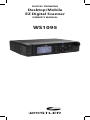
Desktop Operation
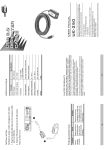
The supplied mounting bracket can serve as a desktop
stand when it is installed beneath the radio. You may
also use the mounting bracket indoors to attach the
radio underneath a table or shelf by installing the
mounting bracket above the radio.
Attach the three self-adhesive rubber feet to the
bottom of the mounting bracket in the spaces
provided. The rubber feet help prevent sliding on
smooth surfaces, and will help prevent scratching of
your desk or tabletop. Do not use the rubber feet if
you plan to attach the mounting bracket to a fixed
surface with screws.
Attach the two self-adhesive rubber washers to the
inside of the mounting bracket sides, over the holes
that are used when attaching the bracket to the
scanner’s side holes. Be sure to align the holes in
the washer carefully with the holes in the mounting
bracket. The rubber washers help protect the scanner’s
case from scratches.
Slide the scanner carefully into the mounting bracket
assembly, and use the two provided knurled knobs to
secure the scanner within the mounting bracket.
Connect the supplied AC power supply to your wall
outlet. Connect the coaxial power plug to the radio.
NOTE: Plug the adapter into an easily accessible power
outlet location near the equipment.
22