1
VivoSense – Batch Processing Module
6. Appendix A – Glossary of Terms
The following is a list of frequently used Batch Process terminology:
Batch Command
A Batch Command is any procedure performed on an open Vivosense session. Currently, any interactive
Vivosense command launched from within the Session menu in Vivosense is a valid Batch Command. Note,
the list of commands available is session depended. (For instance, the command ‘Automatic Artifact Marking’
is only available for sessions containing an ECG waveform.)
Batch Procedure
A Batch Procedure is a sequence of Batch Commands. Batch Procedures are created, configured and stored
using the Batch Manager
Batch Process
A Batch Process is the execution of a windows application that performs a selected Batch Procedure on a list
of selected files. The files used can either be .vsn files or any files of the supported import types. Note, only
files of the same type can be processed within the same Batch Process.
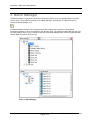
Batch Manager
The Batch Manager is the graphical component in Vivosense used to manage Batch Procedures and File
Lists
File List
A File List is a either a collection of .vsn files or a collection of files of any of the supported import files. Note,
all the files within a File List must be of the same type.
VNBatch.exe
VNBatch.exe is the stand alone Windows application that executes the Batch Processes.
User Documentation
HRV Standard Edition Module
Page 16 of 16