1
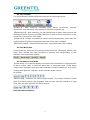
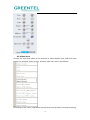
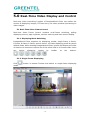
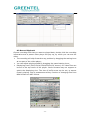
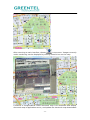
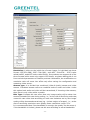
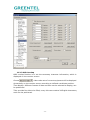
connecting or disconnecting camera, local or remote recording, jpg image
capture, temporary alarm defense organization or remove, and camera setting,
etc.
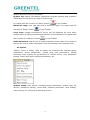
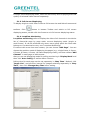
Delect Window: delect the allocation of a certain channel of a certain video
server on video window.
Play or stop the camera: you can choose whether connect the software to
server. If choosing to disconnect with the server, all video and information of
the equipment cannot be displayed.
Start or stop previewing: you can choose whether display the image of video
server connected by this video window. When the preview is stopped, computer
still keep connected with video server, no image is transmitted. It saves
resource.
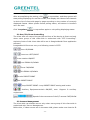
Local recording: you can choose start or stop local recording.
Remote recording: you can choose start or stop remote recording.
Local BMP capture: this is a real-time video capture function, which is to save
single-frame images from dynamic images in BMP format under appointed
folder of local monitoring host. The path of save can be modified in ‘Option’
menu—‘system setup’.
Remote JPEG capture: this is a real-time video capture function, which saves
single-frame images from dynamic images in JPEG format under appointed
folder of built-in hard disk of video server.
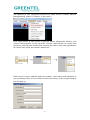
Start local JPEG capture: this is to start the local JPEG format image capture.
Choosing it will activate two options, ‘Local JPEG capture single’ and ‘stop local
JPEG capture single’.
Local JPEG capture single: this is a real-time video capture function, which
saves single-frame images from dynamic images in JPEG format under
appointed folder of local monitoring host. The path of save can be modified in
‘Option’ menu—‘system setup’.
Stop local JPEG capture: this is to stop the local JPEG format image capture.
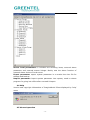
Disable Alarm: temporarily cancel the alarm defense setting of a certain
channel of a certain video server.
Enable Alarm: it’s a corresponding setting option to temporary defense
remove. It let the alarm defense start.
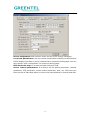
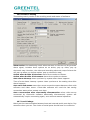
Camera Parameter: all parameters of the camera can be set here. No right to
set the parameters of the server if you log in as users instead of administrator.
And the dialogue box cannot be opened, either.
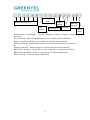
3.6 Bottom Toolbar
- 11 -