1
131
Discuss the material the film presented (topics such as chaining prompts and error correction). The
MAPS introduction used the workbook that came with the video as a springboard for discussion.
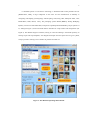
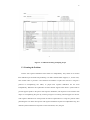
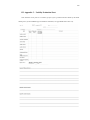
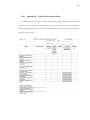
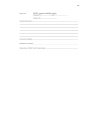
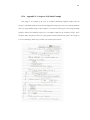
Present script design support tools to the caregiver. In the case of MAPS, a MS Word-based script
worksheet form was included (see appendix 13.6).
Do the task yourself before attempting to segment the task. Mentally doing the task is not a
replacement for physically doing the task in the actual environment where the task will be performed.
Write down each step, especially the words. By being explicit about the steps used to build support
for the task, missing holes and overscripting (underestimating the internal scripts of the client) can be
avoided.
Having written out the script, have someone else review it. This is particularly important during the
initial plotting of scripts in the MAPS system. This can be done from the filled-in MS Word script
worksheet or by using the script on the handheld, but in either case have someone else attempt to do
the task. If no one else can help, doing it yourself can substitute; however, the caregiver needs to be
careful that tacit knowledge does not slip into the performance of the task. In any case, do the task
using only the prompt words and pictures as guides.
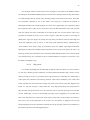
Use the templates as supports for making scripts. The MAPS system had almost 200 templates on
its web-based database server, which the caregivers found useful in the initial script design.
Don’t overestimate the prompter navigation skills of the person with cognitive disabilities.
Remember that MAPS is remapping the memorizing of the steps, constituting a task to learning the use
of the MAPS-prompter. Always add the short generic navigation sub-script (see section 6.6.1) for the
first several scripts.
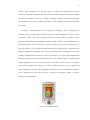
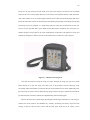
Back up the PDA frequently. PDAs are fragile as are their operating systems. Additionally, the
batteries on the handheld are limited enough so that there certainly will be a need to restore the MAPSprompter. When the batteries exhaust themselves, the MAPS-prompter, after recharging its batteries,
returns to the “factory” version of the OS (that was stored in ROM when it was produced), and to be
used as a MAPS-prompter requires restoring it from a backup that is located in the Secure Digital
memory card on the MAPS-prompter. Practice restoring the system when a dyad initially learns to use
it, so that restoring it doesn’t become a breakdown point. After every new script is installed on the
prompter, a backup needs to be done, which typically takes about 15 minutes. Of the four dyads
evaluating the MAPS system, three had to have the system restored from the memory card due to
battery discharge. Occasionally, the operating system can become corrupt, and the only solution in this
case is to restore the MAPS-prompter to the point where it is was working properly; the fourth dyad
needed this first aid.