1
1. Installation
The Express Piping software and database are distributed on CD-ROM. This system requires the
following hardware and software components:
•
1500MHz (1.5GHz) processor speed
•
256mb of RAM (512MB recommended)
•
Hard drive with at least 200MB of available disk space
•
XVGA color graphics display monitor
•
Microsoft® Windows® 2000 or XP
1.1.
QuoteExpress Piping Base System – New Install
To install QuoteExpress base system, please call a Quote Software Technician at 800-813-7020.
If you must install before or after regular business hours, please perform the following steps (this
setup assumes you have the 1.3 version CD):
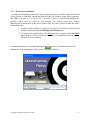
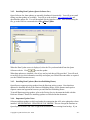
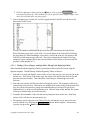
1) Insert the Express Piping CD into your CD-ROM drive. A window showing you
the contents of the CD should appear. If, after 10-15 seconds, it does not appear,
go to step 2. Otherwise, skip step 2 and continue to step 3.
2) Follow these directions to start the Express Piping installation if your CD does
not AutoRun:
a. Click on your Windows Start button.
b. Click on My Computer.
c. Find and select your CD-ROM drive (usually drive D:) to display the
contents of the disc.
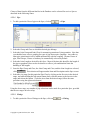
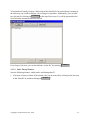
3) Double-click the file labeled Qxp_Piping_Server.exe. This starts the installation
program.
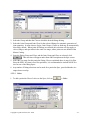
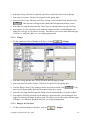
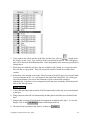
4) To install to the default folders, click Next each time it appears. When installation
program is finished, be sure that the box is checked for Launch Workstation
Installer and then click on the Finished button. Skip to step 2 of the Workstation
Installation.
Copyright © Quote Software, Inc. 2006
-5-