1
2.17
MONITORING OCCUPANCY STATUS
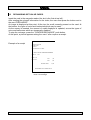
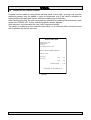
From the main menu, select option "PARK CONTROL SERVICES", and from the
second menu, select option "MONITOR OCCUPANCY STATUS": a window appears,
where the following information is shown for every area:
* Num:
the number of the area;
* Description :
the name of the area;
* Cap.:
indicates the area's maximum capacity in number of car
spaces;
* V-PRES.:
indicates how many vehicles are currently present in the area;
* Status::
indicates if there are any available spaces in the area
(SPACE AVAILAB. status), if there aren't any (FULL status)
or if the area is closed (CLOSED status)
* Psbk:
indicates if the antipassback1 control is active in the area
concerned (ON=control active, OFF=control inactive).
Press the ESC key to return to the main menu.
1
this control is for verifying that a card cannot enter the car park two sucessive times, without having exited
in the meantime and vice versa
CONTROLLER AUTOMATIC PAY STATION - USER MANUAL
21