1
Function Keys
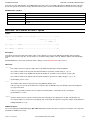
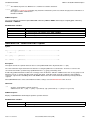
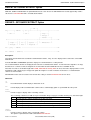
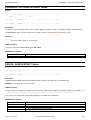
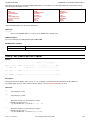
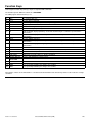
3270 Program Function Keys (PFKeys) may be assigned to SDE commands.
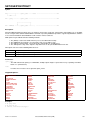
The default keylist for SDE browse/edit views is DATAEDIT.
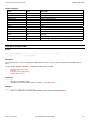
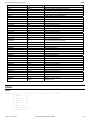
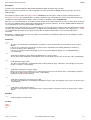
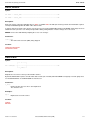
The SDE program default function keys are:
F1
HELP
The standard HELP key.
F2
SPLIT
The ISPF SPLIT command.
F3
END
Quit the file (you will be prompted to save any changes).
F4
WINDOW
Navigate open SELCOPY/i windows.
F5
RFIND
Locate search string defined by last FIND or CHANGE command.
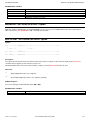
F6
RCHANGE
Repeat the change requested by the last CHANGE command.
F7
UP
Scroll the window display upwards by an amount determined by the scroll field or specified on the
command line.
F8
DOWN
Scroll the window display downwards by an amount determined by the scroll field or specified on the
command line.
F9
SWAP
The ISPF SWAP command.
F10 LEFT
Scroll the window display to the left by an amount determined by the scroll field or specified on the
command line.
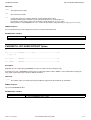
F11 RIGHT
Scroll the window display to the right by an amount determined by the scroll field or specified on the
command line.
F12 CRETRIEV
Retrieve the last command to the command line.
F13 INSERT
Insert a new record following the focus line. (Same as "I" line-command)
F14 DELETE
Delete the focus line. (Same as "D" line-command)
F15 DUPLICATE
Duplicate the focus line (Same as "R" line-command)
F16 MACRO SDEUTIL
Open the SDE Edit/Browse Options Menu.
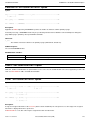
F17 MACRO
SDEZOOMW
Open a new view window of the same file window ZOOMed-mode (MAP/FMT).
F21 SWAP LIST
The ISPF SWAP LIST comamnd.
F22 UNDO
Press repeatedly to UNDO your changes one at a time.
F23 REDO
Press repeatedly to REDO your changes one at a time.
Note that the contents of the command line is concatenated to the definition of the function key and the result executed as a single
command.
2013-11-13 13:03:23
Structured Data Environment (SDE)
240