1
CONSTANT SPEED MODE
The constant speed mode is selected when the mode switch is set to the "down" position when
the black start/stop button is pushed.
When you press the start/stop button the machine will begin sewing immediately. However, if
you choose needle down the machine will lift the needle out of the fabric before starting to sew.
You need to wait for this needle pull up to be completed before moving the machine.
When the slider is set at the left, the machine will run in a pulsed mode. This is the no-drag slow
speed feature, exclusive to IntelliStitch-brand controllers. It eliminates needle flexing and fabric
stretching which happens at extremely slow constant speed. At the leftmost slider position the
machine will take one stitch per second regardless of how fast or how slowly you move your
machine. Moving the slider to the right will increase the number of stitches per second, up to 10
stitches per second. Above 10, the motor runs continuously, with variable speed, determined by
the slider position.
NEEDLE JAM DETECTION
If there is any obstruction that prevents the needle from moving or making a complete stitch, a
slightly more powerful pulse will be applied by the motor to move the needle. If, however, the
motor cannot move the needle, the red fail light will come on, a continuous beep will sound and
the motor will be turned off.
This can happen at very thick seams. If you know a thick seam is causing the jam signal to
sound, then all you need to do is turn the handwheel by hand to raise the needle, move the
machine very slightly and start to quilt again by pressing the start/stop button.
If the needle jam signal goes off for no apparent reason, you need to turn off the main power to
the machine, raise the needle by turning the handwheel and move the machine away from your
work to find the cause of the jam before continuing.
ADJUSTMENT MODE
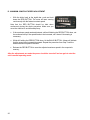
You should not need to use this, but in the event that your machine loses both its main memory
and its back up memory, you will need to re-set it by running the auto-adjustment.
To get into adjustment mode, hold down the red needle position button while powering up.
Adjustment can only be done at the back of the machine. The light above the laser button will
flash continuously to indicate that you are in adjustment mode.
Adjustment details and instructions can be found at the end of this guide.
5