1
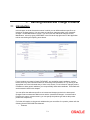
When you apply a product on an account class (in the Product Preferences screen), interest for
all the accounts will be calculated according to the interest rule that you have linked to the
product. That is, the principal, period and type of rate (not the numeric value) will be picked up
from the accounts in the same manner. However, the numeric value for the rate can be different
for each account class.
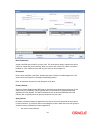
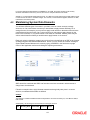
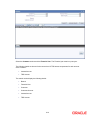
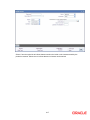
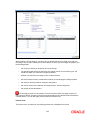
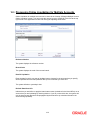
You can enter the actual values of the UDEs, for each account class to which you link the
product, in the UDE Values Maintenance screen. When interest is calculated for the account
classes, the principal, period and the rate will be picked up in the same manner. However, the
value of the rate that is to be applied on each account class will be different.
Example
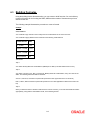
You have defined a product ‘SAUSD1’. While creating the product, you linked it to the rule ‘CRIN’. For CRIN,
you specified the SDE as ‘Monthly Minimum Credit Balance’ and the UDE as ‘Amount 1, Amount 2, Amount
3, Amount 4, Rate 1, Rate 2, Rate 3, and Rate 4.
You have two classes of savings accounts: ‘Smart Save Money’ and Save Money’. You calculate interest for
savings bank accounts based on the monthly minimum credit balance. In the Product Preferences screen
you can, therefore, apply ‘SAUSD1’ to both these account classes (since the interest calculation method is
the same).
However, the interest rates that you want to apply on each account class is different.
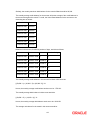
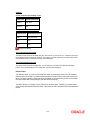
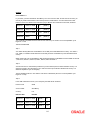
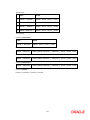
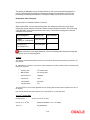
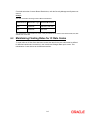
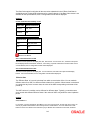
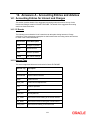
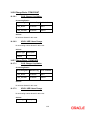
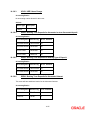
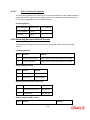
On Smart Save Money accounts you want to pay the following rates of credit interest:
Amount 1
> 5000 >= 10000
15%
(Rate 1)
Amount 2
> 10000 >= 12500
15.5% (Rate 2)
Amount 3
> 12500 >= 15000
16%
Amount 4
> 15000
16.5 % (Rate 4)
(Rate 3)
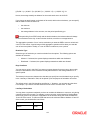
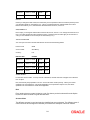
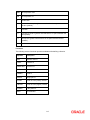
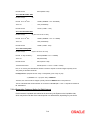
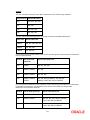
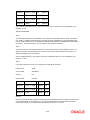
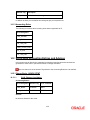
On Save Money accounts you want to apply the following rates of credit interest:
Amount 1
> 1000 >= 2000
9%
(Rate 1)
Amount 2
> 2000 >= 2500
11%
(Rate 2)
Amount 3
> 2500 >= 3000
12%
(Rate 3)
Amount 4
> 3000
14%
(Rate 4)
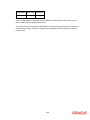
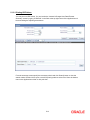
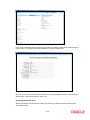
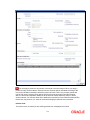
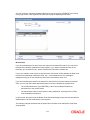
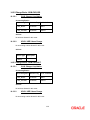
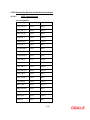
Now, in the UDE Maintenance screen, you can maintain separate records for each of these account classes.
The record that you maintain would contain the actual values of the UDEs for each account class.
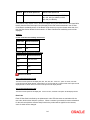
When interest is calculated for Smart Save Money accounts, the actual values for ‘Amount 1, Amount 2,
Amount 3, Amount 4, Rate 1, Rate 2, Rate 3, and Rate 4 will be picked up from (the record that you have
maintained for Smart Save Money) the UDE Maintenance Screen.
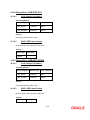
Similarly, when interest is calculated for Save Money accounts, the actual values for ‘Amount 1, Amount 2,
Amount 3, Amount 4, Rate 1, Rate 2, Rate 3, and Rate 4 will be picked up from (the record that you have
maintained for Save Money) the UDE Maintenance screen.
9-7