Download LogiTouch Editor Ver.1.0 External Device - Pro

Transcript
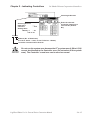
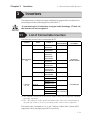
Chapter 1 - Direct Access Communication
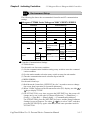
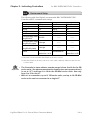
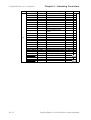
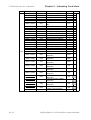
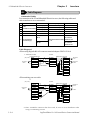
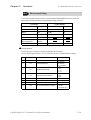
Item Word
#
Addr
External
Device
È
LT
E
x
c
l
u
s
i
v
e
R
e
a
d
i
n
g
A
r
e
a
Contents
6
+8
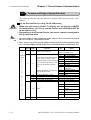
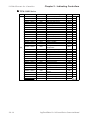
Change Screen Number
7
+9
*9
+10
8
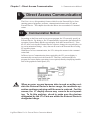
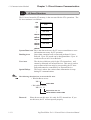
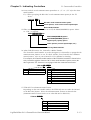
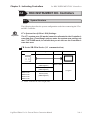
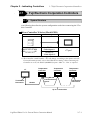
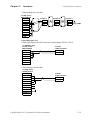
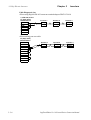
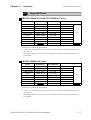
1.1 Communication Method
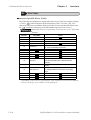
Screen Display On/Off
Bit
Detail
1 to 8999 (However, 1 to 1999
when using BCD input)
FFFFh: Screen clears almost
immediately. 0h: Screen turns
ON. All other bits are reserved.
Last 2 digits (bit #15 is the clock's
Clock's YEAR set value, BCD 2 digits
(+flag)
data write change flag *6)
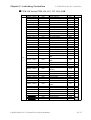
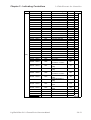
+11 Clock's MONTH set value, BCD 2 digits 01 to 12
01 to 31
+12 Clock's DATE set value, BCD 2 digits
00 to 23 Hr: 00 to 59 Min
+13 Clock's TIME set value, BCD 4 digits
0
1
2, 3
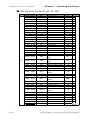
+14 Control *10
9
4
Backlight OFF *7
Buzzer ON
Reserved
Buzzer 0:Output
1:Non-output *8
5 to 15 Reserved
Reserved
A
+15 Reserved
B
C
+16 Reserved
+17 Reserved
+18 Reserved
Reserved
+19 Reserved
Reserved
D
Reserved
Reserved
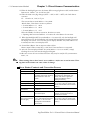
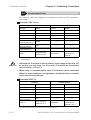
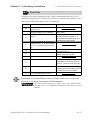
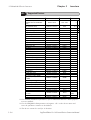
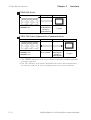
*1 LT Type-A1/A2/B cannot be used.
*2 When an alarm is setup in the middle of Keypad Input Display, and a value outside the
alarm range is entered, the bit turns ON. When you enter a value within the alarm
range, or a screen change takes place, the bit turns OFF.
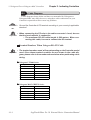
*3 Monitor, in bit units, only the necessary bits. Since reserved bits may be used for LT
system maintenance, etc., their ON/OFF status is not defined.
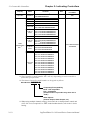
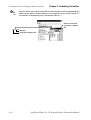
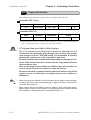
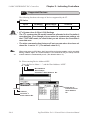
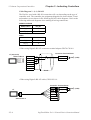
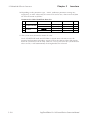
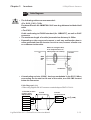
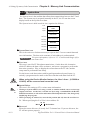
*4 Adding the screen display ON/OFF status
Adding the screen display ON/OFF bit to the system data area status allows you to
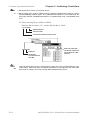
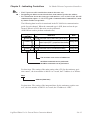
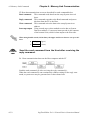
detect the screen display OFF status based on the stand-by time period, on the External Device.Add the screen display ON/OFF status bit to the system data area's Bit 9.
This bit will change in the following cases:
(1) "FFFF" is written to the system data area's screen display ON/OFF bit (LS9 when
using link type), to turn the screen display OFF. (Bit 9 = 1)
(2) After the stand-by time has been elapsed, the screen display OFF bit is turned ON
automatically. (Bit 9 = 1)
(3) The screen display OFF status has been changed to the screen display ON status
via screen switching, etc. (Bit 9 = 0)
(4) The screen display ON/OFF status bit will not change via turning ON/OFF the
system data area backlight OFF bit (Bit 0).
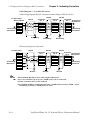
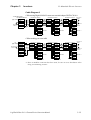
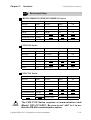
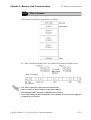
<System Data Area Status>
15
14
13
12
11
10
9
8
7
6
5
4
3
2
1
0
0:Screen Dis play ON
1:Screen Dis play OFF
LogiTouch Editor Ver.1.0 External Device Connection Manual
1-1-5