1
changed. The next time you try to display an indicator it will
inform you that the data may have changed and ask if you
want to recalculate the projection. Normally, you should
answer “Yes” to this question. DemProj will then make the
population projection. This may take only a few seconds if
you are making only a population projection, or could take
somewhat longer if you are also making a projection
including AIDS, family planning or reproductive health.
Once the projection is made, you will not be asked again if
you want to project the population, unless you edit the
assumptions.
F. Examining the Output
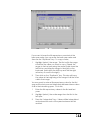
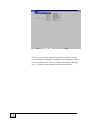
To see the results of the projection, select “Display” from the
menu bar. From the pull-down menu select “Demography.”
You will then see another menu showing the seven
categories of indicators available:
•
Population
•
Fertility
•
Mortality
•
Vital events
•
Ratios
•
Age groups
•
Summary
61