1
1
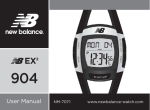
Design of the Watch
Thank you for purchasing this watch. Please read this manual thoroughly before using
the watch!
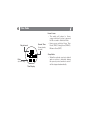
[S/R] Stop / Reset Button
[EL] EL Button
• To activate the ‘stop’
• To turn on the EL back
function in Workout Mode.
light for about 3
• Hold to reset the workout
seconds
session
• Hold for 3 seconds,
• To increase the setting
back light will turn on
value during setting display
for further 5 seconds
[M] Mode Button
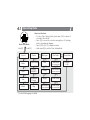
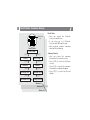
• To select among function modes:
Time, Workout (Distance >
Timing View), Goal, Alarm and
Recall Mode
• Hold down to select/exit setting
display in the following modes:
Time, Workout, Goal and Alarm
• To select among different setting
items in setting mode
[S/S] Shift / Save Button
• Shift the view data in
Workout Mode
• Hold to save the workout
session
• To decrease the setting
value
during
setting
display
[ST/L] Start / Lap Button
• To start in Workout Mode
• Make a Lap in Workout Mode