1
TS2500 Installation Manual
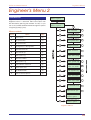
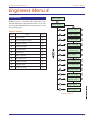
Engineer’s Menu 1
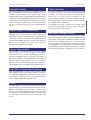
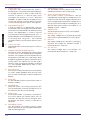
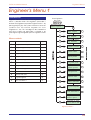
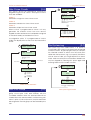
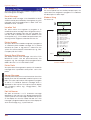
Reset algorithm
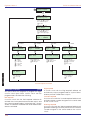
Engineers menu 1
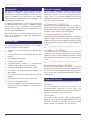
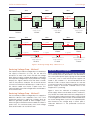
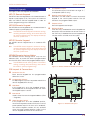
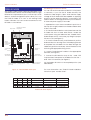
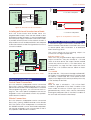
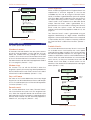
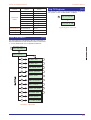
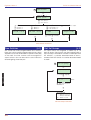
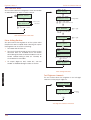
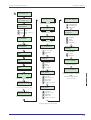
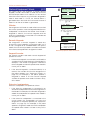
Do system print
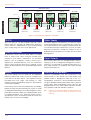
When a ward is programmed for “Engineer Reset” the
requirement to send an engineer to site can be
overridden by the user by using the “Remote Reset”
facility. If an alarm is generated the system will respond
with a four digit “seed” code which the user quotes to
the Alarm Receiving Centre or alarm company. The
“seed” code is then entered into a decoder and a
unique “Remote Reset” code is generated. This is
passed back to the user and on entering the “Remote
Reset” code, the system is reset. The remote reset
feature can be selectively applied to wards A to P, see
page 80.
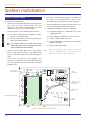
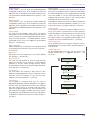
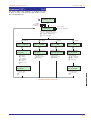
[
Press B to Print
Custom text?
A / C to scroll through
the print options
B to tag for printing
Press B to Print
Configuration?
[ To send tagged
options to the printer
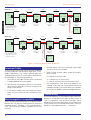
System Print Flowchart
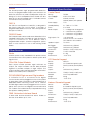
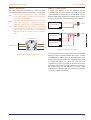
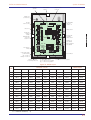
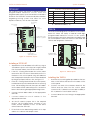
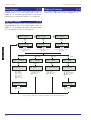
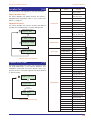
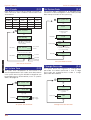
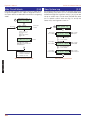
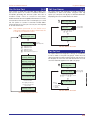
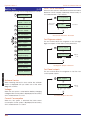
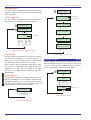
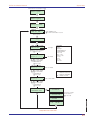
System Options
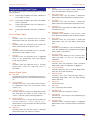
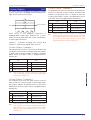
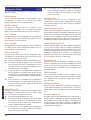
The system options are as follows:
[1-8]
Number of rearms
At the end of the bell duration time the system re-arms
all circuits that are healthy. Circuits that are still in an
alarm are isolated until they change to a healthy
condition. This counter controls the number of times that
a “circuit” will re-arm before it is locked out of the system.
The rearm feature can be selectively applied to wards A
to P, see page 80. (Default = 003).
Modem rings
This counter is for use with the DC58M, it allows the
engineer to specify how many rings are required before
the DC58M answers the call. If the counter is set to 000 it
will answer the call immediately. (Default = 000)
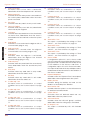
Keys until tamp
The value of this counter determines how many illegal
key presses can be entered before the a code tamper
occurs. A code tamper locks out the remote keypad for
5 minutes. (Default = 017)
Remote resets
This counter determines how many “Remote Resets”
can occur before the system locks into engineer reset
only. When the engineer attends site and enters their
passcode the counter is restored to its original value.The
Remote Reset feature can be selectively applied to
wards A to P, see page 80. (Default = 032)
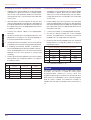
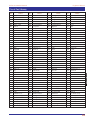
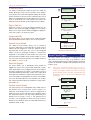
The “Remote Reset” code is generated using an
algorithm identified by a 3 digit number. Alternative
algorithms can be selected but these must correspond
to that used by the ARC (or alarm company) otherwise
the “Remote Reset” code will be incorrect. (Default =
004).
Double Knocks
This counter determines how many “Knocks” must occur
on a double knock circuit before the control panel
responds with an alarm condition. This counter can then
be selectively applied to wards A to P, see page 80. If a
ward is not selected to use this counter all double knock
circuits within the ward will behave as normal double
knock circuits, i.e they must activate twice within the
double knock time delay or remain active for the
duration of the double knock delay before causing an
alarm. (Default = 002).
8
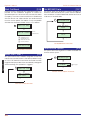
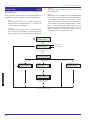
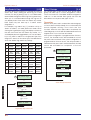
Engineers menu 1
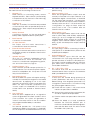
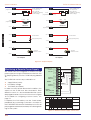
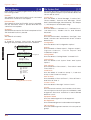
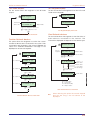
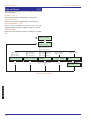
System options
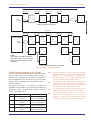
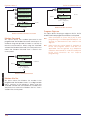
[
Number of rearms
003
Option
Value
A / C to scroll options
B=Edit
Modem rings
000
To edit enter 3
digit number
Modem rings
002
[
System Options Flowchart
45
Engineers Menu 1
7