1
Engineers Menu 3
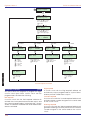
Custom Text Menu
TS2500 Installation Manual
[3-7]
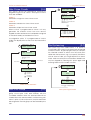
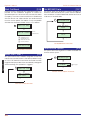
This menu option allows the installation engineer to edit
the following text messages:
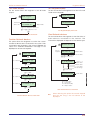
Reset Message
The default reset message “CALL ENGINEER TO RESET
SYSTEM” can be personalised by the engineer, e.g. the
message may be programmed to read “CALL XYZ
ALARMS ON 0181-1234567".
Aux. Tamper 1/2
The control panel has two auxiliary tamper inputs, this
option allows the engineer to program a 16 character
text description for each input.
Modem String
For future use.
7
[
Location Text
This option allows the engineer to program a 32
character location message. When “Engineers menu 1"
is selected the engineer can view this message. This
can be used to provide the location details for the
control panel, e.g., ”C P located in reception area", thus
assisting service engineers unfamiliar with the site.
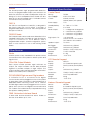
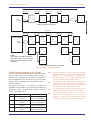
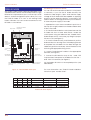
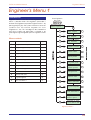
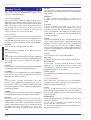
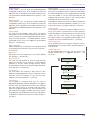
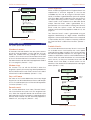
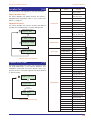
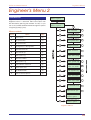
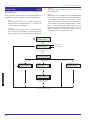
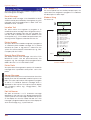
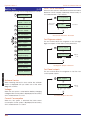
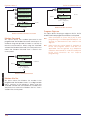
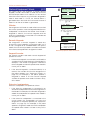
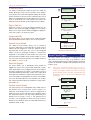
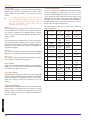
[ENT] to edit :Reset message
A / C to scroll
0 = Reset message
1 = Location text
2 = Printer header
3 = Remote reset msg
4 = Printer prefix
5 = Banner message
6 = Part set banner
7 = Aux. tamper 1
8 = Aux. tamper 2
9 = Modem string
Printer Header
This option allows the installation engineer to program a
32 character printer header message. This is printed
whenever a system or log printout is taken from the
system. This can be used as a site reference, e.g., “ABC
Company Job No123456".
Remote Reset Message
The default remote reset message “CALL A.R.C FOR
REM.RESET CODE” can be personalised by the
engineer, e.g. the message can be programmed to
read “CALL 0181 121212 FOR RESET CODE".
Printer Prefix
Engineers Menu 3
This option allows the engineer to specify a 16 character
message which is prefixed to every event sent to the
printer.
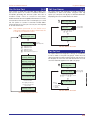
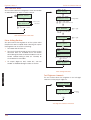
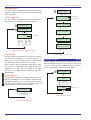
Banner Message
Normally when the system is unset the bottom line of the
display shows the time and date, and the top line is left
blank. This menu option allows the engineer to program
or edit a 16 character “Banner” message which is
displayed on the top line. This may be used to display
the company’s name, e.g., “Blogg Alarms”, “ABC
Security” etc.
Part Set Banner
The part set banner is a 16 character message
displayed on the top line of the display whenever the
system is part set. If the message is left blank the top line
of the display will show the wards that are set. If the
message is programmed the top line of the display will
show the message, e.g., “System Part-Set”.
66
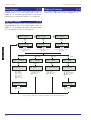
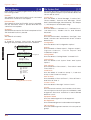
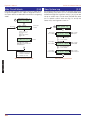
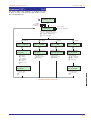
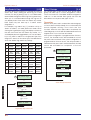
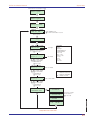
Engineers menu 3
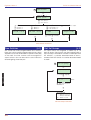
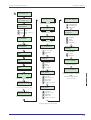
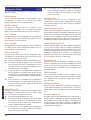
Custom text menu
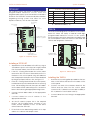
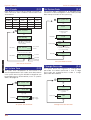
[ to edit
Cursor
MENVIER SECURITY
^anner message
Use keys to edit circuit text
[
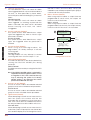
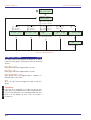
Custom Text Menu Flowchart