1
DVD Operation
DVD Operation
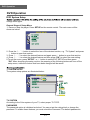
DVD Basic Operation
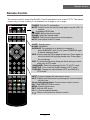
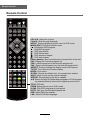
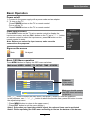
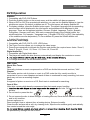
Turn on your TV then use the INPUT button on the remote control or on the TV to select DVD
mode. If there is no disc in the DVD players the screen will show “NO DISC”.
Place a disc
Insert a disc according to the silk.
Do not touch the playing surface.
automatically draw the disc into the player.
To "Eject" the disc, press the "
" (EJECT)button on the remote control or on the TV.
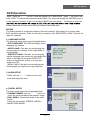
Play
The contents of each disc vary, as to how the disc was authored and what features are included.
Some discs start playing as soon as they have been read, some need "Play" selecting in the
Menu. Different play modes are offered, such as Menu Play, Sequence Play and other modes.
Using the Display Feature
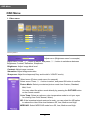
1. Compatible with DVD, SVCD, VCD, CD, HD-CD, WMA, Digital Audio disc discs.
2. Loading and playing DVDs (two pages)
- "Disc Type, Title * / * (the playing title / total titles), Chapter * / * (the playing chapter / total
chapters), Elapsed Time of the Disc".
- Press the button again to show the second page:
- "Language */* (the serial number of playing language / the amount of optional languages) or
Off, Language Type, Audio Type, Subtitle * / * (the serial number of playing subtitle /the
amount of optional subtitles) or Off, Angle * / * (the serial number of playing angle / the amount
of optional angles) or Off".
- Press the button for the third time, the display menu fades out.
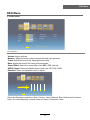
3. Loading and playing SVCD discs (two pages)
- "Disc Type, Track * / * (the playing track / total tracks), Mute, PBC, Repeat Mode, Elapsed
Time of the Playing Track".
- Press the button again to show the second page:
- "Language * / * (the serial number of playing language/ the amount of optional languages) or
Off, Language Type, Audio Type, Subtitle * / * (the serial number of playing subtitle / the
amount of optional subtitles) or Off".
- Press the button for the third time, the display menu fades out.
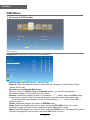
4. Loading and playing VCD
- "Disc Type, Track * / * (the playing track / total tracks), Mute, PBC, Repeat Mode, Elapsed
Time of the Playing Track".
- Press the button again, the display menu fades out.
5. Loading and playing CD, HD-CD, WMA, Digital Audio / JPEG discs
- "Disc Type, Track * / * (the playing track / total tracks), Mute, Repeat Mode, Elapsed Time of
the Playing Track".
- Press the button again, the display menu fades out.
19