1
SerVision SVClientCE User Guide
Configuring Connection Settings
Before using SVClientCE to connect to a video gateway, you need
to enter the following information:
•
The public IP address or host name of the video gateway
unit
•
The port number of the unit
•
The user name and password required for accessing the unit
through a client application
SVClientCE can connect to SerVision video gateways directly or
through a proxy server. If you plan to use a proxy server, the proxy
settings you enter here must match those that are defined in the
unit's configuration. (For additional information, please refer to the
unit's configuration guide.) You will need to know the following
information in order to configure a proxy connection:
•
The name by which the unit is registered on the proxy
server. For SVG and IVG units, this is the name of the unit
as it appears in the configuration. For HVG units, this is
configured in the proxy settings of the unit.
•
The hostname or IP address of the proxy server. If you are
using the SerVision proxy service, SVClientCE fills this in
automatically.
•
The port through which SVClientCE must connect to the
proxy server.
D
D To configure a connection to a video gateway:
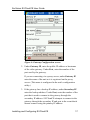
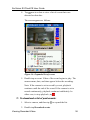
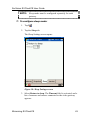
1. If the Gateway Configuration screen is not displayed, tap
The Gateway Configuration screen opens.
Installing and Configuring SVClientCE
.
16