1
Chapter V
Running GO-Global
To uninstall the GO-Global Client on Linux
1. Launch the Linux console.
2. Type rpm -e gg-client.linux.
To uninstall the GO-Global Client on Mac OS X
1.
Open Terminal.
2.
Log on as root. (Type su and press Enter, then provide the root password).
3.
Change to the /Applications/gg-client.app/Contents/Utils/ directory.
4.
Run the script by typing ./Uninstall.sh
5.
Close Terminal.
To uninstall the GO-Global Client from Firefox
1.
Start Mozilla Firefox.
2.
Click Tools | Addons.
3.
Click Uninstall in the GraphOn GO-Global section.
4.
Close Mozilla Firefox.
After uninstalling GO-Global, it is recommend that users clear the Firefox browser cache.
To uninstall the Plug-in for Linux
1.
Launch the Linux console.
2.
Remove the Plug-in by typing:
rm -rf ~/.mozilla/plugins/libnpg.so ~/.mozilla/plugins/libpbr.so > ~/.mozilla/ gg-client
If you plan to reinstall the Plug-in, we recommend clearing the Firefox browser cache.
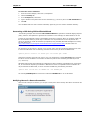
To uninstall the GO-Global Client from Internet Explorer
1.
Start Internet Explorer.
2.
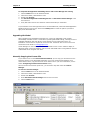
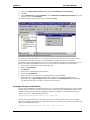
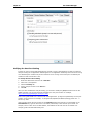
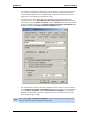
Click Tools | Internet Options | Programs | Manage add-ons.
3.
Select GO-Global 4.
4.
Click Delete. If there is no Delete button (e.g., with Internet Explorer 8):
a.
Double-click GO-Global 4.
b.
Click More Information.
c.
Click Delete.
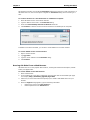
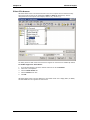
If users have difficulty reinstalling and running the ActiveX Control, clear the browser cache. To
do this, open Internet Explorer and click Tools | Internet Options. Click the General tab and
under Temporary Internet Files, click Delete Files. Users should then check for any conflict
directories using a Command Prompt window.
To check for conflict directories
1.
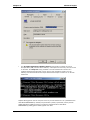
Open a Command Prompt window.
2.
Type the location of the Downloaded program files folder and check for any conflict
directories. If any exist, delete them.
3.
Close the Command Prompt window.
Page | 62