1
Infinitely Expandable
Features of MPDP
▶Enjoy a wide flat screen with high brightness and high quality.
▶Easy to install and move due to its thin design
▶Enjoy your favorite programs with various split-screen features simultaneously presenting
several programs.
Thank you for purchasing our MPDP monitor.
This manual describes how to use the product and notes in use.
Please read the manual carefully before using it.
After reading this manual, please retain for future reference.
If you have any questions or a problem occurs, please contact either the company you purchased this
product from or an authorized service center.
Notice to users
It is a device designed for business purpose with a safety certificate for electromagnetic interference, which
user should be mindful of.
" Important Safety Instructions"
1) Read these instructions.
2) Keep these instructions.
3) Heed all warnings.
※Displaying static picture for an extended period of time may cause an burn-in effect.
Warning
Class A digital device
4) Follow all instructions.
If you fail to comply with the regulations for safety and proper use,
fire or injury may be caused.
5) Do not use this apparatus near water.
6) Clean only with dry cloth.
7) Do not block any ventilation openings. Install in accordance with the manufacturer’s instructions.
Warning
8) Do not install near any heat sources such as radiators, heat registers, stoves, or other apparatus
(including amplifiers) that produce heat.
To prevent electric shock, Do not remove cover.
No user serviceable part inside
Refer servicing to qualified service personal.
9) Do not defeat the safety purpose of the polarized or grounding-type plug. A polarized plug has
two blades with one wider than the other. A grounding type plug has two blades and a third
grounding prong. The wide blade or the third prong are provided for your safety. If the provided
plug does not fit into your outlet, consult an electrician for replacement of the obsolete outlet.
Supplied Accessories
User's Manual
Multi-Screen Control
System(MSCS)
Guide Pin(4pcs)
Handle (2 pcs)
10) Protect the power cord from being walked on or pinched particularly at plugs, convenience
receptacles, and the point where they exit from the apparatus.
11) Only use attachments/accessories specified by the manufacturer.
DVI-D Cable
Power Cable
12) Use only with the cart, stand, tripod, bracket, or table specified by the manufacturer, or
sold with the apparatus. When a cart is used, use caution when moving the cart/apparatus
combination to avoid injury from tip-over.
Bolt (4 pcs)
RS232 Cable
13) Unplug this apparatus during lightning storms or when unused for long periods of time.
14) Refer all servicing to qualified service personnel. Servicing is required when the apparatus has
been damaged in any way, such as power-supply cord or plug is damaged, liquid has been
spilled or objects have fallen into the apparatus, the apparatus has been exposed to rain or
moisture, does not operate normally, or has been dropped.
The symbol in figure 21 shall be shown adjacent to the text of item 12 above.
Optional Accessories
RS-232C Distributor
Necessary for connecting more than 30 units.
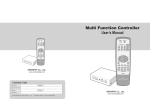
MF-Controller SET
PC
T.P.
DVD
Y/C
CVBS
S1
S2
S3
S4
S5
S6
S7
SCR
MPDP
B.CA
STB
PWR
Enter
DVI
(refer to page 10~11)
DTV
MAIN FRAME
PDP
REMOTE CONTROL
1 Input, 6 Output
1