1
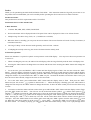
an open USB port on your computer using the included USB cable.
come on.
The blue LED will come on and then the red LED will
Once the red LED is on double click on SyncTime (located on the CD-ROM).
it may take 2-3 minutes but you will see 1 device connected and Ready.
synchronize complete.
computer.
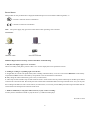
Press the power button on the remote,
At this time just click on Synchronize.
You will see
You can now remove the DVR from the computer and the time and date will be the same as your
If you do not get the 1 device connected message after 3 minutes unplug the USB cable from the DVR and reconnect
to the DVR and then follow the steps above.
V. Instructions for File Storage
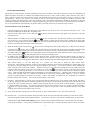
When finishing video-recording and other operations, put the switch to “ON” position, connect it to your computer by USB cable. For
the best play back copy the file or cut and paste it to your computer.. Or you can remove the TF card and use a card reader to read the
data on the card. To view the recordings double click on the DCIM folder and then double click on the 100MEDIA folder.
The Media player / KM player is recommended.
USB data cable
USB port of
computer
VI. Precautions
Please note that it is the responsibly of the customer to check all state, local and federal laws governing the use of video Spy (hidden)
cameras before ordering and/or using hidden or covert video and/or audio surveillance equipment. In most states, hidden video
surveillance is legal as long as it is not done in an area where reasonable privacy is expected. These areas include, but are not limited
to, bathrooms, bedrooms and dressing rooms. In most states, video surveillance does not require the consent of parties involved.
However, in some states, the use of audio recording or surveillance requires the consent of all parties involved. There are also various
federal and state laws regulating the use, and possession, of some types of audio surveillance equipment. We recommend that you
check all state, local and federal laws regarding the use of video/audio Spy (hidden) cameras.
Software upgrade: In order to keep the device performing well, the product software will be updated continuously. The device is
designed the function to update by user itself, please claim the latest software and upgrading method towards your local dealer.
Working temperature: Please do not use this device in extreme cold or heat.
Working humidity: Please do not use the device in a damp or humid environment. This device is not water-proof.
Video luminance: Please do not point the camera at the sun or other intensive light source; otherwise, it may damage the optical
apparatus.
Cleanliness requirement: Please do not use the device in an environment full of dirt; otherwise, it may cause the lens or other parts to
become dirty and influence video effect. You can use lens wiping paper or glass-cleaning cloth.
Other precautions:
6