1
32
Finding Your Way Around
Front with the display open
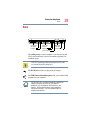
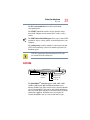
The 3.5 mm headphone jack lets you connect stereo headphones
or other audio-output devices, such as external speakers.
Connecting other devices automatically disables the internal
speakers.
The 3.5 mm microphone jack lets you connect an external
monaural microphone or other audio input device.
The line-in jack allows you to connect an external input device.
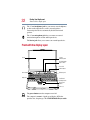
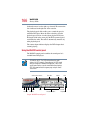
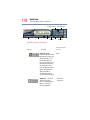
Front with the display open
Screen
System
indicator panel
CD/DVD/Media
Player switch
CD or DVD
control buttons
Power button
Keyboard
Indicator panel
AccuPoint II
pointing device
AccuPoint II
buttons
Palm rest
On
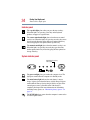
The power button turns the computer on and off.
The computer’s screen is a liquid crystal display (LCD) that
provides clear, sharp images. The CD/DVD/Media Player switch