1
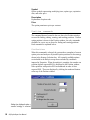
Covered Positions Note:
When the selected strategy is (or includes) a covered strategy such as
Covered Call Write or Variable Ratio Call Write, Find Positions
displays the Covered Positions Conditions dialog box. You must
change or accept the entries in this box and click OK before Find
Positions will proceed with its analysis of potential option positions.
For an explanation of the entries in this dialog box, see Customizing
Properties, Section 5, Margin Criteria and Covered Positions pages.
Checking the No longer show this screen option box will prevent the
Covered Position Conditions box from being displayed in the future.
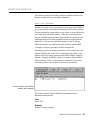
Edit
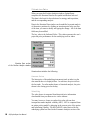
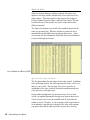
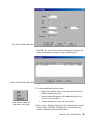
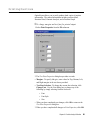
This command displays a dialog box used for editing the position
currently shown in the Position window. When the dialog box opens,
the position appears in the main window of the box.
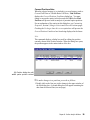
Edit Position dialog box with
middle option position selected
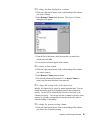
å To make changes to a position, proceed as follows:
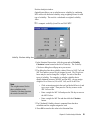
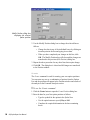
1. Double click on the line you wish to change in the upper window of
the Edit dialog box. A second dialog box will appear containing the
data from the selected line (see next page).
Chapter III: Position Analysis Window
33