1
Step-through a typical setup sequence
ComPort Setup
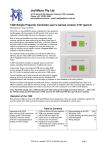
Click the down-arrow in the ComPort Setup and then select the active port for the RS232 connection to the T470.
Connect
(Verify that the red LED above the OFF key on the T470 is illuminated.)
Click on the “Connect” button.
The red LED will flash quickly 5 times and the Status window will show a “Controller is now connected” message.
Get Configuration
Clicking on the “Get Config” button will fetch the current T470 configuration.
The “Progress” bar will show this loading, and the “Status” window should show “Config downloaded successfully”.
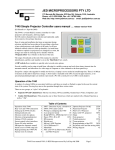
The current T470 configuration is then shown in all data/status windows:
•
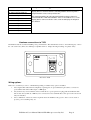
The Current Device code: a 4-digit number in the top setup windows. The current ID is shown in a window,
and is marked as “Invalid Code” if it is not recognised, or during entering codes not recognised so far as digits
are entered. The text window below the four code-setting buttons shows the current target display device;
•
The pre-set Keypad code, in red at the top of the Keypad layout drawing and the default (or pre-loaded) source
allocations to each key are shown.
Note: the keypad code is loaded during manufacture, and is not normally field-alterable. The order/invoice
code used is this keyboard code, with an added letter which identifies the keyboard completely. This gives
labels such as PC, DVD, TV etc to the ones labelled Source1, Source2, Source3 etc ;
•
The Timer settings, either default values (loaded from the internal device data-base) or previously set. These
are the Warm-up Time, the Cool-down Time, and a couple of internal timers, rarely needing adjustment;
•
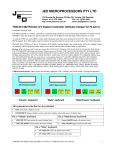
The RES pin allocation. Choices are: PIR, IR Out, or Relay 3 Out.
In PIR mode, the T460 senses the presence of people in the room (sensing body heat, via IR) If detected, an
internal “PIR Run Timer” is reset repeatedly, and no display device turnoff is triggered. However, if everybody
leaves the room, the PIR Run Timer will timeout after the set time, and the display device is turned off. IN this
mode, the PIR output contact is wired between the RES pin and Ground. It is internally pulled up by a 4k7
resistor in this mode.
In IR Out mode, IR pulses are transmitted from the RES pin on the back of the T470, and assume a positive,
current-limited voltage is pulsed to an external LED (returned to the Ground pin). This can control a display
device or ancillary equipment such as a Set Top Box, DVD player, external IR controlled audio system, etc.
This can be modulated at 38kHz to normal IR-controlled devices, or be unmodulated, e.g. to connect
electrically to a CommBox LCD display (into a special 3.5mm jack socket).
In Relay 3 Out mode, the RES can source a 5 volt signal to an external opto-isolated 240 volt relay, an optoisolated DC relay or a N-channel power FET (e.g. MTD3055, available from JED) (gate to pin, source to
ground, drain as output) as a solid-state relay control device. Commercial 240V AC or 60 volt DC opto-relays
are available from Element 14: see http://www.farnell.com/datasheets/77538.pdf They are made by Opto22,
Gordos, etc and operate with 3.0 volts at 2mA into the internal opto-isolator LED;
•
The PIR Run-Timer value, the time at which a reset to the OFF state occurs if no-one is sensed by the PIR
(Passive Infra-Red) detector wired to the RES pin (only valid/active if the RES Pin allocation is to “PIR” use);
•
The Max Volume window, which defaults to a data-base preset value, but can be altered, if, for instance, a
particular installation has a lower maximum value requirement. (Also, this accommodates the sometimes
incorrect Max Volume setting by some manufacturers). If the projector uses increment/decrement volume
commands (instead of absolute commands) Max Volume is locked at 0;
•
The Reply Mode setting. If “Greyed-out”, Reply Mode is not available for the currently selected display
device. If available, a selection can be made. If set to “Off”, it is turned off.
If set to “On”, the T470 will interrogate the current running state of the display device every 5 seconds, and
will reset itself to the Off state if the display device has assumed the Off state, either because of a time-out or
IR user turn-off. (The point at which this interrogation occurs is marked by a very brief flash of the red LED
every 5 seconds, like a “heart-beat”);
T470 Part A User’s Manual V039 © JED Microprocessors Pty Ltd
Page 2