1
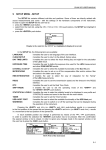
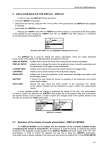
Fig.6.12. Exporting wave files.
After activating this command, the Export wave dialog box will appear. Audio
channels available in the current data are listed in the upper-left part
of the window. You can set the target filename and directory for the output
wave files by clicking on the
icon next to the Filename field.
Available
audio
channels list
Wave format
settings
Uncheck to
mix channels
to mono
Target filename
and directory
Press to export wave files with configured settings
Fig.6.13. Export wave dialog box.
© SVANTEK
- 68 -
SvanPC++ User Manual