1
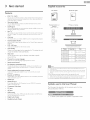
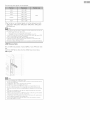
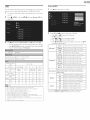
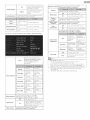
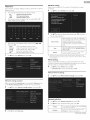
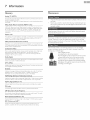
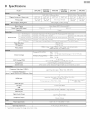
The following video signals can be displayed:
VGA
640 x 480
SVGA
800 x 600
XGA
1,024 x 768
60Hz
1280 x 768
WXGA
1,360 x 768
1,920 x 1,080
FHD ÷
Other formats or non-standard signals will not be displayed correctly.
* 50PFL3908 / 46PFL3908 / 46PFL3608 / 40PFL4908 / 39PFL2908 /
39PFL2608 only,
Note
•
Please purchase
•
[he
the VGA
cable or HDMI
DVI conversion
cable tha± has a ferrite
core.
•
Unplug the AC power cord and use the built in batery of your PC
Use an HDbll cable with the HDMI logo (a certified HDbll cable) High Speed HDbll
•
cable is recommended
for the better-corr_padbility
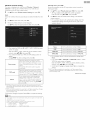
Ihe unit accepts 480i, 480p, 720p I080i and I080p
following
operations
may reduce noise
Aitach a ferrite core to the AC power cord of your PC
•
HDNPDVI
conneczion requires separate
signals are output as Analog (L/R) Audio,
•
DVI does
not display 480i image which
video
signals
audio connections
is not
in compliance
as well and the audio
with
EIA/CEA-861/861
B,
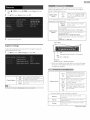
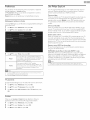
USB Memory Stick
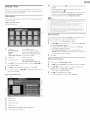
This unit offers easy playback of picture (JPEG), music (MP3) and video
files.
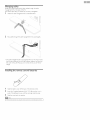
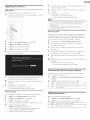
Insert the USB Memory Stick into the USB terminal
shown below,
USB '- p.24
Note
•
•
]]]e unit recognizes only a USB Memory Slick,
Do not use a USB hub or an extension
cable to connect
•
the unit, (Not supported,)
A USB Plemory
Stick is always inserted
•
•
A USB Plemory
Stick is not supplied with this unit.
We do not guarantee that all USB Memory Sticks can be supported
•
Be sure to keep a backup copy of the original files on your device before you play
them back on this unit. We have no responsibilities
for damage or loss of your stored
data,
•
]o protecl
•
sliding tab in the protecl position,
When you are ready to remove a USB Memory
•
mode to avoid any damage to your data and the unit,
A USB blemory
Stick that requires its owl] driver or the device with
•
such as fingerprint
recognition
are not supported,
]his unit is not allowed to use the USB Memory
power
your USB blemory
supply (g00mA
an external
hard disk drive to
to this unit directly
by this unit,
Stick files fi_om being erased place the write
or more).
Stick, set the
Slid< which
protecl
unit to go into Standby
requires
a special system
an exlernal