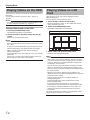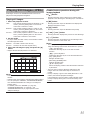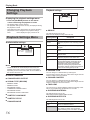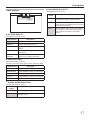
1
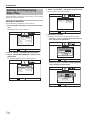
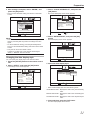
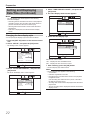
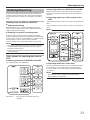
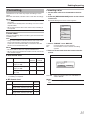
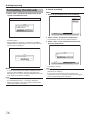
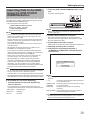
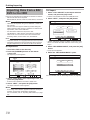
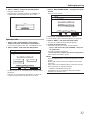
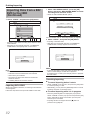
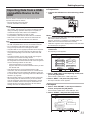
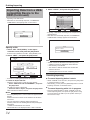
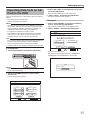
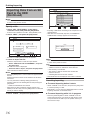
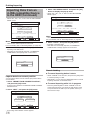
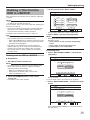
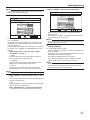
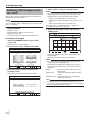
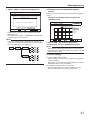
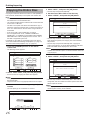
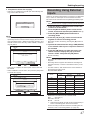
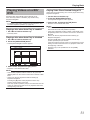
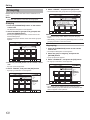
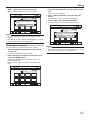
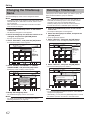
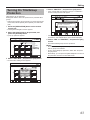
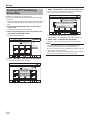
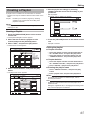
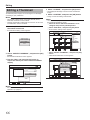
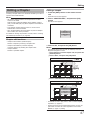
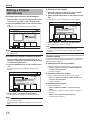
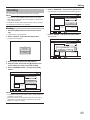
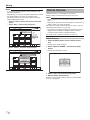
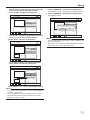
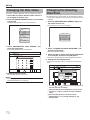
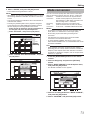
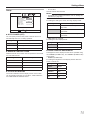
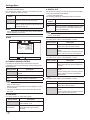
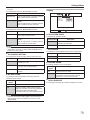
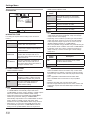
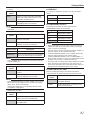
Editing Dividing 6 Select “EXECUTE”, and press the [OK] button • A confirmation screen for performing dividing appears. You can select a saved title and divide it into two titles. Memo: &+8+&' • Dividing can only be applied to titles stored on the HDD. • Titles that are protected cannot be divided. To divide a title, turn off the protection. For details on turning off the title protection, refer to "Turning Off Title/Group Protection" (A page 64) . Dividing ;17%#0&+8+&'6*'6+6.' ;17%#0'&+66*'6+6.'618+'9$;%*#26'45 &+8+&+0)21+06 ':'%76' 14+)+0#. 001 1 Press the [EDIT] button on the remote control unit • The Edit menu screen appears. 2 Select “DIVIDE”, and press the [OK] button • The title screen appears. &+8+&+0)21+06 0 : 00 : 00 - : -- : -':+6 '&+6 5'.'%6 14'6740 126+10 7 Select “DIVIDE”, and press the [OK] button • Dividing starts. &+8+&' ;17%#0&+8+&'6*'6+6.' ;17%#0'&+66*'6+6.'618+'9$;%*#26'45 &+8+&' '&+6 70#$.'614'5614'6*'14+)+0#.#10%'+6+5&+8+&'& &+8+&+0)21+06 &1;179#0661&+8+&'! ':'%76' &+8+&' %#0%'. %*#26'4'&+6 2.#;.+56'&+6 &'.'6'5%'0' &+8+&' 14+)+0#. 001 &+8+&+0)21+06 0 : 00 : 00 - : -- : -':+6 '&+6 5'.'%6 126+10 14'6740 3 Select a title, and press the [OK] button 4 Play the video, and press the [W] button at the scene where you want to perform dividing 5 Select “DIVIDING POINT”, and press the [OK] button &+8+&' ;17%#0&+8+&'6*'6+6.' ;17%#0'&+66*'6+6.'618+'9$;%*#26'45 &+8+&+0)21+06 ':'%76' 14+)+0#. 001 &+8+&+0)21+06 0 : 00 : 00 - : -- : -':+6 '&+6 5'.'%6 126+10 14'6740 Memo: • For details on how to play videos, refer to "Video Playback Operation" (A page 51) . • Frame movement on the Chapter Edit screen can only be performed one frame at a time regardless of the “STILL MODE” (A page 77) setting. 69