1
Dear User,
Thank you for purchasing BRIK Integrated Amplifier.
Please read this User Manual before operating the machine to ensure its
best performance and your safety.
Instructions:
Connecting Source
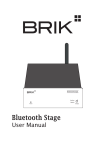
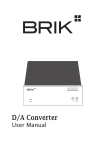
Connect D/A Converter, Bluetooth Stage, Internet Radio, Phono Stage, CD
Player, Mobile Phone, or other line level sources through Input 1 (3.5mm jack)
on the front panel or Input 2 or 3 on the rear panel.
Connecting Speaker
Connect speaker cables with 4mm diameter Banana plug, spade connector, or
naked wire.
Highly recommend connecting speakers with 4 ohm and 100 watts output.
Connecting Power
Before connecting, check the label to ensure the local power supply is
compliant, and then connect the low voltage plug from the power supply to the
20V In socket. Press the Power button on the front panel to turn on the machine
and re-press the Power button to turn off.
Please use 20V/3A power supply or 19V/3.42 power supply for BRIK
Integrated Amplifier.
This item shall be connected to a mains socket outlet with a protective earthing
connection.
Choosing Source
Use the switch on the front panel to choose the music source.
Integrated Amplifier
Power
Input 1
1
2
3
Source