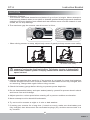
1
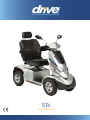
ST-6
Instruction Booklet
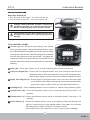
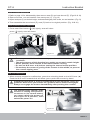
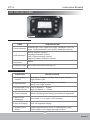
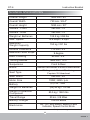
3.Digital High / Low Speed Control
ITEM
Operation
Feature
Control Mode
DESCRIPTIONS
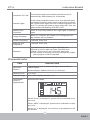
Press「H/L Speed」 button to switch High/Low speed
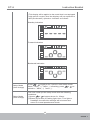
Press
or
to fine tune in 5 speeds
Press「H/L Speed」 button once, the High/Low Speed
Indicator ( ) will light on. Press again, the indicator will
light off.
Press
button to increase the speed
Press
button to decrease the speed
H
H
%
(Max)
Speed Display
Usage Condition
L
%
(Max)
20
10
40
20
60
30
80
40
100
50
While (1) controller shut down (2) in charging-mode, the
function will be disabled.
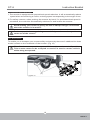
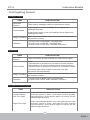
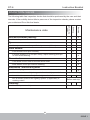
4.Power Indicator
ITEM
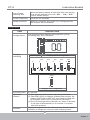
Discharge
Capacity
DESCRIPTIONS
Capacity (%)
40%
55%
Status Display
70%
85%
100%
F
F
F
F
F
E
E
E
E
E
30%
F
E
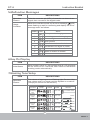
Flashing
(Status indicator LED will be flashing)
Operation
Characters
The segments will decrease only, won't increase.
19
ISSUE 1