1
Settings - Programming
Settings - Programming
Programming - Add, Assign Or Remove
Add And Assign An Actuator To A Location / Circuit Name
Programming is used to add, assign or remove the actuators / detectors to the location / circuit names created in the previous section.
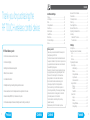
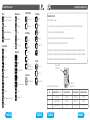
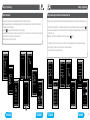
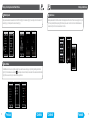
The Programming menu can be accessed from the Main Menu by pressing
in the top right corner (Fig. 1). Select Programming
(Fig. 2) and then enter the password (default - 1111) (Fig. 3).
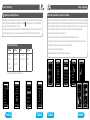
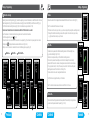
The assigning of actuators is divided into sections based on the functionality. Depending on the actuator's type you have to select the
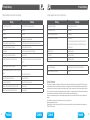
appropriate programming section - see Fig. 4 and table below (e.g. Actuator RFSA-61B - will be found in the Switching section).
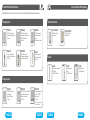
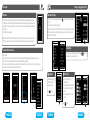
This enables you to add the address of an actuator and then assign it to a location / circuit name. In the required section (switching,
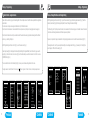
dimming ...) select Assign new (Fig. 5). A list of relevant actuator types will be shown. (Fig. 6). Select the name of the actuator which you
want to associate with the location / circuit. Enter the address* of the actuator you want to assign (Fig. 7) as printed on the actuator.
From the menu structure created earlier, select the location / circuit name to which the actuator will be assigned (Fig. 8).
• Only one actuator can be assigned to each location / circuit.
• When programming, ideally the actuator must be installed and powered to allow the signal to be tested.
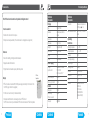
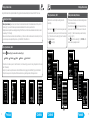
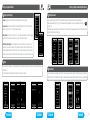
• Communication test (Fig. 10) is used to test the current status of the RF signal between the RF Touch and programmed actuator.
• Press Start (Fig. 11) to initiate the test, the current status of the signal is displayed.
RF Control Actuator Types
Switching
Dimming
Blinds
Detectors
RFSA-6x *
RFDA-71B
RFJA-12B/230V
JA-81M
RFSAI-61B
RFDAC-71B
RFJA-12B/24V DC
JA-82M
RFSC-61
RFDEL-71B
• Press Close to get back to the programming menu.
*6 digit hexadecimal address recorded on the installation form (see page 11).
Fig. 5
Fig. 6
Fig. 7
Fig. 8
Fig. 9
JA-83P
RFDAC-71B
* RFSA-61B, RFSA-62B,RFSA-61M and RFSA-66M actuators
Fig. 2
Fig. 1
16
Previous
Fig. 3
Fig. 10
Fig. 4
Contents
Contents
Fig. 11
Forward
17