1
R E D D S M C O P E R AT I O N G U I D E
04
BASIC MENUS
AND CONTROLS
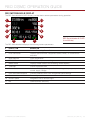
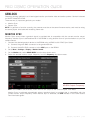
This chapter describes the DSMC ® Basic Menu, controls, including:
“Upper Status Row (Basic Menu)” on page 49
“Live Action Area” on page 53
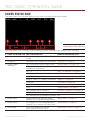
“Lower Status Row” on page 54
“Navigation Controls” on page 59
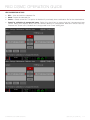
For more information, go to “Default Key Functions” on page 215.
1
2
3
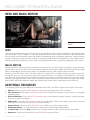
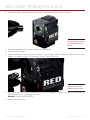
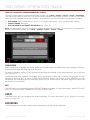
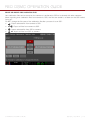
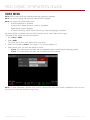
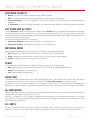
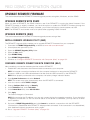
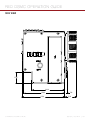
DSMC GUI Control Menu
DSMC GUI MENU INTRODUCTION
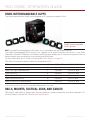
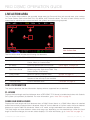
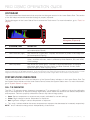
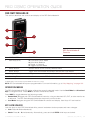
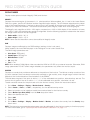
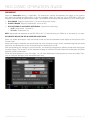
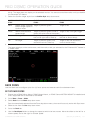
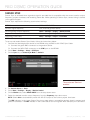
This section describes the structure and layout of the DSMC graphical user interface (GUI) that overlays the
video monitor signal. Advanced GUI menu controls enable convenient access to menus, overlays, and other
critical camera information. Functionality varies based on monitor output type and firmware version.
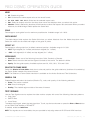
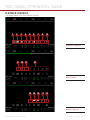
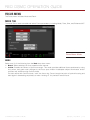
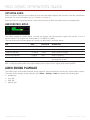
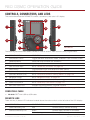
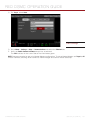
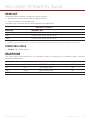
The DSMC GUI menu is separated into three (3) main sections:
#
GUI CONTROL MENU ITEM
DESCRIPTION
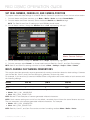
1
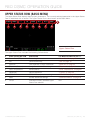
Upper Status Row
(Basic Menu)
Provides easy access to primary camera capture parameters.
Go to “Upper Status Row (Basic Menu)” on page 49.
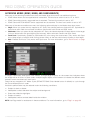
2
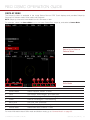
Live Action Area
Displays the live camera recording view, overlays, guides, and more.
Go to “Live Action Area” on page 53.
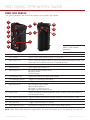
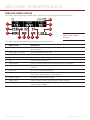
3
Lower Status Row
Critical camera parameters, record/playback modes, media and power
status, and audio meter. Go to “Lower Status Row” on page 54.
For more information, go to “Video Monitor Outputs” on page 46.
COPYRIGHT © 2015 RED.COM, INC 955-0020_V6.0, REV-D |
48