1
R E D D S M C O P E R AT I O N G U I D E
SET UP MOTION CONTROL (MOCO)
Motion Control, or “MoCo” for short, is a form of sensor synchronization used to automate precision camera
movements required for special effects and difficult shots. Motion Control uses GPIO signals transmitted using the
SYNC (GPI) and CTRL (GPO) ports on the camera BRAIN or a connected Pro I/O Module or REDCAST Module.
For more information GPIO connections, go to “Input/Output Connectors” on page 197.
NOTE: When using MoCo, set the frame rate to be at least two times (2x) the fastest trigger rate used. When
using MoCo, REDCODE is calculated based on FPS/2. Therefore, if you are in MoCo mode, and the frame
rate is 100.83 FPS, the maximum REDCODE is calculated based on a frame rate of 50.415 FPS.
NOTE: HDRx is not available when MoCo is enabled.
NOTE: Genlock and timecode can also be used with MoCo.
To set up MoCo, follow the instructions below:
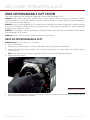
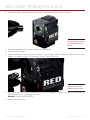
1. Connect the Motion Control device to the BRAIN using a 3BNC-to-00 LEMO Sync Cable.
‒ ‒ Sync In: Connect the white BNC connector to the Motion Control device and the 00B LEMO connector
to the SYNC port on the BRAIN.
‒ ‒ Sync Out: Connect the yellow BNC connector to the Motion Control device and the 00B LEMO connector to the CTRL port on the BRAIN.
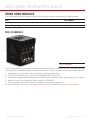
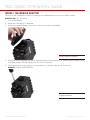
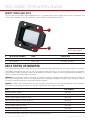
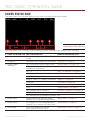
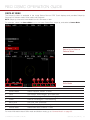
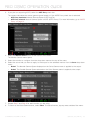
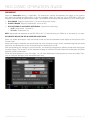
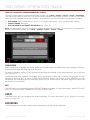
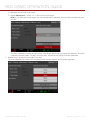
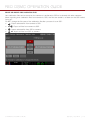
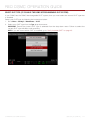
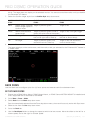
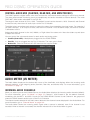
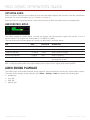
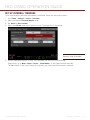
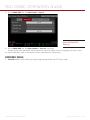
2. Go to Menu > Settings > Setup > GPIO/Sync.
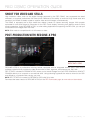
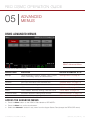
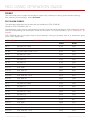
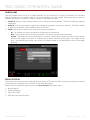
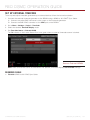
3. On the Sync tab, set Sensor Sync Mode to MoCo.
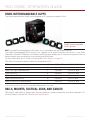
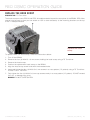
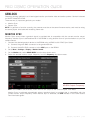
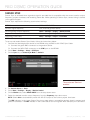
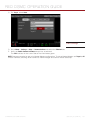
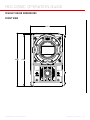
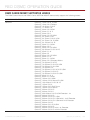
MoCo GPIO/Sync Settings
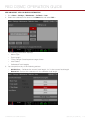
4. Set Genlock Source to BRAIN.
COPYRIGHT © 2015 RED.COM, INC 955-0020_V6.0, REV-D |
166