1
Processing
9 Processing
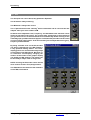
It is possible to process 16 stereo channels in parallel. Every processing channel handles input,
EQ, dynamic range control, level and output selection.
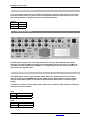
Now we shall give you a global overview of the Scorpius digital mixer. All hands on features
described here can be found on the main screen of the system. Just like in any analog system.
9.1 Input processing and routing
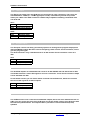
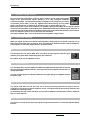
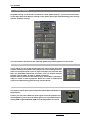
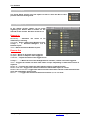
The input signal can be processed as soon as it is converted into the digital
domain. Specifying an input source for the channel does this. By clicking on the
selection box “N.C.” ( “Not Connected”). A pop-up menu will appear, showing all
the input sources available. Select the source required and the system will handle
the audio routing.
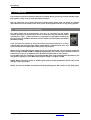
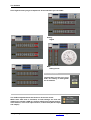
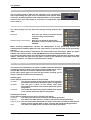
Then you have the option of using the stereo processing channel as a mono
channel. Both left and right input signal will be added, compensated in level, and
routed to the left and right output of the processing channel.
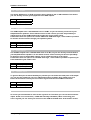
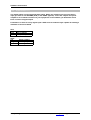
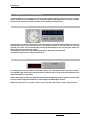
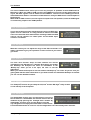
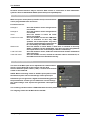
When you are ready selecting the input sources you need for the job, you can trim the input level
within a range of 40 dB (-20dB to +20dB) by adjusting the gain control. This can either be done in
software on screen or on hardware level by means of gain knob on the console.
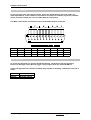
For the MIC input you are directly controlling the MIC-gain in the analog domain (pre AD) so you
may prevent clipping. For the MIC channels your range is -30 dB to +30 dB
NOTE: When connecting cables to the Mic inputs please switch the Phantom power off to avoid
damage of the input amps!
NOTE: The current module should be selected by pushing the ‘SEL’ button on the front panel.
Scorpius Digital Mixer from D&R Phone +31 294 418014, email: [email protected] Page
20