1
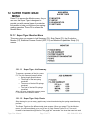
12.5 Super Tiger: Length Adjust
Setup
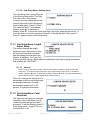
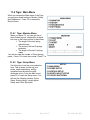
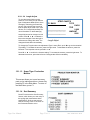
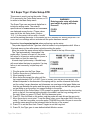
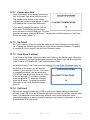
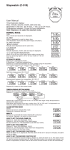
LENGTH ADJUST SETUP
0.9200
F1 BACK
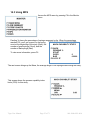
This screen displays the current length
F2 TYPE: NONE
adjustment type, the amount of time the
motor will turn when activated, and the
tripping point at which the adjuster is
activated. Access this screen by pressing F4 in the Setup menu.
12.5.1 Type:
Press F2 to change the adjustment mode. You can choose from EACH, NONE,
AVERAGE or CENTERING.
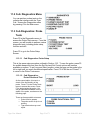
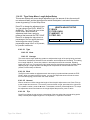
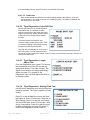
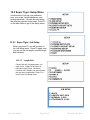
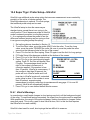
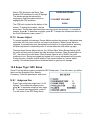
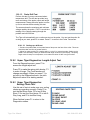
LENGTH ADJUST SETUP
12.5.1.1 EACH
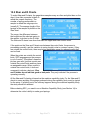
The EACH mode makes an adjustment each
time a spring is produced that exceeds the TRIP
POINT. When you reach the EACH screen, you
can also adjust the amount of time the motor
turns and the tripping point at which the motor
will start.
F1 BACK
F2 TYPE: EACH
F3 AMOUNT: 10
F4 TRIP: 0.0500
:
:
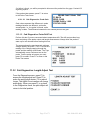
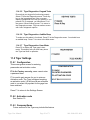
12.5.1.1.1 Amount
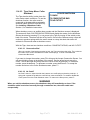
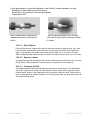
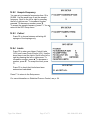
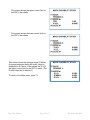
Enter a value between 0-99 to change the length of time the pitch adjust motor runs. Press F3 to
go to the Accept Amount screen. Use the arrow keys to change the amount of time the motor
turns.
To move the cursor to the left or right, press the
left or right arrow. To increase a number, press the
arrow. To decrease a number, press the
arrow. To accept the adjustment amount and
return to the Length Adjust Setup screen, press
F1.
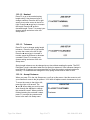
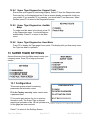
LENGTH ADJUST SETUP
F1 ACCEPT AMOUNT
10
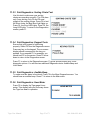
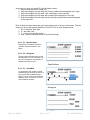
12.5.1.1.2 Trip
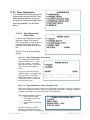
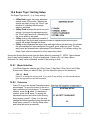
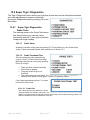
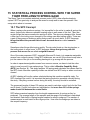
The Trip point can be adjusted from 5-150 percent
of tolerance. Press F4 to go to the Accept Trip
screen. To move the cursor to the left, press the
left arrow; press the right arrow to move the cursor
to the right. To increase a number, press the
arrow. To decrease a number, press the
arrow. To accept the trip setting and return to
the Length Adjust Setup screen, press F1
Tiger User Manual
Page 41 of 71
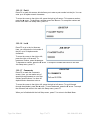
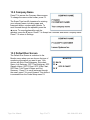
LENGTH ADJUST SETUP
F1 ACCEPT TRIP
0.0500
060-1000-0091-00A