1
12.6 Super Tiger: Sorting Setup
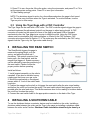
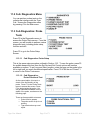
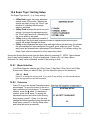
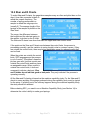
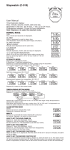
The Super Tiger does 2-, 3- or 5-way sorting.
•
•
•
•
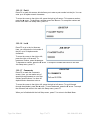
2-Way Bad triggers the sorter when bad
springs come off the coiler. Whether the
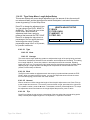
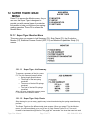
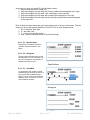
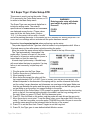
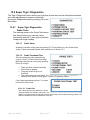
SORTING SETUP
springs are short or long, the “Short” light
remains lit, indicating that the sorter
switch is activated.
F1 BACK
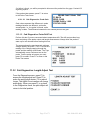
2-Way Good activates the sorter on good
F2 MODE: 5 WAY
springs. As long as the springs are good,
F3 25% TOLERANCE
the “Short” light remains lit, indicating that
F4 TIME: 0.20s
the sorter switch is activated.
3-Way sorting is the traditional method of
sorting where the shorts and longs are shunted to opposite sides and the good
springs fall straight through the center.
5-Way sorting separates the reject longs and reject shorts the same way, but divides
the good springs into three categories: long good, good, and short good. The fiveway points are selectable as a percentage of the tolerance. For five-way sorting, the
Super Tiger must be connected to a five-way sorting chute.
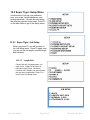
Access the Sorting Setup mode from the Setup Menu by pressing F5. NOTE: Tiger software
does 5-way sorting based on a 1/3 split of good parts. It works only if a 5-way cable is
attached. If a 3-way cable is attached, normal 3-way sorting is done.
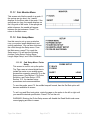
12.6.1 Mode Selection
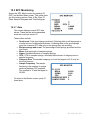
Your Mode Selection choices are 5-Way, None, 2-Way Bad, 2-Way Good, and 3-Way.
Please note: When you select 5 Way, you also have the option to set tolerances.
12.6.1.1 Mode
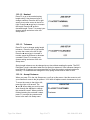
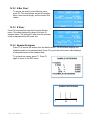
Press F2 to change the sorting mode. If you select 5-way sorting, you will automatically be
given the opportunity to set the tolerances.
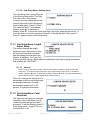
12.6.2 Tolerance
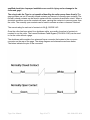
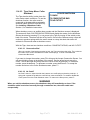
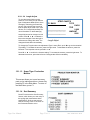
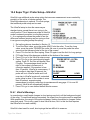
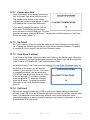
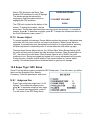
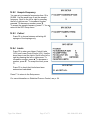
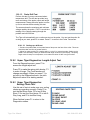
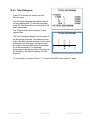
Press F3 to go to the Accept Tolerance screen. Note that the tolerance is expressed in
percentages. To move the cursor to the left or
SORTING SETUP
right, press the left or right arrow. To increase a
number, press the arrow. To decrease a
number, press the arrow. To accept the
F1 ACCEPT TOLERANCE
adjustment amount and return to the Sorting
Setup screen, press F1. Note: You can also
change the tolerance without going through the
25
Mode menu: press F3 in Sorting Setup menu
and follow the above procedures.
Tiger User Manual
Page 43 of 71
060-1000-0091-00A