1
Table of Contents
Chapter 1 Introduction ............................................................................................ 4
1.1
Purpose...................................................................................................... 4
Chapter 2 Projects .................................................................................................. 6
2.1
Creating New Projects ................................................................................. 6
2.2
Modifying Existing Projects........................................................................... 6
2.3
Using the Project Explorer............................................................................ 7
Chapter 3 Models.................................................................................................... 8
3.1
Creating New Models................................................................................... 8
3.2
Modifying Existing Models ............................................................................ 8
3.3
Setting up a Model Structure ........................................................................ 9
3.4
Model Structure Setup Possibilities...............................................................10
3.4.1 New Element..........................................................................................10
3.4.2 Copy Element or Structure.......................................................................10
3.4.3 Move Element or Structure ......................................................................10
3.4.4 Drag Element or Structure .......................................................................10
3.5
Setting up Columns ....................................................................................11
3.6
Entering Translations..................................................................................11
Chapter 4 Rules .....................................................................................................13
4.1
Setting up Rules.........................................................................................13
4.2
Rules Setup Possibilities ..............................................................................14
4.2.1 New Rule or Group .................................................................................14
4.2.2 Copy Rules or Groups .............................................................................14
4.2.3 Move Rules or Groups .............................................................................14
4.2.4 Drag Rules or Groups..............................................................................15
4.2.5 Rule Condition and Implication ................................................................15
4.3
Using the External Data Wizard ...................................................................15
4.4
Using the Expression Builder .......................................................................15
Chapter 5 Interfaces ..............................................................................................17
5.1
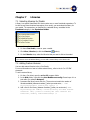
Setting up Interfaces ..................................................................................17
5.2
Generating Interface Models .......................................................................17
5.3
Setting up Supported Interfaces ..................................................................18
Chapter 6 Properties ..............................................................................................19
6.1
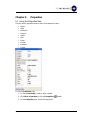
Using the Properties View ...........................................................................19
6.2
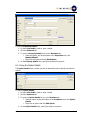
Using the Reference Details ........................................................................20
6.3
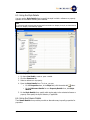
Using the Property Details...........................................................................20
6.4
Using the Option Details .............................................................................21
6.5
Using the Style Details ................................................................................22
6.6
Using the Column Details ............................................................................22
©To-Increase B.V.
2