1
Chapter 3
Models
3.1 Creating New Models
If you want to work with the e-Con Studio, you must create a model. Add to each
model, at least the following:
• Model Structure
• Business rules
To create a new model:
1. On the e-Con Studio, click File, New, Model, or click the New Model
button.
2. Specify the model's name and other properties.
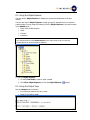
3. Set up the model's:
• Structure
• Rules
• Columns
• Interfaces
• Translations
Note
•
•
You can have several models open at the same time. Each model is displayed on a separate
tab.
You can also create models from the Project Explorer.
3.2 Modifying Existing Models
You can always modify existing models. If you modify an existing model, you can:
• Modify the model's current version.
• Create a new version of the model.
To modify an existing model:
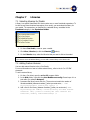
1. On the e-Con Studio, click File, Open, Model (or click the Open Model
button).
2. On the Open Model dialog box, select the model you want to open.
3. If you want to:
• Modify the current version, click Open.
• Create a new version, enter new version number, and click Open.
4. You can modify the model's:
• Structure
• Rules
• Columns
• Interfaces
• Translations
©To-Increase B.V.
8