1
Verification of Installation Logs
Chapter 2–Installation Activities
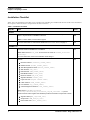
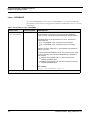
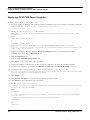
4. Enter the following passwords raised by the installer.
[LOG] Starting up.....
Enter Config Schema Password:
Enter BUSINESS Schema Password:
Enter MARKET Schema Password:
Enter Alert Management Schema Password:
Enter KDD-WEB Schema Password:
Enter KDD Schema Password:
Enter KDD MNR Schema Password:
Enter DB UTIL Schema Password:
Enter KDD ALGORITHM Schema Password:
Enter INGEST Schema Password:
Enter FSDF Schema Password:
Enter OFSBDP User Password:
Enter Case Management Schema Password:
Enter KYC Atomic Schema Password:
Note: In case of single-tier installation, the installer will not prompt for the Config Schema Password.
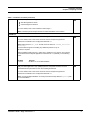
Subsequently, the installation process starts. After successful installation, the following message is displayed:
Installation Complete.
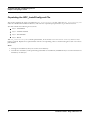
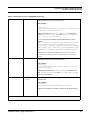
Verification of Installation Logs
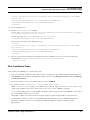
Once you complete the installation process, check the installation logs for any errors.
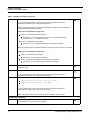
1. SolutionSetup_InstallLog.log, which is created in OFSFCCM installed directory ($FIC_HOME).
2. SolutionsLOG.log, which is created in OFSFCCM installed directory ($FIC_HOME).
3. FCCM62_LOG.log, which is created at the path from where installation is triggered.
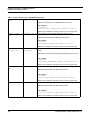
Note: If you observe any warnings/non fatal errors/fatal errors/exceptions/ORA error reported in either of
the logs, notify the OFSECM support personnel. Do not proceed with the installation process until all the
issues are addressed.
Upon successful installation, proceed to post installation steps as explained in the following chapters.
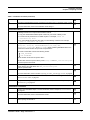
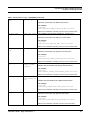
Ignore the following warning message coming in SolutionSetup_InstallLog.log where the placeholders
<ftpshare> in the message is replaced with the actual ftpshare area path.
Additional Notes: WARNING - Source <ftpshare>/STAGE/ExcelUpload/INFODOM does not exist.
Note: For RAC DB, JDBC, url is required in the format:
jdbc:oracle:thin:(DESCRIPTION = (ADDRESS = (PROTOCOL = TCP)(HOST = Server.Host Name)(PORT =
1521)) (CONNECT_DATA = (SERVER = DEDICATED) (SERVICE_NAME =.Database Name)))
34
Installation Guide - Stage 3 Release 6.2.1