1
not go too wild.
•
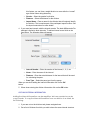
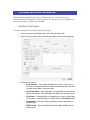
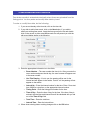
Date – Enter the day of the race in YYYY-MM-DD format.
•
Start Time – Enter the start date and time of the race. If the race has
multiple starts, enter the first start time. This is the default start date
and time for age divisions.
•
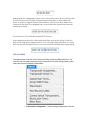
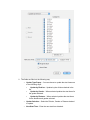
Race Type – Select the race type from the Race Type popup menu.
•
Wave –This type of race is a mass start type of race, but will
have a different start time for a group of abilities, gender or age
divisions.
•
Mass – This type of race is where all participants start at the
same time. This type of race allows the auto-print feature, where
Milliseconds Pro will print an Overall by distance results list when
there is a full page, to work.
•
Bicycle Circuit or Road Race – (Only available with the
Cycling Circuit/Road Race Module.) Used for bicycle road race.
Enables the hand placing features. Also allows more than 3
intervals.
•
24 hr, Criterium, Cyclocross – (Only available with the
Criterium Module.) Used for 24 hr, Circuit or Cyclocross type of
events. Enables hand placing features. Also allows more the 43
intervals.
•
Time Trial x/Start - (Only available with the Time Trial Module.)
For events with Time Trial type starts… where participants depart
at a regular interval. Enables start time generation, random
seeding, hand start list generation features. Also enables the start
interval drop down box… allowing the timer to set the start
interval.
•
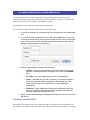
Race Age Date – This is the date the participant’s age is calculated
from when importing participant records.
•
Result Type – Select the type of result you wish to produce.
•
•
Normal – Lists place, name, representing, division (if
appropriate), net time (if selected) and total time on the results.
•
Normal with Laps – In addition to the above lists up to three
intervals.
•
Triathlon – (Only available with the Triathlon Module) Prints
results in the standard triathlon format.
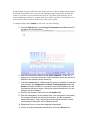
Time Calculation – Used to select how the times are calculated.
•
Assigned Start – Causes Milliseconds Pro to calculate the total
time from the participants assigned start. Use this option if you
wish to score the race based on “gun” time or the time from when
the starter says “go”.
•
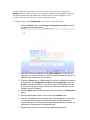
Actual Start – Causes Milliseconds Pro to calculate the total
time from when the participant crosses the start line to when the