1
I INSTALLATION
DEMONSTRATION MODE
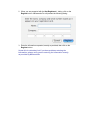
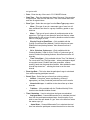
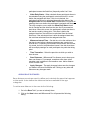
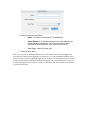
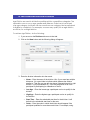
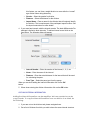
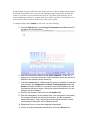
When you first launch Milliseconds Pro, and you have not registered the
application, you will be presented with the following registration dialog.
The buttons have the following action:
•
Quit – Exits the application
•
Register – Presents the registration dialog, allowing you to enter the
registered user’s name, company and license code.
•
Demo – Start Milliseconds Pro in demonstration mode giving. In
demonstration mode, the application has all the functionality for all
modules, except when printing results and generating HTML output,
every third participant is blank. It also will only run for 30 minutes at a
time.
•
Buy – Launches your web browser and connects you to Milliseconds
Computer Services web site.
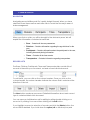
REGISTERING MILLISECONDS PRO
In order to register Milliseconds Pro, you will need the following information from
Millisecond Computer Services, LLC, the registered user name, registered
company, and the registration serial number. This information needs entered
exactly as given to you from Milliseconds.
1. If you have not already done so, launch Milliseconds Pro.