1
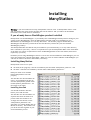
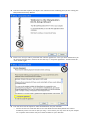
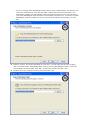
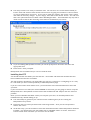
Installing ManyStation Warning: if you don’t follow these steps, ManyStation will not work. If ManyStation doesn’t work and you ask for help, then the first question that will be asked is “did you follow the installation instructions in the ‘read this first’ document?” If you already have a WusikEngine product installed ManyStation uses the WusikEngine. If you already have a WusikEngine based product running on your system (such as WusikStation), then the ManyStation data files need to be installed into your WusikStation (or WusikEngine as it will be) data folder. The installer program should find your WusikEngine data directory (which will be the data directory selected for your first installed WusikEngine product). The ManyStation DLLs and INI file may be installed in your VST directory (or in any other directory that is suitable for your host) – there is no requirement to put the ManyStation DLLs in the same folder as the data, nor is there a requirement to have all WusikEngine DLLs in the same folder (unless this is required by your host). Provided you are using WusikEngine version 1.1.02 or later for all installations of WusikEngine, you can move and rename the common data folder. When you next run each installation of WusikEngine you will then be asked to locate the data folder (see below). Installing ManyStation ManyStation comes in two parts: the VSTi (ie the program) – this file is installed by the file called “Manystation_VSTi.exe”, and the data – these files are installed by the file called “ManyStation_DATA.exe”. Both parts need to be installed before ManyStation will work properly. The data files are downloaded in 16 pieces – the installation file plus 15 .bin files (ManyStation_DATA-1a.bin to ManyStation_DATA-2e.bin – see the image to the right). Installing the data You should install the data files before you install the VSTi. The data files are downloaded as 16 separate files which all need to be present when the installer is run. To begin the data install, run the “ManyStation_DATA.exe” file (generally you would double click on the file to do this). The installer will put all the .bin files together as part of the installation process.



![ManyGuitar user manual [november 2005]](http://vs1.manualzilla.com/store/data/005861536_1-a0b937985b357a67600aa3c9a5e7e46a-150x150.png)


![How To Make A Noise [free version - July 2007]](http://vs1.manualzilla.com/store/data/005953668_1-8b501b70130f0a85eac6cc9cd6ff18b6-150x150.png)