1
Configure the Reader
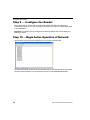
Step 9 — Configure the Reader
Every application is unique, and each Microscan reader has different configuration
requirements. Refer to the user’s manual for the Microscan reader or readers being used
in your application.
Important: All readers must be configured for Multidrop before they can be added to a
Multidrop network.
Step 10 — Begin Active Operation of Network
Once all ports and devices are configured, you can begin capturing data.
For information about the Microscan products that can be used with the MS-Connect 5100,
consult the documentation on your Microscan Tools CD or visit www.microscan.com.
18
MS-Connect 5100 Quick Start Guide