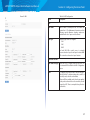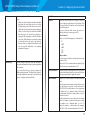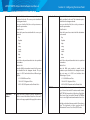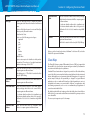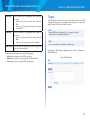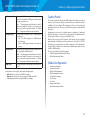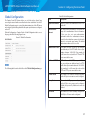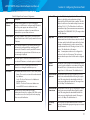
1
User Guide
LAPAC1750PRO
LAPAC1750PRO Access Point Software User Manual
Table of Contents
Table of Contents
Section 1: Getting Started . . . . . . . . . . . . . . . . . . . . . . 1
Administrator’s Computer Requirements . . . . . . . . . . . . . . . 1
Wireless Client Requirements . . . . . . . . . . . . . . . . . . . . . . 2
Online Help, Supported Browsers, and Limitations . . . . . . . . . 2
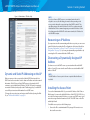
Dynamic and Static IP Addressing on the AP . . . . . . . . . . . . . 3
Installing the Access Point . . . . . . . . . . . . . . . . . . . . . . . . 3
Configuring the Ethernet Settings . . . . . . . . . . . . . . . . . . . 5
Configuring IEEE 802.1X Authentication . . . . . . . . . . . . . . . 6
Configuring Security on the Wireless Access Point . . . . . . . . . 6
Section 2: Viewing Access Point System Status . . . . . . . . . 7
System Summary . . . . . . . . . . . . . . . . . . . . . . . . . . . . . . 7
Network Interfaces . . . . . . . . . . . . . . . . . . . . . . . . . . . . . 8
Radio Statistics . . . . . . . . . . . . . . . . . . . . . . . . . . . . . . . 10
Workgroup Bridge . . . . . . . . . . . . . . . . . . . . . . . . . . . . 13
Associated Client . . . . . . . . . . . . . . . . . . . . . . . . . . . . . 13
TSPEC Client Associations . . . . . . . . . . . . . . . . . . . . . . . . 15
TSPEC Status and Statistics . . . . . . . . . . . . . . . . . . . . . . . 16
TSPEC AP Statistics . . . . . . . . . . . . . . . . . . . . . . . . . . . . 17
Email Alert Status . . . . . . . . . . . . . . . . . . . . . . . . . . . . . 18
System Log . . . . . . . . . . . . . . . . . . . . . . . . . . . . . . . . . 18
Section 3: Configuring the Access Point . . . . . . . . . . . . . 19
Administration . . . . . . . . . . . . . . . . . . . . . . . . . . . . . . . 19
LAN . . . . . . . . . . . . . . . . . . . . . . . . . . . . . . . . . . . . . . 29
Wireless . . . . . . . . . . . . . . . . . . . . . . . . . . . . . . . . . . . 33
Security . . . . . . . . . . . . . . . . . . . . . . . . . . . . . . . . . . . 63
QoS and Access Control . . . . . . . . . . . . . . . . . . . . . . . . . 66
SNMP . . . . . . . . . . . . . . . . . . . . . . . . . . . . . . . . . . . . . 81
Captive Portal . . . . . . . . . . . . . . . . . . . . . . . . . . . . . . . 88
Cluster . . . . . . . . . . . . . . . . . . . . . . . . . . . . . . . . . . . 101
Section 4: Maintenance of the Access Point . . . . . . . . . 110
Maintenance . . . . . . . . . . . . . . . . . . . . . . . . . . . . . . . 110
Diagnostics . . . . . . . . . . . . . . . . . . . . . . . . . . . . . . . . 114
ii
LAPAC1750PRO Access Point Software User Manual
Section 1: Getting Started
The LAPAC1750PRO Access Point provides continuous, high-speed access
between wireless devices and Ethernet devices. It is an advanced, standardsbased solution for wireless networking in businesses of any size. The access point
(AP) enables wireless local area network (WLAN) deployment while providing
state-of-the-art wireless networking features.
The access point works in Standalone Mode, which means it is an individual
access point in your network. You manage the device through a Web-based user
interface (UI) or SNMP (Simple Network Management Protocol.
Section 1: Getting Started
NOTE:
The access point is not designed to function as a gateway to the Internet.
To connect your WLAN to other LANs or the Internet, you need a gateway
device.
Administrator’s Computer Requirements
The following table describes the minimum requirements for the administrator’s
computer for configuration and administration of the access point through a
Web-based user interface (UI).
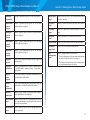
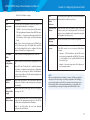
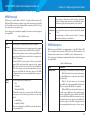
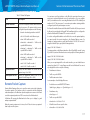
Table 1: Requirements for the Administrator’s Computer
This document describes how to perform the setup, management, and
maintenance of the access point in Standalone Mode.
Required Software or
Component
Description
Before you power on a new access point, review the following sections to
check required hardware and software components, client configurations, and
compatibility issues. Make sure you have everything you need for a successful
launch and test of your new or extended wireless network.
Ethernet Connection to
the Access Point
The computer used to configure the first access
point must be connected to the access point by
an Ethernet cable.
Wireless Connection to
the Network
After initial configuration and launch of the first
access point on your new wireless network, you
can make subsequent configuration changes
through the Administration Web pages using a
wireless connection to the internal network. For
wireless connection to the access point, your
administration device will need Wi-Fi capability
similar to that of any wireless client: a portable
or built-in Wi-Fi client adapter that supports one
or more of the IEEE 802.11 modes in which you
plan to run the access point.
This section contains the following topics:
•
Administrator’s Computer Requirements
•
Wireless Client Requirements
•
Online Help, Supported Browsers, and Limitations
•
Dynamic and Static IP Addressing
•
Installing the Access Point
•
Configuring the Ethernet Settings
•
Configuring IEEE 802.1X Authentication
•
Configuring Security on the Access Point
To manage the access point by using the Web interface, the AP needs an IP
address. If you use VLANs or IEEE 802.1X Authentication (port security) on your
network, you might need to configure additional settings on the AP before it can
connect to the network.
1
LAPAC1750PRO Access Point Software User Manual
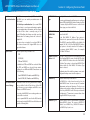
Web Browser and
Operating System
Configuration and administration of the
access point is provided through a Web-based
user interface hosted on the access point.
We recommend using one of the following
supported Web browsers to access the access
point Administration Web pages:
• Microsoft® Internet Explorer® version 9.x or
11.x (with up-to-date patch level for either major
version)
• Mozilla Firefox version 26.x
• Google Chrome version 32.x
• Safari version 5.x
The administration Web browser must have
JavaScript™ enabled to support the interactive
features of the administration interface.
Security Settings
Section 1: Getting Started
Wireless Client
Software
Client software, such as Microsoft Windows
Supplicant, configured to associate with the access
point.
Client Security
Settings
Security should be disabled on the client used to
do initial configuration of the access point.
If the Security Mode on the access point is set to
anything other than plain text, wireless clients
will need to set a profile to the authentication
mode used by the access point and provide a valid
username and password, certificate, or similar user
identity proof. Security modes are Static WEP, IEEE
802.1X, WPA with RADIUS server, and WPA-PSK.
For information about configuring security on the
access point, see ”Virtual Access Point (VAP).”
Ensure that security is disabled on the wireless
client used to initially configure the access point.
Wireless Client Requirements
The access point provides wireless access to any client with a properly configured
Wi-Fi client adapter for the 802.11 mode in which the access point is running. The
access point supports multiple client operating systems. Clients can be laptop
or desktop computers, personal digital assistants (PDAs), or any other handheld,
portable or stationary device equipped with a Wi-Fi adapter and supporting
drivers.
In order to connect to the access point, wireless clients need the software and
hardware described in the following table.
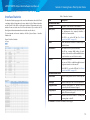
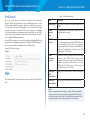
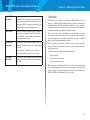
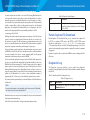
Table 2: Requirements for Wireless Clients
Required Component
Description
Wi-Fi Client Adapter
Portable or built-in Wi-Fi client adapter that
supports one or more of the IEEE 802.11 modes
in which you plan to run the access point. (IEEE
802.11a, 802.11b, 802.11g, 802.11n, and 802.11ac
modes are supported.)
Online Help, Supported Browsers, and
Limitations
Online help for the access point Administration Web pages provides information
about all fields and features available from the user interface (UI). The information
in the online help is a subset of the information available in the LAPAC1750PRO
Access Point Administrator’s Guide.
Online help information corresponds to each page on the access point
Administration UI.
For information about the settings on the current page, click the link on the
right side of a page or the More... link at the bottom of the help panel on the UI.
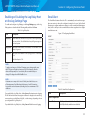
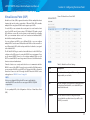
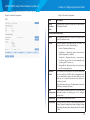
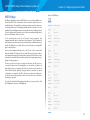
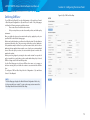
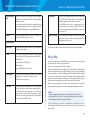
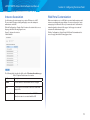
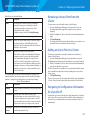
The following figure shows an example of the online help available from the links
on the user interface.
2
LAPAC1750PRO Access Point Software User Manual
Figure 1: Administrator UI Online Help
Section 1: Getting Started
NOTE:
If you do not have a DHCP server on your internal network, and do
not plan to use one, the first thing you must do after powering on the
access point is change the connection type from DHCP to static IP. You
can either assign a new static IP address to the AP or continue using the
default address. We recommend assigning a new static IP address so that
if you bring up another WLAN AP on the same network, the IP address for
each AP will be unique.
Recovering an IP Address
If you experience trouble communicating with the access point, you can recover
a static IP address by resetting the AP configuration to the factory defaults (see
“Restoring Configuration” on page 114 and “To Restore the Factory Default
Configuration” on page 114), or you can get a dynamically assigned address by
connecting the AP to a network that has a DHCP server.
Discovering a Dynamically Assigned IP
Address
If you have access to the DHCP server on your network and know the MAC
address of your AP, you can view the new IP address associated with the MAC
address of the AP.
Dynamic and Static IP Addressing on the AP
When you power on the access point, the built-in DHCP client searches for a
DHCP server on the network in order to obtain an IP address and other network
information. If the AP does not find a DHCP server on the network, the AP
continues to use its default Static IP Address (192.168.1.252) until you reassign it
a new static IP address (and specify a static IP addressing policy) or until the AP
successfully receives network information from a DHCP server.
To change the connection type and assign a static IP address by using the Web
UI, see “VLAN and IPv4 Address” on page 29.
NOTE:
The MAC address of access point is shown on product label and brown
box label.
Installing the Access Point
To access the Administration Web UI, you enter the IP address of the AP into a
Web browser. You can use the default IP address of the AP (192.168.1.252) to log
on to the AP and assign a static IP address, or you can use a DHCP server on you
network to assign network information to the AP. The DHCP client on the AP is
enabled by default.
To install the access point, use the following steps:
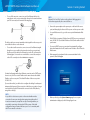
1.
Connect the AP to an administrative PC by using a LAN connection or a
direct-cable connection.
3
LAPAC1750PRO Access Point Software User Manual
••
To use a LAN connection, connect one end of an Ethernet cable to the
network port on the access point and the other end to the same hub where
your PC is connected, as shown in the following figure.
The hub or switch you use must permit broadcast signals from the access point
to reach all other devices on the network.
••
To use a direct-cable connection, connect one end of an Ethernet straightthrough or crossover cable to the network port on the access point and
the other end of the cable to the Ethernet port on the PC, as shown in the
following figure. You can also use a serial cable to connect the serial port
on the AP to a serial port on the administrative computer.
Section 1: Getting Started
NOTE:
Ethernet Port 1 and Port 2 can be used together in Link Aggregation
Mode when supported by the connected devices.
2.
Connect the power adapter to the power port on the back of the access
point, and then plug the other end of the power cord into a power outlet.
3.
Use your Web browser to log on to the access point Administration Web
pages.
••
If the AP did not acquire an IP address from a DHCP server on your network,
enter 192.168.1.252 , the default IP address of the AP, in the address field of
your browser.
••
If you used a DHCP server on your network to automatically configure
network information for the AP, enter the new IP address of the AP into the
Web browser.
4.
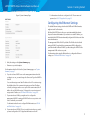
When prompted, enter admin for the user name and admin for the
password, then click Log In.
••
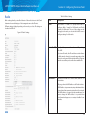
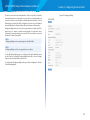
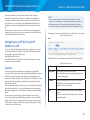
When you first log in, the System Summary page for access point
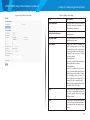
administration is displayed, as the following figure shows.
For initial configuration with a direct Ethernet connection and no DHCP server,
be sure to set your PC to a static IP address in the same subnet as the default
IP address on the access point. (The default IP address for the access point is
192.168.1.252.)
If you use this method, you will need to reconfigure the cabling for subsequent
startup and deployment of the access point so that the access point is no longer
connected directly to the PC but instead is connected to the LAN (either by
using a hub or directly).
NOTE:
It is possible to detect access points on the network with a wireless
connection. However, we strongly advise against using this method.
In most environments you may have no way of knowing whether you
are actually connecting to the intended AP. Also, many of the initial
configuration changes required will cause you to lose connectivity with
the AP over a wireless connection.
4
LAPAC1750PRO Access Point Software User Manual
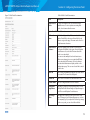
Figure 2: System Summary Page
Section 1: Getting Started
For information about how to configure the 802.1X user name and
password, see “802.1X Supplicant” on page 65.
Configuring the Ethernet Settings
The default Ethernet settings, which include DHCP and VLAN information,
might not work for all networks.
By default, the DHCP client on the access point automatically broadcasts
requests for network information. If you want to use a static IP address, you
must disable the DHCP client and manually configure the IP address and other
network information.
The management VLAN is VLAN 1 by default. This VLAN is also the default
untagged VLAN. If you already have a management VLAN configured on
your network with a different VLAN ID, you must change the VLAN ID of the
management VLAN on the access point.
For information about using the Web interface to configure the Ethernet
settings, see “VLAN and IPv4 Address” on page 29.
5.
Verify the settings on the System Summary page.
••
Review access point description.
For information about the fields on the System Summary page, see “System
Summary” on page 7.
6.
If you do not have a DHCP server on the management network and do
not plan to use one, you must change the Connection Type from DHCP to
Static IP.
You can either assign a new Static IP address to the AP or continue using
the default address. We recommend assigning a new Static IP address
so that if you bring up another access point on the same network, the IP
address for each AP will be unique. To change the connection type and
assign a static IP address, see “VLAN and IPv4 Address” on page 29.
7.
If your network uses VLANs, you might need to configure the
management VLAN ID or untagged VLAN ID on the access point in order
for it to work with your network.
For information about how to configure VLAN information, see “VLAN
and IPv4 Address” on page 29.
8. If your network uses IEEE 802.1X port security for network access control,
you must configure the 802.1X supplicant information on the AP.
5
LAPAC1750PRO Access Point Software User Manual
Configuring IEEE 802.1X Authentication
On networks that use IEEE 802.1X, port-based network access control,
a supplicant (client) cannot gain access to the network until the 802.1X
authenticator grants access. If your network uses 802.1X, you must configure
802.1X authentication information that the AP can supply to the authenticator.
If your network uses IEEE 802.1X see “802.1X Supplicant” on page 65 for
information about how to configure 802.1X by using the Web interface.
Section 1: Getting Started
NOTE:
The WLAN AP is not designed for multiple, simultaneous configuration
changes. If more than one administrator is logged onto the
Administration Web pages and making changes to the configuration,
there is no guarantee that all configuration changes specified by multiple
users will be applied.
Verifying the Installation
By default, no security is in place on the access point, so any wireless client
can associate with it and access your LAN. An important next step is to
configure security, as described in “Virtual Access Point (VAP)” on page 43.
Make sure the access point is connected to the LAN and associate some wireless
clients with the network. Once you have tested the basics of your wireless
network, you can enable more security and fine-tune the AP by modifying
advanced configuration features.
Configuring Security on the Wireless
Access Point
1.
Connect the access point to the LAN.
••
If you configured the access point and administrator PC by connecting
both into a network hub, then your access point is already connected to
the LAN. The next step is to test some wireless clients.
••
If you configured the access point by using a direct cable connection
from your computer to the access point, do the following procedures:
a.
Disconnect the cable from the computer and the access point.
b.
Connect an Ethernet cable from the access point to the LAN.
c.
Connect your computer to the LAN by using an Ethernet cable or a
wireless card.
2.
Test LAN connectivity with wireless clients.
Test the access point by trying to detect it and associate with it from
some wireless client devices. For information about requirements for
these clients, see “Wireless Client Requirements” on page 2.
3. Secure and configure the access point by using advanced features.
Once the wireless network is up and you can connect to the AP with some
wireless clients, you can add in layers of security, create multiple virtual
access points (VAPs), and configure performance settings.
You configure secure wireless client access by configuring security for each
virtual access point (VAP) that you enable. You can configure up to 8 VAPs per
radio that simulate multiple APs in one physical access point. By default, only
one VAP is enabled. For each VAP, you can configure a unique security mode to
control wireless client access.
Each radio has 8 VAPs, with VAP IDs from 0-7. By default, only VAP 0 on each
radio is enabled. VAP0 has the following default settings:
••
VLAN ID: 1
••
Broadcast SSID: Enabled
••
SSID: LinksysSMB24G for Radio 1 (2.4GHz), and LinksysSMB5G for Radio 2
(5GHz)
••
Security: None
••
MAC Authentication Type: None
••
Redirect Mode: None
All other VAPs are disabled by default. The default SSID for VAPs 1–7 is “Virtual
Access Point x” where x is the VAP ID.
To prevent unauthorized access to the access point, we recommend that you
select and configure a security option other than None for the default VAP and
for each VAP that you enable.
For information about how to configure the security settings on each VAP, see
“Virtual Access Point (VAP)” on page 43.
6
LAPAC1750PRO Access Point Software User Manual
Section 2: Viewing Access Point
System Status
Section 2: Viewing Access Point System Status
System Summary
From the System Summary page, you can view various information about the
access point (AP), including IP and MAC address information. Table 3 describes
the fields and configuration options on the System Summary page.
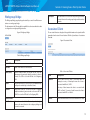
Table 3: System Summary Page
This section describes the information you can view from the tabs under the
Status and Statistics heading on the Administration Web UI.
Field
Description
IPv4 Address
Shows the IP address assigned to the AP. This field
is not editable on this page because the IP address
is already assigned (either by DHCP, or statically
through the Ethernet Settings page).
IPv6 Address
Shows the IPv6 address assigned to the AP. This field
is not editable on this page because the IP address
is already assigned (either by DHCPv6, or statically
through the Management IPv6 page).
IPv6 Address
Status
Shows the operational status of the static IPv6
address assigned to the management interface
of the AP. The possible values are Operational and
Tentative.
Status and Statistics
This topic contains the following subsections:
••
System Summary
••
Network Interfaces
••
Radio Statistics
••
Workgroup Bridge
••
Associated Client
••
TSPEC Client Associations
••
TSPEC Status and Statistics
••
TSPEC AP Statistics
••
Email Alert Status
••
System Log
Note: If an IPv6 address has not been manually
configured or leased from a DHCPv6 server, the field
is blank.
IPv6
Autoconfigured
Global Addresses
Shows each automatically configured global IPv6
address for the management interface of the AP.
IPv6 Link Local
Address
Shows the IPv6 Link Local address, which is the IPv6
address used by the local physical link. The Link Local
address is not configurable and is assigned by using
the IPv6 Neighbor Discovery process.
Device Name
Generic name to identify the type of hardware.
Model Number
Identifies the AP hardware model.
Serial Number
Shows the AP serial number.
7
LAPAC1750PRO Access Point Software User Manual
MAC Address
Firmware Version
Shows the MAC address of the AP. The address
shown here is the MAC address associated with the
management interface. This is the address by which
the AP is known externally to other networks.
Shows version information about the firmware
currently installed on the AP. As new versions of
the WLAN AP firmware become available, you can
upgrade the firmware on your AP.
Hardware Version
Identifies the AP hardware version.
System Uptime
Provides information about the system start up time.
Power Source
The power source of monitor system is the power
adapter or PoE.
Section 2: Viewing Access Point System Status
Network Interfaces
This page displays the current settings for the wired Ethernet interface and the
wireless radio interfaces on the AP.
To monitor Ethernet LAN (wired) and wireless LAN (WLAN) settings, click the
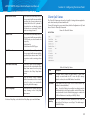
System Status > Status and Statistics > Network Interfaces tab.
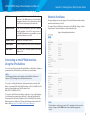
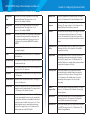
Figure 3: Viewing Network Interfaces
Connecting to the AP Web Interface
Using the IPv6 Address
To connect to the AP by using the IPv6 global address or IPv6 Link Local address,
you must enter the AP address into your browser in a special format.
NOTE:
The following instructions and examples work with Microsoft Internet
Explorer 7 (IE7) and might not work with other browsers.
To connect to an IPv6 global address, add square brackets around the IPv6
address. For example, if the AP global IPv6 address is 2520::230:abff:fe00:2420,
type the following address into the IE7 address field:
http://[2520::230:abff:fe00:2420].
To connect to the iPv6 Link Local address, replace the colons (:) with hyphens
(-), add the interface number, preceded by an “s,” then add “.ipv6-literal.net.”
For example, if the AP Link Local address is fe80::230:abff:fe00:2420, and the
Windows interface is defined as “%6,” type the following address into the IE7
address field: http://fe80--230-abff-fe00-2420s6.ipv6-literal.net.
NOTE:
The information on this page is read-only. To change the wired or wireless
interface settings, click the Edit link associated with the appropriate
section.
8
LAPAC1750PRO Access Point Software User Manual
Section 2: Viewing Access Point System Status
LAN Status (Management Interface)
To change the wired settings, click the Edit link. After you click Edit, you are
redirected to the VLAN and IPv4 Address page.
LAN Status shows information about the internal Ethernet interface, which is the
primary interface used to manage the AP.
For information about configuring these settings, see “VLAN and IPv4 Address”
on page 29.
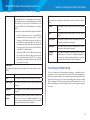
Table 4: LAN Interface Settings
Field
Description
Wireless Status
MAC Address
The MAC address for the LAN interface for the Ethernet
port on this AP. This is a read-only field that you cannot
change.
The wireless settings show summary information about the radio interface
configuration.
VLAN ID
The management VLAN ID. This is the VLAN
associated with the IP address you use to access the
AP management interface. The default management
VLAN ID is 1.
Table 5: Wireless Status
Table 5 describes the fields and configuration options available on the Wireless
Status page.
Field
Description
AeroScout™
Engine
Communications
Status
The status of the AeroScout protocol on the AP. When
enabled, AeroScout devices are recognized and data
is sent to an AeroScout Engine (AE) for analysis. The AE
determines the geographical location of 802.11-capable
devices, such as STAs, APs, and AeroScout’s line
of 802.11-enabled RFID devices, or tags. The AE
communicates with APs that support the AE protocol
in order to collect information about the RF devices
detected by the APs.
IPv4 Address
The IP address of the management interface.
Subnet Mask
The subnet mask associated with the management IP
address.
DNS-1
DNS-2
The primary and secondary DNS servers to use for
name-to-IP address resolution.
Default Gateway
The default gateway for the IPv4 network interface.
IPv6 Address
The IPv6 address of the management interface.
Radio One and Radio Two
IPv6
Autoconfigured
Global Addresses
If the AP has been assigned one or more IPv6 addresses
automatically, the addresses are listed.
MAC Address
IPv6 Link Local
Address
The IPv6 Link Local address, which is the IPv6 address
used by the local physical link. The Link Local address
is not configurable and is assigned by using the IPv6
Neighbor Discovery process.
IPv6-DNS-1
IPv6-DNS-2
The primary and secondary DNS servers to use for
name-to-IPv6 address resolution.
Default IPv6
Gateway
The default gateway for the IPv6 network interface.
The MAC addresses for the interface.
This page shows the MAC addresses for Radio Interface
One and Radio Interface Two.
A MAC address is a permanent, unique hardware address
for any device that represents an interface to the network.
The MAC address is assigned by the manufacturer. You
cannot change the MAC address. It is provided here
for informational purposes as a unique identifier for an
interface.
9
LAPAC1750PRO Access Point Software User Manual
Mode
Channel
Operational
Bandwidth
The Physical Layer (PHY) standard the radio uses:
••
IEEE 802.11b/g — 802.11b and 802.11g clients can
connect to the AP.
••
IEEE 802.11b/g/n — 802.11b, 802.11g, and 802.11n
clients operating in the 2.4-GHz frequency can
connect to the AP.
••
IEEE 802.11n — Only 802.11n clients operating in the
2.4-GHz frequency can connect to the AP.
••
IEEE 802.11a — Only 802.11a clients can connect to
the AP. This mode is available only on Radio 2.
••
IEEE 802.11a/n/ac — 802.11a, 802.11n, and 802.11ac
clients operating in the 5-GHz frequency can
connect to the AP. This mode is available only on
Radio 2.
••
IEEE 802.11n/ac — 802.11n clients and 802.11ac clients
operating in the 5-GHz frequency can connect to
the AP. This mode is available only on Radio 2.
The current operating channel. The channel defines
the portion of the radio spectrum the radio uses for
transmitting and receiving. Each mode offers a number
of channels, depending on how the spectrum is licensed
by national and transnational authorities such as the
Federal Communications Commission (FCC) or the
International Telecommunication Union (ITU-R).
The size of the bandwidth, in MHz, the current channel
is using.
To change the radio mode or channel settings, click the Edit link. After you click
Edit, you are redirected to the Radio page.
For information about configuring these settings, see “Radio” on page 34.
Section 2: Viewing Access Point System Status
Radio Statistics
The Radio Statistics page provides detailed information about the packets and
bytes transmitted and received on the radio (wireless) interface of this access
point.
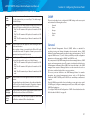
To view Radio Statistics, click the System Status > Radio Statistics tab.
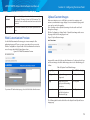
Figure 4: Radio Statistics
The following table describes details about the Radio Statistics information.
Table 6: Radio Statistics Information
Field
Description
Radio
Choose either radio 1 or radio 2.
WLAN Packets
Received
Total packets received by the AP on this radio interface.
WLAN Bytes
Received
Total bytes received by the AP on this radio interface.
WLAN Packets Total packets transmitted by the AP on this radio interface.
Transmitted
10
LAPAC1750PRO Access Point Software User Manual
Section 2: Viewing Access Point System Status
WLAN Bytes
Transmitted
Total bytes transmitted by the AP on this radio interface.
Multiple Retry
Count
Number of times an MSDU is successfully transmitted after
more than one retry.
WLAN Packets
Received
Dropped
Number of packets received by the AP on this radio
interface that were dropped.
RTS Success
Count
Count of CTS frames received in response to an RTS frame.
WLAN Bytes
Received
Dropped
Number of bytes received by the AP on this radio interface
that were dropped.
RTS Failure
Count
Count of CTS frames not received in response to an RTS
frame.
ACK Failure
Count
Count of ACK frames not received when expected.
WLAN Packets
Transmit
Dropped
Number of packets transmitted by the AP on this radio
interface that were dropped.
WLAN Bytes
Transmit
Dropped
Number of bytes transmitted by the AP on this radio
interface that were dropped.
Fragments
Received
Count of successfully received MPDU frames of type data
or management.
Fragments
Transmitted
Number of transmitted MPDU with an individual address
or an MPDU with a multicast address of type data or
management.
Multicast
Frames
Received
Count of MSDU frames received with the multicast bit set
in the destination MAC address.
Multicast
Frames
Transmitted
Count of successfully transmitted MSDU frames where the
multicast bit is set in the destination MAC address.
Duplicate
Frame Count
Number of times a frame is received and the Sequence
Control field indicates it is a duplicate.
FCS Error Count Count of FCS errors detected in a received MPDU frame.
Transmitted
Frame Count
Count of each successfully transmitted MSDU.
WEP
Count of encrypted frames received where:
Undecryptable 1. The key configuration of the transmitter indicates that
Count
the frame should not have been encrypted.
2.
The frame was discarded due to the receiving station
not implementing the privacy option.
Failed Transmit Number of times an MSDU is not transmitted successfully
Count
due to transmit attempts exceeding either the short retry
limit or the long retry limit.
Transmit Retry
Count
Number of times an MSDU is successfully transmitted after
one or more retries.
11
LAPAC1750PRO Access Point Software User Manual
Section 2: Viewing Access Point System Status
Interface Statistics
The Interface Statistics page provides some basic information about the AP and
a real-time display of transmit and receive statistics for the Ethernet interface
on the AP, and for the VAPs on both radio interfaces. All transmit and receive
statistics shown are totals since the AP was last started. If you reboot the AP,
these figures indicate transmit and receive totals since the reboot.
Table 7: Interface Statistics
Field
Description
Interface Status Table
Interface
The name of the Ethernet or VAP interface.
Name (SSID)
Wireless network name. Also known as the SSID,
this alphanumeric key uniquely identifies a
wireless local area network.
To view transmit and receive statistics, click the System Status > Interface
Statistics tab.
The SSID is set on the VAP tab. (See “Virtual
Access Point (VAP)” on page 43)
Figure 5: Interface Statistics
Status
Shows whether the interface is enabled (up) or
disabled (down).
MAC Address
MAC address for the specified interface.
The AP has a unique MAC address for each
interface. Each radio has a different MAC address
for each interface on each of its two radios.
VLAN ID
Virtual LAN (VLAN) ID.
You can use VLANs to establish multiple internal
and guest networks on the same AP.
The VLAN ID is set on the VAP tab. (See “Virtual
Access Point (VAP)” on page 43)
Interface Statistics Table
Total Packets
Indicates total packets sent or received by this
AP.
Total Bytes
Indicates total bytes sent or received by this AP.
Dropped Packets
Indicates total number of packets sent or
received by this AP that were dropped.
Dropped Bytes
Indicates total number of bytes sent or received
by this AP that were dropped.
Errors
Indicates total errors related to sending and
receiving data on this AP.
Click Refresh to refresh the information on the page.
12
LAPAC1750PRO Access Point Software User Manual
Workgroup Bridge
Section 2: Viewing Access Point System Status
Total Bytes
The Workgroup Bridge page displays packet and byte counts for traffic between
stations on a workgroup bridge.
The information in the following table is available for each network interface that
is configured as a workgroup bridge interface.
Figure 6: Workgroup Bridge
The total number of Sent/Received bytes bridged between
the wired clients in the workgroup bridge and the wireless
network.
Associated Client
The associated clients are displayed along with information about packet traffic
transmitted and received for each station. Click the System Status > Associations
Client tab.
Figure 7: Association Client
Table 8: Workgroup Bridge
Field
Description
Status Table
Interface
Name of the Ethernet or VAP interface.
Name (SSID)
Wireless network name. Also known as the SSID, this
alphanumeric key uniquely identifies a wireless local area
network. The SSID is set on the VAP tab. See Configuring
VAPs.
Status
Whether the interface is disconnected or is administratively
configured as enabled (up) or disabled (down).
VLAN ID
Virtual LAN (VLAN) ID. You can use VLANs to establish
multiple internal and guest networks on the same AP. The
VLAN ID is set on the VAP tab. See Configuring VAPs.
Statistics Table
Total Packets
Table 9: Associated Clients
Field
Description
Network
Shows which VAP the client is associated with. For
example, an entry of wlan0vap2 means the client is
associated with Radio 1, VAP 2.
An entry of wlan0 means the client is associated with
VAP 0 on Radio 1. An entry of wlan1 means the client is
associated with VAP 0 on Radio 2.
Station
Shows the MAC address of the associated wireless client.
The total number of Sent/Received packets bridged
between the wired clients in the workgroup bridge and
the wireless network.
13
LAPAC1750PRO Access Point Software User Manual
Status
The Authenticated and Associated Status shows the
underlying IEEE 802.11 authentication and association
status, which is present no matter which type of security
the client uses to connect to the AP. This status does not
show other (IEEE 802.1X) authentication or association
status.
Some points to keep in mind with regard to this field are:
••
••
If the AP security mode is None or Static WEP, the
authentication and association status of clients
showing on the Client Associations tab will be in
line with what is expected; that is, if a client shows
as authenticated to the AP, it will be able to transmit
and receive data. (This is because Static WEP uses
only IEEE 802.11 authentication.)
If the AP uses IEEE 802.1X or WPA security, however,
it is possible for a client association to show on this
tab as authenticated (via the IEEE 802.11 security)
but actually not be authenticated to the AP via the
second layer of security.
From Station
These fields report information about traffic sent from a wireless client to
the AP.
Packets
The number of packets received from the wireless client.
Bytes
The number of bytes received from the wireless client.
Drop Packets
The number of packets that were dropped after being
received.
Drop Bytes
The number of bytes that were dropped after being
received.
TS Violate
Packets
The number of packets sent from a wireless client to the
AP in excess of its active TS uplink bandwidth, or for an
access category requiring admission control to which
the wireless client has not been admitted.
Section 2: Viewing Access Point System Status
To Station
These fields report information about traffic sent from the AP to a wireless
client.
Packets
The number of packets sent from the AP to the wireless
client.
Bytes
The number of bytes sent from the AP to the wireless
client.
Drop Packets
The number of packets that the AP attempted to send to
the wireless client but were dropped.
Drop Bytes
The number of bytes that the AP attempted to send to
the wireless client but were dropped.
TS Violate
Packets
The number of packets sent from the AP to a wireless
client in excess of its active TS downlink bandwidth, or
for an access category requiring admission control to
which the wireless client has not been admitted.
Link Integrity Monitoring
The access point provides link integrity monitoring to continually verify its
connection to each associated client. To do this, the AP sends data packets to
clients every few seconds when no other traffic is passing. This allows the AP to
detect when a client goes out of range, even during periods when no normal
traffic is exchanged. The client connection drops off the list within 300 seconds
if these data packets are not acknowledged, even if no disassociation message
is received.
14
LAPAC1750PRO Access Point Software User Manual
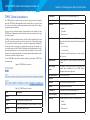
TSPEC Client Associations
The TSPEC Client Association Status and Statistics page provides information
about the TSPEC client data transmitted and received by this access point. Table
10 shows voice and video packets transmitted and received by the association,
along with status information.
Section 2: Viewing Access Point System Status
TS Identifier
TSPEC Traffic Session Identifier (range 0-7).
Access Category
TS Access Category (voice or video).
Direction
The traffic direction for this TS.
The page shows a real-time display of transmit and receive statistics for the
TSPEC clients. All transmit and receive statistics shown are totals since the client
association started.
A TSPEC is a traffic specification that is sent from a QoS-capable wireless client
to an AP requesting a certain amount of network access for the traffic stream
(TS) it represents. A traffic stream is a collection of data packets identified by
the wireless client as belonging to a particular user priority. An example of a
voice traffic stream is a Wi-Fi-certified™ telephone handset that marks its codecgenerated data packets as voice priority traffic. An example of a video traffic
stream is a video player application on a wireless laptop that prioritizes a video
conference feed from a corporate server.
To view TSPEC Client Association statistics, click the System Status > TSPEC Client
Associations tab.
Figure 8: TSPEC Client Associations
User Priority
••
Uplink
••
Downlink
••
Bidirectional
The User Priority (UP) for this TS. The UP is sent with
each packet in the UP portion of the IP header. Typical
values are:
••
6 or 7 for voice
••
4 or 5 for video
The value may differ depending on other priority
traffic sessions.
Medium Time
The time that the TS traffic occupies the transmission
medium.
Excess Usage
Events
The number of times the client has exceeded the
medium time established for its TSPEC. Minor,
infrequent violations are ignored.
VAP MAC Address
The VAP MAC address.
Statistics
Table 10: TSPEC Client Associations
Field
Description
Status
Network
Radio interface used by the client.
SSID
Station
Network
Radio interface used by the client.
Station
Client station MAC address.
TS Identifier
TSPEC Traffic Session Identifier (range 0-7).
Access Category
TS Access Category (voice or video).
Direction
The traffic direction for this TS. Direction can be:
••
Uplink
The service set identifier associated with this TS client.
••
Downlink
Client station MAC address.
••
Bidirectional
15
LAPAC1750PRO Access Point Software User Manual
From Station
To Station
The number of packets and bytes received from the
wireless client, and the number of packets and bytes
that were dropped after being received. Also, the
number of packets:
••
in excess of an admitted TSPEC.
••
for which no TSPEC has been established when
admission is required by the AP.
Section 2: Viewing Access Point System Status
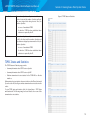
Figure 9: TSPEC Status and Statistics
The number of packets and bytes transmitted from
the AP to the client, and the number of packets and
bytes that were dropped upon transmission. Also, the
number of packets:
••
in excess of an admitted TSPEC.
••
for which no TSPEC has been established when
admission is required by the AP.
TSPEC Status and Statistics
The TSPEC Status and Statistics page provides:
••
Summary information about TSPEC sessions by radio
••
Summary information about TSPEC sessions by VAP
••
Real-time transmit and receive statistics for the TSPEC VAPs on all radio
interfaces.
All transmit and receive statistics shown are totals since the AP was last started.
If you reboot the AP, these figures indicate transmit and receive totals since the
reboot.
To view TSPEC status and statistics, click the System Status > TSPEC Status
and Statistics tab. The following image has been edited to show some of the
transmit and receive statistics.
16
LAPAC1750PRO Access Point Software User Manual
Table 11: TSPEC Status and Statistics
Field
Description
Interface
Indicates the name of the Radio or VAP interface.
Access
Category
Indicates Current Access Category associated with this Traffic
Stream (voice or video).
Status
Indicates whether the TSPEC session is enabled (up) or
disabled (down) for the corresponding Access Category.
Note: This is a configuration status (does not necessarily
represent the current session activity).
Active TS
Indicates the number of currently active TSPEC Traffic
Streams for this radio and Access Category.
TS Clients
Indicates the number of Traffic Stream clients associated
with this radio and Access Category.
Med. Time
Admitted
Time allocated for this Access Category over the transmission
medium to carry data. This value should be less than or equal
to the maximum bandwidth allowed over the medium for
this TS.
Med. Time
Unallocated
Time of unused bandwidth for this Access Category.
Total Bytes
Indicates the total number of TS bytes sent (in Transmit table)
or received (in Received table) by this Radio for the specified
Access Category.
Total
Packets
Indicates the total number of TS packets sent (in Transmit
table) or received (in Received table) by this Radio for the
specified Access Category.
Total Voice
Packets
Indicates the total number of TS voice packets sent (in
Transmit table) or received (in Received table) by this AP for
this VAP.
Total Voice
Bytes
Indicates the total TS voice bytes sent (in Transmit table) or
received (in Received table) by this AP for this VAP.
Section 2: Viewing Access Point System Status
Total Video
Packets
Indicates the total number of TS video packets sent (in
Transmit table) or received (in Received table) by this AP for
this VAP.
Total Video
Bytes
Indicates the total TS video bytes sent (in Transmit table) or
received (in Received table) by this AP for this VAP.
Click Refresh to refresh the page.
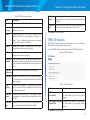
TSPEC AP Statistics
The TSPEC AP Statistics page provides information on the voice and video
Traffic Streams accepted and rejected by the AP.
To view TSPEC AP statistics, click the System Status > TSPEC AP Statistics tab.
Figure 10: TSPEC AP Statistics
Table 12: TSPEC AP Statistics
Field
Description
TSPEC Statistics Summary Indicates the total number of accepted and
for Voice ACM
the total number of rejected voice Traffic
Streams.
TSPEC Statistics Summary Indicates the total number of accepted and
for Video ACM
the total number of rejected video Traffic
Streams.
Click Refresh to refresh the page.
17
LAPAC1750PRO Access Point Software User Manual
Section 2: Viewing Access Point System Status
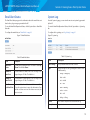
Email Alert Status
System Log
The Email Alert Status page provides information about the email alerts sent
based on the syslog messages generated in the AP.
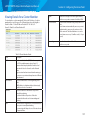
From the System Log page, you can view the most recent system log generated
by this AP.
To view the Email Alert Operational Status, click the System Status > Email Alert
Status tab.
To view the Email Alert Operational Status, click the System Status > System Log
tab.
To configure the email alerts, see “Email Alert” on page 23.
To configure the Log settings, see “Log Settings” on page 21
Figure 11: Email Alert Status
Figure 12: System Log
Table 14: System Log
Table 13: Email Alert Status
Field
Description
Email Alert
Status
The Email Alert operational status The status is either Up
or Down. The default is Down.
Number of
Email Sent
The total number of emails sent so far. The range is an
unsigned integer of 32 bits. The default is 0.
Number of
Email Failed
The total number of email failures so far. The range is an
unsigned integer of 32 bits. The default is 0.
Field
Description
Time Settings
The system time when the event occurred.
Type
Specify the type of the log messages to write to nonvolatile memory.
Time Since
The time and date when the last email alert was sent. The
Last Email Sent AP uses the system time to report the information. If an
email has not been sent since the device was reset, the
status is not sent.
••
emerg — emergency
••
alert — alert
••
crit — critical
••
err — error
••
warn — warning
••
notice — notice
••
info — info
••
debug — debug
Service
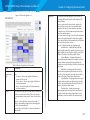
The software component associated with the log.
Description
Log content.
18
LAPAC1750PRO Access Point Software User Manual
Section 3: Configuring the
Access Point
••
Administration
••
LAN
••
Wireless
••
Security
••
QoS and Access Control
••
SNMP
••
Captive Portal
••
Cluster
Section 3: Configuring the Access Point
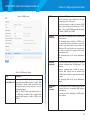
System Settings
From the System Settings page, you can change the administrator password and
system settings e.g. device name, system contact. We strongly recommended
you choose a new password based on the standard guidelines for strong
password security instead of using default password, which is ”admin”. Figure 13
shows the System Settings page.
Figure 13: System Settings
Administration
This section describes how to set up your access point and perform diagnostics.
Use the tabs under the Configuration heading on the Administration Web UI.
••
System Settings
••
Time Settings
••
Log Settings
••
Email Alert
••
Management Access
••
HTTP/HTTPS Service
••
Discovery - LLDP
••
Discovery - Bonjour
Table 15: System Settings page
Field
Description
New Password Enter a new administrator password. The characters you
enter are displayed as bullets to prevent others from
seeing your password as you type.
The password can be up to 32 characters. Do not use
special characters or spaces.
Note: As an immediate first step in securing your
wireless network, we recommend that you change the
administrator password from the default.
Confirm New Re-enter the new administrator password to confirm that
Password
you typed it as intended.
19
LAPAC1750PRO Access Point Software User Manual
Device Name
Name your AP. This name appears only on the Basic Settings
page and is used to identify the AP to the administrator.
A valid name is 1 to 64 alphanumeric characters, and can
include letters, digits, hyphens and spaces.
System
Contact
Enter the name, e-mail address, or phone number of the
person to contact regarding issues related to the AP.
System
Location
Enter the physical location of the AP, for example
Conference Room A.
Section 3: Configuring the Access Point
Figure 14 shows the Time Settings page when the manual option is selected.
Figure 14: Setting the Time Manually
Time Settings
The Network Time Protocol (NTP) is an Internet standard protocol that
synchronizes computer clock times on your network. NTP servers transmit
Coordinated Universal Time (UTC, also known as Greenwich Mean Time) to their
client systems. NTP sends periodic time requests to servers, using the returned
time stamp to adjust its clock. The timestamp is used to indicate the date and
time of each event in log messages.
Figure 15 shows the Time Settings page when the Use Network Time Protocol
(NTP) option is selected.
Figure 15: Setting the Time Using an NTP Server
See http://www.ntp.org for more information about NTP.
To configure the address of the NTP server that the AP uses or to set the system
time manually, click the Configuration > Administration > Time Settings tab and
update the fields as described in Table 16.
NOTE:
The fields available to configure depend on whether you choose to set
the system time manually or by using an NTP server.
20
LAPAC1750PRO Access Point Software User Manual
Table 16: Time Settings
Field
Description
System Clock
Source
Set the system time.
••
To permit the AP to poll an NTP server, select Network
Time Protocol (NTP).
••
To manually configure the time and date, select
Manually. When this option is selected, the AP does
not attempt to poll an NTP server.
NTP Server IPv4/ If NTP is enabled, specify the NTP server to use.
IPv6 Addr/Name
You can specify the NTP server by hostname, IPv4 address,
or IPv6 address, although using the IPv4/IPv6 address is
not recommended as these can change more readily.
If you specify a hostname, note the following requirements:
••
The length must be between 1–253 characters.
••
Upper and lower case characters, numbers, and
hyphens are accepted.
••
The first character must be a letter (a–z or A–Z) or
number (0–9), and the last character cannot be a
hyphen.
Time Zone
Select your local time zone from the menu. The default is
USA (Pacific).
Adjust Time
for Daylight
Savings
System will adjust the reported time for Daylight Savings
Time (DST), which is also known as Summer Time. When
selected, fields to configure Daylight Savings Time
settings will appear.
Section 3: Configuring the Access Point
NOTE:
After you configure the Time settings, you must click Save to apply the
changes and save the changes to startup configuration file. Changing
some settings might cause the AP to stop and restart system processes.
If this happens, wireless clients will temporarily lose connectivity. We
recommend that you change AP settings when WLAN traffic is low.
NOTE:
Hostnames are composed of a series of labels joined with dots, as are
all domain names. Each label must be between 1 and 63 characters
long, and the entire hostname (including dots) has a maximum of 253
characters.
Log Settings
The Log Settings page shows real-time system logs on the AP such as wireless
clients associating with the AP and being authenticated.
From the Log Settings page, you can enable and configure persistent logging to
write system logs to non-volatile memory so that the events are not erased when
the system reboots. This page also gives you the option of enabling a remote log
relay host to capture all system logs and errors in a kernel log.
To view system events, click the Configuration > Administration > Log Settings tab.
Figure 16: Log Settings
Daylight Savings Configure the date and time to begin Daylight Savings
Start
Time for the System Time.
Daylight Saving
End
Configure the date and time to end Daylight Savings Time
for the System Time.
Daylight Savings Select the number of minutes to offset DST. The default is
Offset
60 (minutes).
21
LAPAC1750PRO Access Point Software User Manual
Configuring Persistent Logging Options
If the system unexpectedly reboots, log messages can be useful to diagnose the
cause. However, log messages are erased when the system reboots unless you
enable persistent logging.
Caution!
Enabling persistent logging can wear out the flash (non-volatile) memory
and degrade network performance. You should only enable persistent
logging to debug a problem. Make sure you disable persistent logging
after you finish debugging the problem.
Table 17: Logging Options
Field
Description
Persistence Choose Enabled to save system logs to non-volatile memory
so that the logs are not erased when the AP reboots. When
persistence is enabled, we can store up to 128 messages in
non-volatile memory. Choose Disabled to save system logs to
volatile memory. Logs in volatile memory are deleted when the
system reboots.
Severity
Depth
Specify the severity level of the log messages to write to nonvolatile memory. For example, if you specify 2, critical, alert,
and emergency logs are written to non-volatile memory. Error
messages with a severity level of 3–7 are written to volatile
memory.
••
0 — emergency
••
1 — alert
••
2 — critical
••
3 — error
••
4 — warning
••
5 — notice
••
6 — info
••
7 — debug
Section 3: Configuring the Access Point
NOTE:
To apply your changes, click Save. Changing some settings might cause
the AP to stop and restart system processes. If this happens, wireless
clients will temporarily lose connectivity. We recommend that you
change AP settings when WLAN traffic is low.
Configuring the Log Relay Host for Kernel
Messages
The Kernel Log is a comprehensive list of system events (shown in the System
Log) and kernel messages such as error conditions, like dropping frames.
You cannot view kernel log messages directly from the Administration Web UI
for an AP. You must first set up a remote server running a syslog process and
acting as a syslog log relay host on your network. Then, you can configure the
access point to send syslog messages to the remote server.
Remote log server collection for AP syslog messages provides the following
features:
••
Allows aggregation of syslog messages from multiple APs
••
Stores a longer history of messages than kept on a single AP
••
Triggers scripted management operations and alerts
To use Kernel Log relaying, you must configure a remote server to receive the
syslog messages. The procedure to configure a remote log host depends on the
type of system you use as the remote host.
NOTE:
The syslog process will default to use port 514. We recommend keeping
this default port. However, If you choose to reconfigure the log port,
make sure that the port number you assign to syslog is not being used by
another process.
You can store up to 512 messages in non-volatile memory. Once
the number you configure in this field is reached, the oldest log
event is overwritten by the new log event.
22
LAPAC1750PRO Access Point Software User Manual
Enabling or Disabling the Log Relay Host
on the Log Settings Page
To enable and configure Log Relaying on the Log Settings page, set the Log
Relay options as described in the following table, and then click Save.
Table 18: Log Relay Host
Field
Description
Relay Log
Select Enabled to allow the access point to send log messages
to a remote host. Select Disabled to keep all log messages on
the local system.
Relay Host
Specify the IPv4 address, IPv6 address, or DNS name of the
remote log server.
Relay Port
Specify the Port number for the syslog process on the Relay
Host.
Section 3: Configuring the Access Point
Email Alert
The Email Alert feature allows the AP to automatically send email messages
when an event at or above the configured severity level occurs. Use the Email
Alert page to configure mail server settings, to set the severity level that triggers
alerts, and to add up to three email addresses where urgent and non urgent
email alerts are sent.
Figure 17: Configuring Email Alert
The default port is 514.
NOTE:
To apply your changes, click Save. Changing some settings might cause
the AP to stop and restart system processes. If this happens, wireless
clients will temporarily lose connectivity. We recommend that you
change AP settings when WLAN traffic is low.
NOTE:
Hostnames are composed of series of labels joined with dots, as are
all domain names. Each label must be between 1 and 63 characters
long, and the entire hostname (including dots) has a maximum of 253
characters.
If you enabled the Log Relay Host, clicking Save will activate remote logging.
The AP will send its kernel messages in real-time for display to the remote log
server monitor, a specified kernel log file, or other storage, depending on how
you configured the Log Relay Host.
If you disabled the Log Relay Host, clicking Save will disable remote logging.
Table 19: Email Alert Configuration
Field
Description
Global Configuration
Admin Mode
Globally enable or disable the Email Alert feature on
the AP. By default, email alerts are disabled.
23
LAPAC1750PRO Access Point Software User Manual
From Email Address
Log Duration
Urgent Message
Severity
Specify the email address that appears in the From
field of alert messages sent from the AP, for example
[email protected]. The address can be a maximum
of 255 characters and can contain only printable
characters. By default, no address is configured.
This duration, in minutes, determines how frequently
the non critical messages are sent to the SMTP
Server. The range is 30-1440 minutes. The default is
30 minutes.
Configures the severity level for log messages
that are considered to be urgent. Messages in this
category are sent immediately. The security level you
select and all higher levels are urgent:
Section 3: Configuring the Access Point
Mail Server Configuration
Mail Server Address
Specify the IP address or hostname of the SMTP
server on the network.
Mail Server Security Specify whether to use SMTP over SSL (TLSv1) or
no security (Open) for authentication with the mail
server. The default is TLSv1.
Mail Server Port
Configures the TCP port number for SMTP. The range
is a valid port number from 0 to 65535. The default is
“465”, which is the standard port for SMTP.
Username
Specify the username to use when authentication
with the mail server is required. The username is a
64-byte character string with all printable characters.
The default is “admin”.
Password
Specify the password associated with the username
configured in the previous field.
••
Emergency indicates system is unusable. It is the
highest level of severity.
••
Alert indicates
immediately.
••
Critical indicates critical conditions.
Message Configuration
••
Error indicates error conditions.
To Address 1
••
Warning indicates warning conditions.
••
Notice indicates
conditions.
Configure the first email address to which alert
messages are sent. The address must be a valid email
address. By default, no address is configured.
To Address 2
••
Informational indicates informational messages.
••
Debug indicates debug-level messages.
Optionally, configure the second email address to
which alert messages are sent. The address must
be a valid email address. By default, no address is
configured.
To Address 3
Optionally, configure the third email address to
which alert messages are sent. The address must
be a valid email address. By default, no address is
configured.
Email Subject
Specify the text to be displayed in the subject of the
email alert message. The subject can contain up to
255 alphanumeric characters. The default is “Log
message from AP”.
action
normal
must
but
be
taken
significant
Non Urgent Severity Configures the severity level for log messages that
are considered to be non urgent. Messages in this
category are collected and sent in a digest form at
the time interval specified by the Log Duration field.
The security level you select, and all levels up to but
not including the lowest urgent level, are considered
non-urgent. Messages below the security level you
specify are not sent via email.
See the Urgent Message field description for
information about the security levels.
24
LAPAC1750PRO Access Point Software User Manual
NOTE:
After you configure the Email Alert settings, you must click Save to apply
the changes and save the changes to startup configuration file.
NOTE:
Hostnames are composed of a series of labels joined with dots, as are
all domain names. Each label must be between 1 and 63 characters
long, and the entire hostname (including dots) has a maximum of 253
characters.
Section 3: Configuring the Access Point
Management Access
You can create an access control list (ACL) that lists up to five IPv4 hosts and
five IPv6 hosts that are authorized to access the AP management interface. If
this feature is disabled, anyone can access the management interface from any
network client by supplying the correct AP user name and password.
Figure 18: Management Access
To validate the configured email server credentials, click Test Mail. You can send
a test email once the email server details are configured.
The following text shows an example of an email alert sent from the AP to the
network administrator:
From: [email protected]
Sent: Wednesday, February 08, 2012 11:16 AM
To: [email protected]
Table 20: Management Access
Subject: log message from AP
Field
TIME
Priority
Process Id
Message
Feb 8 03:48:25
info
login[1457]
root login on ‘ttyp0’
Feb 8 03:48:26
info
mini_http-ssl[1175]
Max concurrent
connections of 20
reached
Description
Management Enable or disable the management ACL feature. At least
ACL Mode
one IPv4 or IPv6 address should be configured before
enabling Management ACL Mode. If enabled, only the IP
addresses you specify will have Web and SNMP access to
the management interface.
IP Address
(1–5)
Enter up to five IPv4 addresses that are allowed
management access to the AP. Use dotted-decimal format
(for example, 192.168.10.10).
IPv6 Address
(1–5)
Enter up to five IPv6 addresses that are allowed
management access to the AP. Use the standard IPv6
address format (for example, 2001:0db8:1234::abcd).
NOTE:
After you configure the settings, click Save to apply the changes and to
save the settings.
25
LAPAC1750PRO Access Point Software User Manual
Section 3: Configuring the Access Point
HTTP/HTTPS Service
The AP can be managed through HTTP or secure HTTP (HTTPS) sessions. By
default both HTTP and HTTPS access are enabled. Either access type can be
disabled separately.
To configure Web server settings, click the Services > Web Server tab.
Figure 19: HTTP/HTTPS Service
Table 21: HTTP/HTTPS Service
Field
Description
HTTP Server
Status
Enable or disable access through HTTP. This setting is
independent of the HTTPS server status setting.
HTTP Port
Specify the port number for HTTP traffic (default is “80”).
HTTP Redirect
to HTTPS
Redirecting all traffic from HTTP to HTTPS and make
sure users always access the site securely. This field is
available only when HTTP access disabled.
HTTPS Server
Status
Enable or disable access through a Secure HTTP Server
(HTTPS).
HTTPS Port
Specify the port number for HTTPS traffic (default is
“443”).
Maximum
Sessions
When a user logs in to the AP web interface, a session is
created. This session is maintained until the user logs off
or the session inactivity timer expires.
Enter the number web sessions, including both HTTP
and HTTPS, that can exist at the same time. The range is
1–10 sessions. The default is “5.” If the maximum number
of sessions is reached, the next user who attempts to log
on to the AP web interface receives an error message
about the session limit.
Session
Timeout
Enter the maximum amount of time in minutes an
inactive user remains logged on to the AP web interface.
When the configured timeout is reached, the user is
automatically logged off the AP. The range is 1–1440
minutes (1440 minutes = 1 day). The default is “60”
(minutes).
26
LAPAC1750PRO Access Point Software User Manual
Section 3: Configuring the Access Point
Generate SSL Certificate
Upload SSL Certificate
Generate
Certificate
Upload
Method
SSL Click Generate to generate a new HTTP SSL certificate
for the secure Web server. This should be done once
the access point has an IP address to ensure that the
common name for the certificate matches the IP address
of the access point. Generating a new SSL certificate will
restart the secure Web server. The secure connection
will not work until the new certificate is accepted on the
browser.
HTTP SSL
Certificate File
File Indicates if the HTTP SSL Certificate file is present. Range
is either Yes or No.
Certificate
Expiration
Date
Indicates when the HTTP SSL Certificate file will expire.
The range is a valid date.
Certificate
Issuer
Common
Name
The Common Name attribute of the server certificate.
The range is a valid string. For example, /CN=selfsigned/OU=Linksys LLC.
L=Irvine
ST=California
C=US
To Get the Current HTTP SSL Certificate
Download
Method
Select either HTTP/HTTPS or TFTP option. Click
Download to save the current HTTP SSL Certificate as a
backup file to your PC.
HTTP SSL
Certificate File
This field is available when the selected download
method is TFTP. Enter the filename of the certificate. The
filename is a 256-byte alphanumeric string. The default
is “Mini_httpd.pem”.
••
HTTP/HTTPS: Upload the file by using a Web
browser
••
TFTP: Upload the file from a TFTP server
If the selected upload method is HTTP, click the Browse
button to browse to the file to upload to the AP.
If the selected upload method is TFTP, this field displays
a text box. Enter the filename of the certificate to upload
to the AP.
SSL Certificate File Status
Certificate
Present
Select the upload method:
Note: File name should not contain spaces, < , > , | , \ ,
/ , : , (, ), & , ; , # , ?, *, $, %, ‘, “, and successive ‘.’ .
Server IP
The IPv4 or IPv6 address of the TFTP server where the
file is located. The default is “0.0.0.0.”
NOTE:
Click Save to apply the changes and save the changes to startup
configuration file. If you disable the protocol you are currently using to
access the AP management interface, the current connection will end
and you will not be able to access the AP by using that protocol until it is
enabled.
Note: File name should not contain spaces, < , > , | , \ ,
/ , : , (, ), & , ; , # , ?, *, $, %, ‘, “, and successive ‘.’ .
Server IP
The IPv4 or IPv6 address of the TFTP server where the
file will be downloaded. The default is “0.0.0.0”.
27
LAPAC1750PRO Access Point Software User Manual
Section 3: Configuring the Access Point
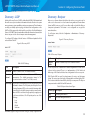
Discovery - LLDP
Discovery - Bonjour
Link Layer Discovery Protocol (LLDP) is defined by the IEEE 802.1AB standard and
allows the access point to advertise information about itself such as the system
name, port name, system capabilities, and power requirements. This information
can help you identify system topology and detect bad configurations on the
LAN. The AP also supports the Link Layer Discovery Protocol for Media Endpoint
Devices (LLDP-MED), which standardizes additional information elements that
devices can pass to each other to improve network management.
Bonjour is a software feature that allows the wireless access point and its
services to be discovered on a local network using multicast Domain Name
System (mDNS) service records. You can either enable or disable the Bonjour
component systemwide. The feature is not configurable on any specific
network interface.
To configure LLDP settings, click the Services > LLDP tab and update the fields
as described in Table 22.
To set Bonjour status, click the Configuration > Administrator > Discovery Bonjour tab.
Figure 21: Discovery - Bonjour
Figure 20: Discovery-LLDP
Table 23: Discovery - Bonjour
Table 22: LLDP Settings
Field
Description
LLDP Mode
Enables or disables LLDP. The default is Enabled.
Advertise
Interval
Specifies the number of seconds between LLDP message
transmissions. The default transmission interval is “30”
seconds and can be set from “5” to 32768 (seconds).
PoE Priority
The priority level transmitted by the AP in the Extended Power
information element. The PoE priority level helps the Power
Sourcing Equipment (PSE), such as a switch, determine which
powered devices should be given priority in power allocation
when the PSE doesn’t have enough capacity to supply power
to all connected devices. The PoE priority can be one of the
following:
•• Low
•• High
•• Critical
•• Unknown
Field
Description
Bonjour
Status
Enables or disables Bonjour. The default is Enabled.
The access point uses a default AP IP address assignment if a DHCP server
is absent in the network. There is no implementation of IPv4 Link-Local
Addressing or IPv6 Stateless Address Auto-configuration for the access point.
DNS-SD and mDNS are used for advertisement of services and hostname
lookup. The service types listed in the following table are defined by the DNSSD records and advertised via mDNS by the Bonjour component. The Bonjour
component works in both IPv4 and IPv6 networks.
Table 24: Bonjour Status Service Types
Service Type Description
http
AP management Web UI.
https
AP switch management Web UI.
Click Save to apply the changes and save the changes to startup configuration file.
28
LAPAC1750PRO Access Point Software User Manual
Section 3: Configuring the Access Point
LAN
Figure 22: VLAN and IPv4 Address
This section describes how to manage the access point and contains the
following subsections:
••
VLAN and IPv4 Address
••
IPv6 Address
••
IPv6 Tunnel
The configuration pages for the features in this section are located under the
Manage heading on the Administration Web UI.
VLAN and IPv4 Address
The default wired interface settings, which include DHCP and VLAN information,
might not work for all networks.
By default, the DHCP client on the access point automatically broadcasts
requests for network information. If you want to use a static IP address, you
must disable the DHCP client and manually configure the IP address and other
network information.
The management VLAN is VLAN 1 by default. This VLAN is also the default
untagged VLAN. If you already have a management VLAN configured on
your network with a different VLAN ID, you must change the VLAN ID of the
management VLAN on the AP.
To configure the LAN settings, click the Configuration > LAN > VLAN and IPv4
Address tab.
The following table describes the fields to view or configure on the VLAN and
IPv4 Address page.
Table 25: VLAN and IPv4 Address
Field
Description
MAC Address
Shows the MAC address for the LAN interface for the
Ethernet port on this AP. This is a read-only field that you
cannot change.
Management
VLAN ID
The management VLAN is the VLAN associated with the IP
address you use to access the AP. The default management
VLAN ID is “1.”
Provide a number between 1 and 4094 for the management
VLAN ID.
29
LAPAC1750PRO Access Point Software User Manual
VLAN Tagging
If you disable the untagged VLAN, all traffic is tagged with
a VLAN ID.
By default all traffic on the access point uses VLAN 1, which
is the default untagged VLAN. This means that all traffic is
untagged until you disable the untagged VLAN, change
the untagged traffic VLAN ID, or change the VLAN ID for a
VAP or client using RADIUS.
Untagged
VLAN ID
Provide a number between 1 and 4094 for the untagged
VLAN ID. Traffic on the VLAN that you specify in this field
will not be tagged with a VLAN ID.
Connection
Type
If you select DHCP, the access point acquires its IP address,
subnet mask, DNS, and gateway information from a DHCP
server.
Section 3: Configuring the Access Point
IPv6 Address
The IPv6 Address page contains settings that allow the LAPAC1750PRO Access
Point to be managed over an IPv6 network. Use this page to configure the IPv6
management interface settings.
By default, the DHCPv6 client on the access point automatically broadcasts
requests for network information. If you want to use a static IPv6 address, you
must disable the DHCPv6 client and manually configure the Static IPv6 address
and other network information.
To configure the settings that allow system management over an IPv6 network,
click the Configuration > LAN > IPv6 Address tab.
Figure 23: IPv6 Address
If you select Static IP, you must enter information in the
Static IP Address, Subnet Mask, and Default Gateway fields.
Static IP
Address
Enter the static IP address in the text boxes. This field is
disabled if you use DHCP as the connection type.
Subnet Mask
Enter the Subnet Mask in the text boxes.
Default
Gateway
Enter the Default Gateway in the text boxes.
DNS Name
Servers
Select the mode for the DNS.
In Dynamic mode, the IP addresses for the DNS servers
are assigned automatically via DHCP. This option is only
available if you specified DHCP for the Connection Type.
In Manual mode, you must assign static IP addresses to
resolve domain names.
NOTE:
After you configure the wired settings, you must click Save to apply the
changes and save the changes to startup configuration file. Changing
some settings might cause the AP to stop and restart system processes.
If this happens, wireless clients will temporarily lose connectivity. We
recommend that you change AP settings when WLAN traffic is low.
30
LAPAC1750PRO Access Point Software User Manual
Table 26: IPv6 Address Settings
Field
Description
IPv6
Connection
Type
Select the option to determine how the IPv6 address for
the management interface is configured:
••
DHCPv6 — The Access Point acquires its IPv6 address,
DNS, and gateway information from a DHCPv6 server.
••
Static IPv6 — You must enter information in the Static
IPv6 Address, Prefix length, and Default Gateway
fields.
Note: If the selected connection type is DHCPv6, only
the IPv6 Connection Type, IPv6 Admin Mode, and IPv6
Auto Config Admin Mode can be configured. All other
fields are for static IPv6 configuration only.
Section 3: Configuring the Access Point
IPv6
If the AP has been assigned one or more IPv6 addresses
Autoconfigured automatically, the addresses are listed.
Global
Addresses
IPv6 Link Local
Address
Shows the IPv6 Link Local address, which is the IPv6
address used by the local physical link. The link local
address is not configurable and is assigned by using the
IPv6 Neighbor Discovery process.
Default IPv6
Gateway
Enter the IPv6 address of the default IPv6 gateway.
IPv6 DNS Name
Servers
Select the method to use to configure the IPv6 address
of the DNS server(s) to use for name-to-IPv6 address
resolution:
IPv6 Admin
Mode
Enable or disable IPv6 management access to the AP.
••
IPv6 Auto
Config Admin
Mode
Enable or disable IPv6 auto address configuration on the
AP.
Dynamic — The IPv6 addresses for the DNS servers
are assigned automatically via DHCPv6. This option
is only available if you specified DHCPv6 for the
Connection Type.
••
Manual — You must assign static IPv6 addresses to
resolve domain names.
When IPv6 Auto Config Mode is enabled, automatic
IPv6 address configuration and gateway configuration
is allowed by processing the Router Advertisements
received on the LAN port. The AP can have multiple auto
configured IPv6 addresses.
Static IPv6
Address
Enter a static IPv6 address. The AP can have a static IPv6
address even if addresses have already been configured
automatically.
Static IPv6
Address Prefix
Length
Enter the static IPv6 prefix length, which is an integer in
the range of 0–128.
Static IPv6
Address Status
Shows the operational status of the static IPv6 address
assigned to the management interface of the AP. The
possible values are Operational and Tentative.
NOTE:
After you configure the wired settings, you must click Save to apply the
changes and save the changes to startup configuration file. Changing
some settings might cause the AP to stop and restart system processes.
If this happens, wireless clients will temporarily lose connectivity. We
recommend that you change AP settings when WLAN traffic is low.
Note: If an IPv6 address has not been manually
configured, the field is blank.
31
LAPAC1750PRO Access Point Software User Manual
Section 3: Configuring the Access Point
IPv6 Tunnel
Table 27: IPv6 Tunnel Settings
The access point supports the Intra-Site Automatic Tunnel Addressing
Protocol (ISATAP), which enables the AP to transmit IPv6 packets over the
LAN encapsulated within IPv4 packets. The protocol enables the access point
to communicate with remote IPv6-capable hosts even when the LAN that
connects them does not support IPv6. The access point acts as an initiator
of the tunnel and allows communication with remote IPv6 hosts. An ISATAP
router acts as the end of the tunnel within the network to help Access Point to
auto-configure ISATAP tunnel interface.
Field
Description
ISATAP Status
Select Enable or Disable for the administrative mode of
ISATAP.
ISATAP
Capable
Host
Specify the IP address or DNS name of the ISATAP router.
The default value is “isatap”.
From the IPv6 Tunnel page, you can enable, configure and display ISATAP global
operational and configuration parameters. To configure the ISATAP settings on
the access point, click the Configuration > LAN > IPv6 Tunnel tab.
ISATAP Query
Interval
Specify how often the AP should send queries to the
DNS server to attempt to resolve the ISATAP host name
into an IP address. The AP sends router solicitation
messages only when the IP address of an ISATAP router
is unknown. The valid range is 120–3600 seconds. (The
default value is “120” seconds.)
ISATAP
Solicitation
Interval
Specify how often the AP should send router solicitation
messages to the ISATAP router(s) it learns about
through the DNS query messages. The AP sends router
solicitation messages only when there is no active
ISATAP router. The valid range is 120–3600 seconds.
(The default value is “120” seconds.)
ISATAP IPv6
Link
Local Address
Displays Link Local IPv6 address of the ISATAP interface.
Figure 24: IPv6 Tunnel Settings
The following table describes the fields to view or configure on the IPv6 Tunnel
page.
ISATAP IPv6
Displays global IPv6 address of ISATAP the interface.
Global Address
NOTE:
After you configure the wired settings, you must click Save to apply the
changes and save the changes to startup configuration file. Changing
some settings might cause the AP to stop and restart system processes. If
this happens, wireless clients will temporarily lose connectivity.
32
LAPAC1750PRO Access Point Software User Manual
NOTE:
DNS name is composed of a series of labels joined with dots, as are
all domain names. Each label must be between 1 and 63 characters
long, and the entire hostname (including dots) has a maximum of 253
characters.
Section 3: Configuring the Access Point
Wireless
The wireless features are located under the Configuration heading on the
administration Web UI.
••
Radio
••
Rogue AP Detection
••
Virtual Access Point (VAP)
••
Scheduler
••
Scheduler Association
••
Bandwidth Utilization
••
MAC Filter
••
WDS Bridge
••
Workgroup Bridges
••
Qos
33
LAPAC1750PRO Access Point Software User Manual
Section 3: Configuring the Access Point
Radio
Table 28: Radio Settings
Radio settings directly control the behavior of the radio devices in the AP, and
determine how and what type of electromagnetic waves the AP emits.
Different settings display depending on the mode you select. All settings are
described in Table 28.
Field
Description
Radio
Select Radio 1 or Radio 2 to specify which radio to
configure. Radio 1 stands for 2.4GHz radio, and Radio
2 stands for 5GHz radio. The rest of the settings on this
tab apply to the radio you select in this field. Be sure to
configure settings for both radios.
Status (On/Off)
Specify whether you want the radio on or off by selecting
On or Off.
Figure 25: Radio Settings
If you turn off a radio, the AP sends disassociation frames
to all the wireless clients it is currently supporting so that
the radio can be gracefully shutdown and the clients can
start the association process with other available APs.
MAC Address
Indicates the Media Access Control (MAC) addresses for
the interface.
This page shows the MAC addresses for Radio interface.
A MAC address is a permanent, unique hardware address
for any device that represents an interface to the network.
The MAC address is assigned by the manufacturer. You
cannot change the MAC address. It is provided here
for informational purposes as a unique identifier for an
interface.
34
LAPAC1750PRO Access Point Software User Manual
Mode
The Mode defines the Physical Layer (PHY) standard the
radio uses.
Note: The modes available depend on the country
code setting and radio.
Select one of the following modes for each radio
interface:
••
IEEE 802.11b/g — 802.11b and 802.11g clients can
connect to the AP.
••
IEEE 802.11b/g/n — 802.11b, 802.11g, and 802.11n
clients operating in the 2.4-GHz frequency can
connect to the AP.
••
IEEE 802.11n — Only 802.11n clients operating in the
2.4-GHz frequency can connect to the AP.
••
IEEE 802.11a — Only 802.11a clients can connect to
the AP. This mode is available only on Radio 2.
••
IEEE 802.11a/n/ac — 802.11a, 802.11n, and 802.11ac
clients operating in the 5-GHz frequency can connect
to the AP. This mode is available only on Radio 2.
••
Station
Isolation
IEEE 802.11n/ac — 802.11n clients and 802.11ac
clients operating in the 5-GHz frequency can connect
to the AP. This mode is available only on Radio 2.
To enable Station Isolation, select the check box directly
beside it.
When Station Isolation is disabled, wireless clients can
communicate with one another normally by sending
traffic through the AP.
When Station Isolation is enabled, the AP blocks
communication between wireless clients on the same
VAP. The AP still allows data traffic between its wireless
clients and wired devices on the network, across a
Wireless Distribution System (WDS) link, and with other
wireless clients associated with a different VAP, but not
among wireless clients.
Section 3: Configuring the Access Point
AeroScout™
Engine
Protocol
Support
Options are Enabled or Disabled. The default is Disabled.
When enabled, Aeroscout devices are recognized
and data is sent to an Aeroscout Engine (AE) for
analysis. The AE determines the geographical location
of 802.11-capable devices, such as STAs, APs, and
AeroScout’s line of 802.11-enabled RFID devices, or
tags. The AE communicates with APs that support the
AE protocol in order to collect information about the
RF devices detected by the APs. Using the AE protocol,
LAPAC1750PRO supports direct communication between
AE and the APs. When operating in managed mode, the
AE is configured with the IP address of the managed
access points from which it collects information. The
Wireless Switch cannot communicate with the AE.
Note: Only AeroScout tag hardware of types T2 and
T3 are explicitly supported. Other tag models are also
supported only if their implementation of the AeroScout
protocol conforms to the AeroScout Engine - Access
Point Interface Specification, version 2.1.
Note: AeroScout tags operate only in 802.11 b/g
mode. Therefore, network administrators who use the
AeroScout tags must configure at least one radio on APs
that are expected to detect tags in either 802.11b/g or
802.11b/g/n mode. The radios configured in 2.4 GHz IEEE
802.11 mode or any of the 5GHZ modes cannot detect
AeroScout tags.
Note: The AE protocol allows access points to mark
detected APs as rogue devices. The LAPAC1750PRO APs
do not support this feature and never report detected
APs as rogues.
35
LAPAC1750PRO Access Point Software User Manual
Channel
Select the Channel.
The range of available channels is determined by the
mode of the radio interface and the country code setting.
If you select Auto for the channel setting, the AP scans
available channels and selects a channel where no traffic
is detected.
Section 3: Configuring the Access Point
Primary
Channel
(802.11n
modes only)
The channel defines the portion of the radio spectrum the
radio uses for transmitting and receiving. Each mode offers
a number of channels, depending on how the spectrum
is licensed by national and transnational authorities such
as the Federal Communications Commission (FCC) or the
International Telecommunication Union (ITU-R).
When automatic channel assignment is enabled on the
Channel Management page for Clustering, the channel
policy for the radio is automatically set to static mode,
and the Auto option is not available for the Channel
field. This allows the automatic channel feature to set the
channels for the radios in the cluster.
Channel
Bandwidth
(802.11n and
802.11ac
modes only)
The 802.11n specification allows a 40 MHz-wide channel
in addition to the legacy 20 MHz channel available with
other modes. The 40 MHz channel enables higher data
rates but leaves fewer channels available for use by other
2.4 GHz and 5 GHz devices.
The 802.11ac specification allows an 80 MHz-wide
channel in addition to the 20 MHz and 40 MHz channels.
Set the field to 20 MHz to restrict the use of the channel
bandwidth to a 20 MHz channel. For the 802.11ac mode,
set the field to 40 MHz to prevent the radio from using
the 80 MHz channel bandwidth.
This setting can be changed only when the channel
bandwidth is set to 40 MHz. A 40-MHz channel can be
considered to consist of two 20-MHz channels that are
contiguous in the frequency domain. These two 20MHz channels are often referred to as the Primary and
Secondary channels. The Primary Channel is used for
802.11n clients that support only a 20-MHz channel
bandwidth and for legacy clients.
Select one of the following options:
Short Guard
Interval
Supported
••
Upper — Set the Primary Channel as the upper 20MHz channel in the 40-MHz band.
••
Lower — Set the Primary Channel as the lower 20MHz channel in the 40-MHz band.
This field is available only if the selected radio mode
includes 802.11n.
The guard interval is the dead time, in nanoseconds,
between OFDM symbols. The guard interval prevents
Inter-Symbol and Inter-Carrier Interference (ISI, ICI).
The 802.11n mode allows for a reduction in this guard
interval from the a and g definition of 800 nanoseconds
to 400 nanoseconds. Reducing the guard interval can
yield a 10% improvement in data throughput.
Select one of the following options:
••
Yes — The AP transmits data using a 400 nanosecond
guard Interval when communicating with clients
that also support the short guard interval.
••
No — The AP transmits data using an 800
nanosecond guard interval.
36
LAPAC1750PRO Access Point Software User Manual
Multidomain
Regulatory
Mode
This feature is configurable on a per radio basis. By
default it is enabled.
Section 3: Configuring the Access Point
Protection
Multidomain Regulatory Mode (World Mode) causes
the AP to broadcast which country it is operating in
as a part of its beacons and probe responses. This
allows client stations to operate in any country without
reconfiguration.
You can disable (Off ) these protection mechanisms.
When protection is off, legacy clients or APs within range
can be affected by 802.11n transmissions. Protection
is also available when the mode is 802.11b/g. When
protection is enabled in this mode, it protects 802.11b
clients and APs from 802.11g transmissions.
Disabling this feature prevents the country code setting
from being broadcast in the beacons. However, this
only applies to radios configured to operate in the g
band (2.4 GHz band). For radios operating in the a band
(5 GHz band), the AP software configures support for
802.11h. When 802.11h is supported, the country code
information is broadcast in the beacons.
Note: This setting does not affect the ability of the
client to associate with the AP.
Beacon
STBC Mode
This field is available only if the selected radio mode
includes 802.11n.
Space Time Block Coding (STBC) is an 802.11n technique
intended to improve the reliability of data transmissions.
The data stream is transmitted on multiple antennas so
the receiving system has a better chance of detecting at
least one of the data streams.
Select one of the following options:
••
On — The AP transmits the same data stream on
multiple antennas at the same time.
••
Off — The AP does not transmit the same data on
multiple antennas.
The protection feature contains rules to guarantee
that 802.11 transmissions do not cause interference
with legacy stations or applications. By default, these
protection mechanisms are enabled (Auto). With
protection enabled, protection mechanisms will be
invoked if legacy devices are within range of the AP.
Interval
Beacon frames are transmitted by an AP at regular
intervals to announce the existence of the wireless
network. The default behavior is to send a beacon frame
once every 100 milliseconds (or 10 per second).
Enter a value from 20 to 2000 milliseconds.
DTIM Period
Specify a DTIM period from 1 to 255 beacons.
The Delivery Traffic Information Map (DTIM) message is
an element included in some beacon frames. It indicates
which client stations, currently sleeping in low-power
mode, have data buffered on the AP awaiting pick-up.
The DTIM period you specify indicates how often the
clients served by this AP should check for buffered data
still on the AP awaiting pickup.
The measurement is in beacons. For example, if you set
this field to 1, clients will check for buffered data on the
AP at every beacon. If you set this field to 10, clients will
check on every 10th beacon.
37
LAPAC1750PRO Access Point Software User Manual
Fragmentation Specify a number between 256 and 2,346 to set the
Threshold
frame size threshold in bytes.
Section 3: Configuring the Access Point
RTS Threshold
The fragmentation threshold is a way of limiting the
size of packets (frames) transmitted over the network. If
a packet exceeds the fragmentation threshold you set,
the fragmentation function is activated and the packet is
sent as multiple 802.11 frames.
The RTS threshold indicates the number of octets in
an MPDU, below which an RTS/CTS handshake is not
performed.
Changing the RTS threshold can help control traffic flow
through the AP, especially one with a lot of clients. If you
specify a low threshold value, RTS packets will be sent
more frequently. This will consume more bandwidth
and reduce the throughput of the packet. On the other
hand, sending more RTS packets can help the network
recover from interference or collisions which might
occur on a busy network, or on a network experiencing
electromagnetic interference.
If the packet being transmitted is equal to or less than
the threshold, fragmentation is not used.
Setting the threshold to the largest value (2,346 bytes)
effectively disables fragmentation. Fragmentation plays
no role when Aggregation is enabled.
Fragmentation involves more overhead both because
of the extra work of dividing up and reassembling of
frames it requires, and because it increases message
traffic on the network. However, fragmentation can help
improve network performance and reliability if properly
configured.
Sending smaller frames (by using lower fragmentation
threshold) might help with some interference problems;
for example, with microwave ovens.
Specify a Request to Send (RTS) Threshold value between
0 and 2347.
Maximum
Stations
Specify the maximum number of stations allowed to
access this AP at any one time.
You can enter a value between 0 and 200.
Transmit Power
Enter a percentage value for the transmit power level for
this AP.
The default value, which is 100%, can be more costefficient than a lower percentage since it gives the AP a
maximum broadcast range and reduces the number of
APs needed.
By default, fragmentation is off. We recommend not using
fragmentation unless you suspect radio interference. The
additional headers applied to each fragment increase
the overhead on the network and can greatly reduce
throughput.
To increase capacity of the network, place APs closer
together and reduce the value of the transmit power.
This helps reduce overlap and interference among APs. A
lower transmit power setting can also keep your network
more secure because weaker wireless signals are less
likely to propagate outside of the physical location of
your network.
Fixed Multicast
Rate
Select the multicast traffic transmission rate you want
the AP to support.
38
LAPAC1750PRO Access Point Software User Manual
Legacy Rate
Sets
Check the transmission rate sets you want the AP to
support and the basic rate sets you want the AP to
advertise:
••
Rates are expressed in megabits per second.
••
Supported Rate Sets indicate rates that the AP
supports. You can check multiple rates (click a
check box to select or deselect a rate). The AP will
automatically choose the most efficient rate based
on factors like error rates and distance of client
stations from the AP.
••
Broadcast/
Multicast Rate
Limiting
Basic Rate Sets indicate rates that the AP will
advertise to the network for the purposes of setting
up communication with other APs and client stations
on the network. It is generally more efficient to have
an AP broadcast a subset of its supported rate sets.
Section 3: Configuring the Access Point
TSPEC Mode
••
On — The AP handles TSPEC requests according to
the TSPEC settings you configure on the Radio page.
Use this setting if the AP handles traffic from QoScapable devices, such as a Wi-Fi-certified phone.
••
Off — The AP ignores TSPEC requests from client
stations. Use this setting if you do not want to use
TSPEC to give QoS-capable devices priority for timesensitive traffic.
TSPEC Violation ••
Interval
Specify the time interval (in seconds) for the AP to
report (through the system log and SNMP traps)
associated clients that do not adhere to mandatory
admission control procedures.
TSPEC Voice
ACM Mode
Enabling multicast and broadcast rate limiting can
improve overall network performance by limiting the
number of packets transmitted across the network.
By default the Multicast/Broadcast Rate Limiting option
is disabled. Until you enable Multicast/Broadcast Rate
Limiting, the following fields will be disabled.
− Rate Limit
− Rate Limit
Burst
Regulates the overall TSPEC mode on the AP.
Regulates mandatory admission control (ACM) for the
voice access category. The options are:
••
On — A station is required to send a TSPEC request
for bandwidth to the AP before sending or receiving
a voice traffic stream. The AP responds with the
result of the request, which includes the allotted
medium time if the TSPEC was admitted.
••
Off — A station can send and receive voice priority
traffic without requiring an admitted TSPEC; the AP
ignores voice TSPEC requests from client stations.
Enter the rate limit you want to set for multicast and
broadcast traffic. The limit should be greater than 1,
but less than 50 packets per second. Any traffic that
falls below this rate limit will always conform and be
transmitted to the appropriate destination.
TSPEC Voice
ACM Limit
Specify an upper limit on the amount of traffic the AP
attempts to transmit on the wireless medium using a
voice admission control to gain access.
The default and maximum rate limit setting is 50 packets
per second.
TSPEC Video
ACM Mode
Regulates mandatory admission control for the video
access category. The options are:
Setting a rate limit burst determines how far above the
rate limit bursts can go before all traffic exceeds the rate
limit. This burst limit allows intermittent bursts of traffic
on a network above the set rate limit.
The default and maximum rate limit burst setting is 75
packets per second.
••
On — A station is required to send a TSPEC request
for bandwidth to the AP before sending or receiving
a video traffic stream. The AP responds with the
result of the request, which includes the allotted
medium time if the TSPEC was admitted.
••
Off — A station can send and receive video priority
traffic without requiring an admitted TSPEC; the AP
ignores video TSPEC requests from client stations.
39
LAPAC1750PRO Access Point Software User Manual
TSPEC Video
ACM Limit
Specify an upper limit on the amount of traffic the AP
attempts to transmit on the wireless medium using a
video admission control to gain access.
TSPEC AP
Inactivity
Timeout
Specify the amount of time for an AP to detect a downlink
TS as idle before deleting it.
TSPEC Station
Inactivity
Timeout
Specify the amount of time for an AP to detect an uplink
TS as idle before deleting it.
TSPEC Legacy
WMM Queue
Map Mode
Select On to allow intermixing of legacy traffic on queues
operating as ACM.
Use the Radio page to configure both Radio 1 and Radio 2. The settings on the
page apply only to the radio that you choose from the Radio drop-down list.
After you configure settings for one of the radios, click Save and then select
and configure the other radio. Be sure to click Save to apply the second set of
configuration settings for the other radio.
NOTE:
Changing some settings might cause the AP to stop and restart
system processes. If this happens, wireless clients will temporarily lose
connectivity. We recommend that you change AP settings when WLAN
traffic is low.
Section 3: Configuring the Access Point
Rogue AP Detection
A Rogue AP is an access point that has been installed on a secure network
without explicit authorization from a system administrator. Rogue access
points pose a security threat because anyone with access can mistakenly or
maliciously install a wireless AP that can potentially allow unauthorized parties
to access the network.
The status page for Rogue AP Detection provides real-time statistics for all APs
detected by the LAPAC1750PRO Access Point in the vicinity of the network. If
the AP listed as a rogue is actually a legitimate AP, you can add it to the Known
AP List. Click Refresh to refresh the page.
NOTE:
The detected Rogue AP List and Known AP List provide information. The
LAPAC1750PRO Access Point does not have any control over the APs on
the lists and cannot apply any security policies to APs detected through
the RF scan.
When AP detection is enabled, the radio will periodically switch from its
operating channel to scan other channels within the same band. Neighbor AP
detection can be configured independently on each radio. Click Save to refresh
the screen and display the most current information.
NOTE:
Note: Rogue AP detection does not have any refresh mechanism and
the SSID are retained in the database once detected.
To view information about other access points on the wireless network, click
the Status > Rogue AP Detection tab.
40
LAPAC1750PRO Access Point Software User Manual
Figure 26: Viewing Rogue AP Detection
Section 3: Configuring the Access Point
Action
The available action depends on which list an AP is in.
••
If the AP is in the Detected Rogue AP List, the Grant
button is available. Click Grant to move the AP from the
Detected Rogue AP List to the Trusted AP List.
••
If the AP is in the Trusted AP List, the Delete button is
available. Click Delete to move the AP from the Trusted
AP list to the Detected Rogue AP List.
Note: The Detected Rogue AP List and Known AP List provide
information. The LAPAC1750PRO Access Point does not have
any control over the APs on the list and cannot apply any
security policies to APs detected through the RF scan.
MAC
Shows the MAC address of the neighboring AP.
Radio
The Radio field indicates which radio detected the
neighboring AP:
Field
Description
AP Detection To enable Radio 1 to perform neighbor AP detection and
for Radio 1
collect information about neighbor APs, select Enabled.
To disable neighbor AP detection on Radio 1, select Disabled.
If you change the AP detection setting, click Save.
AP Detection To enable Radio 2 to perform neighbor AP detection and
for Radio 2
collect information about neighbor APs, select Enabled.
wlan0 (Radio 1)
••
wlan1 (Radio 2)
Beacon
Interval
Shows the beacon interval being used by this AP.
Type
Indicates the type of device:
You must enable AP detection on a radio in order to collect information about
other APs within range.
Table 29: Rogue AP Detection
••
Beacon frames are transmitted by an AP at regular intervals
to announce the existence of the wireless network. The
default behavior is to send a beacon frame once every 100
milliseconds (or 10 per second).
••
AP indicates the neighboring device is an AP that
supports the IEEE 802.11 Wireless Networking
Framework in Infrastructure Mode.
••
Ad Hoc indicates a neighboring station running in Ad
Hoc Mode. Stations set to Ad Hoc Mode communicate
with each other directly, without the use of a traditional
AP. Ad Hoc Mode is an IEEE 802.11 Wireless Networking
Framework also referred to as peer-to-peer mode or an
Independent Basic Service Set (IBSS).
To disable neighbor AP detection on Radio 2, select Disabled.
If you change the AP detection setting, click Save.
41
LAPAC1750PRO Access Point Software User Manual
SSID
Privacy
The Service Set Identifier (SSID) for the AP.
Last Beacon
The SSID is an alphanumeric string of up to 32 characters
that uniquely identifies a wireless local area network. It is
also referred to as the Network Name.
Shows the date and time of the last beacon received from
this AP.
Rates
Shows supported and basic (advertised) rate sets for the
neighboring AP. Rates are shown in megabits per second
(Mbps).
Indicates whether there is any security on the neighboring
device.
••
••
On indicates that the neighboring device has some
security in place.
WPA
Indicates whether WPA security is on or off for this AP.
Band
This indicates the IEEE 802.11 mode being used on this AP.
(For example, IEEE 802.11a, IEEE 802.11b, IEEE 802.11g.)
The number shown indicates the mode according to the
following map:
Rate sets are configured on the Radio page.
To save the Known AP List to a file, click Save. The list contains the MAC
addresses of all APs that have been added to the Known AP List. By default, the
filename is Rogue2.cfg. You can use a text editor or Web browser to open the
file and view its contents.
Use the Import feature to import a list of known APs from a saved list. The list
might be from another AP or created from a text file. If the MAC address of an
AP appears in the Known AP List, it will not be detected as a rogue.
To import an AP list from a file, use the following steps:
••
2.4 indicates IEEE 802.11b, 802.11g, or 802.11n mode (or
a combination of the modes)
1.
Choose whether to replace the existing Known AP List or add the entries in
the imported file to the Known AP List.
••
5 indicates IEEE 802.11a or 802.11n mode (or both
modes)
••
Select Replace to import the list and replace the contents of the Known
AP List.
••
Select Merge to import the list and add the APs in the imported file to the
APs currently displayed in the Known AP List.
2.
Click Browse and choose the file to import.
Shows the channel on which the AP is currently broadcasting.
The channel defines the portion of the radio spectrum that
the radio uses for transmitting and receiving.
Rate
All Supported Rates are listed, with Basic Rates shown in
bold.
Off indicates that the Security mode on the neighboring
device is set to None (no security).
Security is configured on the AP from the VAP page.
Channel
Section 3: Configuring the Access Point
Shows the rate (in megabits per second) at which this AP is
currently transmitting.
The current rate will always be one of the rates shown in
Supported Rates.
Signal
Indicates the strength of the radio signal emitting from this
AP. If you hover the mouse pointer over the bars, a number
appears and shows the strength in decibels (dB).
Beacons
Shows the total number of beacons received from this AP
since it was first discovered.
The file you import must be a plain-text file with a .txt or .cfg extension. Entries
in the file are MAC addresses in hexadecimal format with each octet separated
by colons, for example 00:11:22:33:44:55. Separate entries with a single space.
For the AP to accept the file, it must contain only MAC addresses.
3.
Click Import.
Once the import is complete, the screen refreshes and the MAC addresses of
the APs in the imported file appear in the Known AP List.
42
LAPAC1750PRO Access Point Software User Manual
Section 3: Configuring the Access Point
Virtual Access Point (VAP)
Figure 27: Virtual Access Points (VAP)
Virtual Access Points (VAPs) segment the wireless LAN into multiple broadcast
domains that are the wireless equivalent of Ethernet VLANs. VAPs simulate
multiple APs in one physical AP. Each radio supports up to 8 VAPs.
For each VAP you can customize the security mode to control wireless client
access. Each VAP can also have a unique SSID. Multiple SSIDs make a single
AP look like two or more APs to other systems on the network. By configuring
VAPs, you can maintain better control over broadcast and multicast traffic,
which affects network performance.
You can configure each VAP to use a different VLAN, or you can configure
multiple VAPs to use the same VLAN, whether the VLAN is on the same radio or
on a different radio. VAP0, which is always enabled on both radios, is assigned
to the default VLAN 1.
The AP adds VLAN ID tags to wireless client traffic based on the VLAN ID you
configure on the VAP page or by using the RADIUS server assignment. If you
use an external RADIUS server, you can configure multiple VLANs on each
VAP. The external RADIUS server assigns wireless clients to the VLAN when the
clients associate and authenticate.
If wireless clients use a security mode that does not communicate with the
RADIUS server, or if the RADIUS server does not provide the VLAN information,
you can assign a VLAN ID to each VAP. The AP assigns the VLAN to all wireless
clients that connect to the AP through that VAP. About the RADIUS server
setting please see “RADIUS Server” on page 64.
NOTE:
Before you configure VLANs on the AP be sure to verify that the
switch and DHCP server the AP uses can support IEEE 802.1Q VLAN
encapsulation.
Table 30: Virtual Access Point Settings
Field
Description
Radio
Select the radio to configure. VAPs are configured
independently on each radio.
VAP
You can configure up to eight VAPs for each radio. VAP0
is the physical radio interface; so to disable VAP0 you
must disable the radio.
Enabled
You can enable or disable a configured network.
To set up multiple VAPs, click Configuration > Wireless > Virtual Access Points
(VAP).
If you disable the specified network, you will lose the
VLAN ID you entered.
43
LAPAC1750PRO Access Point Software User Manual
VLAN ID
When a wireless client connects to the AP using this
VAP, the AP tags all traffic from the wireless client with
the VLAN ID you enter in this field unless you enter the
untagged VLAN ID or use a RADIUS server to assign a
wireless client to a VLAN. The range for the VLAN ID is
1–4094.
Section 3: Configuring the Access Point
Broadcast SSID
If you use RADIUS-based authentication for clients,
you can optionally add the following attributes to
the appropriate file in the RADIUS or AAA server to
configure a VLAN for the client:
••
Tunnel-Type
••
Tunnel-Medium-Type
••
Tunnel-Private-Group-ID
You configure the untagged and management VLAN IDs
on the VLAN and IPv4 Address page.
Enter a name for the wireless network. The SSID is an
alphanumeric string of up to 32 characters. You can use
the same SSID for multiple VAPs, or you can choose a
unique SSID for each VAP.
Note: If you are connected as a wireless client to the
same AP that you are administering, resetting the SSID
will cause you to lose connectivity to the AP. You will
need to reconnect to the new SSID after you save this
new setting.
••
To enable the SSID broadcast, select the Broadcast
SSID check box.
••
To prohibit the SSID broadcast, clear the Broadcast
SSID check box.
Note: Disabling the broadcast SSID is sufficient to
prevent clients from accidentally connecting to your
network, but it will not prevent even the simplest
of attempts by a hacker to connect or monitor
unencrypted traffic. Suppressing the SSID broadcast
offers a very minimal level of protection on an otherwise
exposed network (such as a guest network) where the
priority is making it easy for clients to get a connection
and where no sensitive information is available.
The RADIUS-assigned VLAN ID overrides the VLAN ID
you configure on the VAP page.
SSID
Specify whether to allow the AP to broadcast the
Service Set Identifier (SSID) in its beacon frames. The
Broadcast SSID parameter is enabled by default. When
the VAP does not broadcast its SSID, the network name
is not displayed in the list of available networks on a
client station. Instead, the client must have the exact
network name configured in the supplicant before it is
able to connect.
Band Steer
Enable this feature to encourage dual-band wireless
clients to connect to the radio operating in the 5 GHz
band instead of the radio operating in the 2.4 GHz band.
The 5 GHz band has more channels available and is
generally utilized less than the 2.4 GHz band. The Access
Point can improve overall network throughput by
effectively utilizing the 5 GHz band.
44
LAPAC1750PRO Access Point Software User Manual
Security
Select one of the following Security modes for this VAP:
••
None
••
Static WEP
••
IEEE802.1X
••
WPA Personal
••
WPA Enterprise
If you select a security mode other than None,
additional fields appear. These fields are explained
below.
Note: The security mode you set here is specifically
for this VAP.
MAC
Authentication
Type
You can configure a global list of MAC addresses that
are allowed or denied access to the network. The dropdown menu for this feature allows you to select the type
of MAC Authentication to use:
••
Disabled: Do not use MAC Authentication.
••
Local: Use the MAC Authentication list that you
configure on the MAC Authentication page.
••
RADIUS: Use the MAC Authentication list on the
external RADIUS server.
Section 3: Configuring the Access Point
None (Plain-text)
If you select None as your security mode, no further options are configurable
on the AP. This mode means that any data transferred to and from the access
point is not encrypted. This security mode can be useful during initial network
configuration or for problem solving, but it is not recommended for regular use
on the internal network because it is not secure.
Static WEP
Wired Equivalent Privacy (WEP) is a security algorithm for 802.11 wireless
networks. WEP uses static 64-bit (40-bit secret key + 24-bit initialization vector
(IV)) or 128-bit (104-bit secret key + 24-bit IV) shared key for data encryption
between wireless stations and access points. WEP uses the stream cipher RC4
for encryption.
Static WEP is an easily broken security algorithm, but it offers more protection
than setting the security mode to None (Plain-text), as it does prevent an
outsider from easily sniffing out unencrypted wireless traffic.
For more information about MAC Authentication, see
MAC Filter on page 53.
NOTE:
After you configure the VAP settings, you must click Save to apply the
changes and save the changes to startup configuration file. Changing
some settings might cause the AP to stop and restart system processes.
If this happens, wireless clients will temporarily lose connectivity. We
recommend that you change AP settings when WLAN traffic is low.
45
LAPAC1750PRO Access Point Software User Manual
Table 31: Static WEP
Field
Description
Transfer Key
Index
The Transfer Key Index indicates which WEP key the AP
uses to encrypt the data it transmits with WPA devices.
Key indexes 1 through 4 are available. The default is 1.
Key Length
Select the length of the key:
Key Type
WEP Keys
••
64 bits
••
128 bits
Select the length of the key:
••
ASCII
••
Hex
There are four WEP keys can be set. The keys you enter
depend on the key type selected:
••
ASCII: Includes uppercase and lowercase alphabetic
letters, the numeric digits, and special symbols such
as @ and #.
••
Hex: Hexadecimal (base 16) characters (0-9 and A-F).
Use the same number of characters for each key as
specified in the Characters Required field. These are the
RC4 WEP keys shared with the stations using the access
point.
Each client station must be configured to use one of these
same WEP keys in the same slot as specified on the access
point.
Section 3: Configuring the Access Point
Authentication
The authentication algorithm defines the method used to
determine whether a client station is allowed to associate
with the access point when static WEP is the security
mode.
••
Open System: authentication allows any client
station to associate with the WAP device whether
that client station has the correct WEP key or not. This
algorithm is also used in plaintext, IEEE 802.1X, and
WPA modes. When the authentication algorithm is
set to Open System, any client can associate with the
access point.
••
Shared Key: authentication requires the client station
to have the correct WEP key in order to associate with
the access point. When the authentication algorithm
is set to Shared Key, a station with an incorrect WEP
key cannot associate with the access point.
••
Open System and Shared Key: When you select both
authentication algorithms, client stations configured
to use WEP in shared key mode must have a valid
WEP key in order to associate with the access point.
Also, client stations configured to use WEP as an open
system (shared key mode not enabled) can associate
with the access point even if they do not have the
correct WEP key.
NOTE:
After you configure the security settings, you must click Save to apply the
changes and save the changes to startup configuration file.
The number of characters you enter into the WEP Key
fields is determined by the key length and key type you
select. For example, if you use 128-bit ASCII keys, you
must enter 26 characters in the WEP key. The number of
characters required updates automatically based on how
you set the key length and key type.
46
LAPAC1750PRO Access Point Software User Manual
WPA Personal
WPA Personal is a Wi-Fi Alliance IEEE 802.11i standard, which includes AESCCMP and TKIP mechanisms. It employs a pre-shared key (instead of using IEEE
802.1X and EAP as is used in the Enterprise WPA security mode). The PSK is used
for an initial check of credentials only.
This security mode is backwards-compatible for wireless clients that support
the original WPA.
Section 3: Configuring the Access Point
Key
The pre-shared key is the shared secret key for WPA Personal.
Enter a string of between 8 and 63 characters. Acceptable
characters include upper and lower case alphabetic letters,
the numeric digits, and special symbols such as @ and #.
Broadcast
Key Refresh
Rate
Enter a value to set the interval at which the broadcast (group)
key is refreshed for clients associated to this VAP (the default
is “300”).
The valid range is 0–86400 seconds. A value of 0 indicates
that the broadcast key is not refreshed.
Table 32: WPA Personal
Field
Description
WPA
Versions
Select the types of client stations you want to support:
WPA: If all client stations on the network support the original
WPA but none support the newer WPA2, then select WPA.
WPA2: If all client stations on the network support WPA2, we
suggest using WPA2 which provides the best security per the
IEEE 802.11i standard.
WPA and WPA2: If you have a mix of clients, some of which
support WPA2 and others which support only the original
WPA, select both of the check boxes. This lets both WPA and
WPA2 client stations associate and authenticate, but uses
the more robust WPA2 for clients who support it. This WPA
configuration allows more interoperability, at the expense of
some security.
Cipher
Suites
Select the cipher suite you want to use:
••
TKIP
••
CCMP (AES)
••
TKIP and CCMP (AES)
TKIP and AES clients can associate with the AP. WPA clients
must have one of the following to be able to associate with
the AP:
••
A valid TKIP key
••
A valid AES-CCMP key
WPA Enterprise
WPA Enterprise with RADIUS is an implementation of the Wi-Fi Alliance IEEE
802.11i standard, which includes CCMP (AES), and TKIP mechanisms. The
Enterprise mode requires the use of a RADIUS server to authenticate users.
This security mode is backwards-compatible with wireless clients that support
the original WPA.
Table 33: WPA Enterprise
Field
Description
WPA Versions
Select the types of client stations you want to support:
•
WPA: If all client stations on the network support
the original WPA but none support the newer WPA2,
then select WPA.
•
WPA2: If all client stations on the network
support WPA2, we suggest using WPA2 which provides
the best security per the IEEE 802.11i standard.
•
WPA and WPA2: If you have a mix of clients, some
of which support WPA2 and others which support
only the original WPA, select both WPA and WPA2.
This lets both WPA and WPA2 client stations associate
and authenticate, but uses the more robust WPA2 for
clients who support it. This WPA configuration allows
more interoperability, at the expense of some security.
Clients not configured to use WPA Personal will not be able to
associate with the AP.
47
LAPAC1750PRO Access Point Software User Manual
Enable
If for WPA versions you select only WPA2 or both WPA
pre-authentication and WPA2, you can enable pre-authentication for
WPA2 clients.
Click Enable pre-authentication if you want WPA2
wireless clients to send a pre-authentication packet.
The pre-authentication information will be relayed
from the AP the client is currently using to the
target AP. Enabling this feature can help speed up
authentication for roaming clients who connect to
multiple APs.
Section 3: Configuring the Access Point
RADIUS IP Address Specify the IP version that the RADIUS server uses.
Type
You can toggle between the address types to configure
IPv4 and IPv6 global RADIUS address settings, but the
AP contacts only the RADIUS server or servers for the
address type you select in this field.
RADIUS IP Address
RADIUS IPv6
Address
Enter the IPv4 or IPv6 address for the primary RADIUS
server for this VAP.
RADIUS IP or IPv6
Address 1–3
Enter up to three IPv4 and/or IPv6 addresses to use
as the backup RADIUS servers for this VAP. The field
label is RADIUS IP Address when the IPv4 RADIUS
IP Address Type option is selected and RADIUS IPv6
Address when the IPv6 RADIUS IP Address Type
option is selected.
This option does not apply if you selected WPA for
WPA versions because the original WPA does not
support this feature.
Cipher Suites
Select the cipher suite you want to use:
••
TKIP
••
CCMP (AES)
••
TKIP and CCMP (AES)
By default both TKIP and CCMP are selected. When
both TKIP and CCMP are selected, client stations
configured to use WPA with RADIUS must have one
of the following:
••
A valid TKIP RADIUS IP address and RADIUS Key
••
A valid CCMP (AES) IP address and RADIUS key
If authentication fails with the primary server, each
configured backup server is tried in sequence.
RADIUS Key
Enter the RADIUS key in the text box.
The RADIUS Key is the shared secret key for the
global RADIUS server. You can use up to 63 standard
alphanumeric and special characters. The key is case
sensitive, and you must configure the same key on the
AP and on your RADIUS server. The text you enter will
be displayed as “*” characters to prevent others from
seeing the RADIUS key as you type.
Use Global RADIUS By default each VAP uses the global RADIUS settings
Server Settings
that you define for the AP at the top of the VAP
page. However, you can configure each VAP to use a
different set of RADIUS servers.
To use the global RADIUS server settings, make sure
the check box is selected.
To use a separate RADIUS server for the VAP, clear the
check box and enter the RADIUS server IP address and
key in the following fields.
If the IPv4 RADIUS IP Address Type option is
selected in the previous field, enter the IP address
of the RADIUS server that all VAPs use by default, for
example 192.168.10.23. If the IPv6 RADIUS IP Address
Type option is selected, enter the IPv6 address of
the primary global RADIUS server, for example
2001:0db8:1234::abcd.
RADIUS Key 1–3
Enter the RADIUS key associated with the configured
backup RADIUS servers. The server at RADIUS IP
Address-1 uses RADIUS Key-1, RADIUS IP Address-2
uses RADIUS Key-2, and so on.
48
LAPAC1750PRO Access Point Software User Manual
Enable RADIUS
Accounting
Select this option to track and measure the resources
a particular user has consumed such as system time,
amount of data transmitted and received, and so on.
If you enable RADIUS accounting, it is enabled for the
primary RADIUS server and all backup servers.
Active Server
The RADIUS IP address and key for up to four RADIUS
servers can be configured on the AP. Select which of
the four RADIUS servers the VAP should contact to
authenticate wireless clients.
Broadcast Key
Refresh Rate
Enter a value to set the interval at which the AP will
refresh session (unicast) keys for each client associated
to the VAP.
The valid range is 0–86400 seconds. A value of 0
indicates that the broadcast key is not refreshed.
Session Key
Refresh Rate
Enter a value to set the interval at which the AP will
refresh session (unicast) keys for each client associated
to the VAP.
Section 3: Configuring the Access Point
Scheduler
The Radio and VAP Scheduler is a standalone LAPAC1750PRO Access Point
feature. To configure the Radio and VAP scheduler, select the Scheduler tab in
the Manage section. The Radio and VAP Scheduler allows you to configure a
rule with a specific time interval for VAPs or radios to be operational, thereby
automating the enabling or disabling of the VAPs and radios.
One of the ways you can use this feature is to schedule radios to operate
only during the office working hours in order to achieve security and reduce
power consumption. You can also use the scheduler to allow access to VAPs for
wireless clients only during specific times of day.
Each rule specifies the start time, end time and day (or days) of the week
the radio or VAP can be operational. The rules are periodic in nature and are
repeated every week.
A valid rule must contain all of the following parameters:
••
Days of the Week
••
Start Time (hour and minutes)
••
End Time (hour and minutes)
Only valid rules are added to the profile. Up to 16 rules are grouped together
to form a scheduling profile. Any two entries belonging to the same profile
must not overlap. The time granularity for the schedules is one minute. The
LAPAC1750PRO Access Point supports up to 16 profiles.
49
LAPAC1750PRO Access Point Software User Manual
Section 3: Configuring the Access Point
Figure 28: Scheduler Configuration
Table 34: Scheduler Configuration
Field
Description
Global
Scheduler
Mode
A global switch to enable or disable the scheduler feature.
The default is Disable.
Scheduler Operational Status
Status
The operational status of the scheduler. The range is up or
down. The default is down.
Reason
Provides additional information about the status. The
reason can be one or more of the following:
Scheduler
Profile
••
IsActive – Operational status is up.
••
ConfigDown – Operational status is down because
global configuration is disabled.
••
TimeNotSet – Operational status is down because
the AP time has not been set, either manually or by
specifying an NTP server to use.
••
ManagedMode– Operational status is down because
the AP is in managed mode.
The scheduler profile defines the list of profile names that
can be associated to the VAP or Radio configuration. Rules
are associated with a named scheduler profile. You can
define up to 16 scheduler profile names. By default, no
profiles are created.
The profile name can be up to 32 alphanumeric characters.
Click Add to add the profile name.
Rule
Configuration
Each scheduler profile may have up to 16 periodic rules.
This table includes the settings you use to configure
periodic rules.
Select Profile
Select the profile name from the menu.
Set Schedule
The day of the week. Range is: Daily, Weekday (Monday to
Friday), Weekend (Saturday and Sunday), Monday, Tuesday,
Wednesday, Thursday, Friday, Saturday, Sunday. The default
is Daily.
50
LAPAC1750PRO Access Point Software User Manual
Start Time
End Time
The time when the radio or VAP will be operationally
enabled. The time is in HH:MM 24-hour format. The range
is <00-23>:<00-59>. The default is 00:00.
The time when the radio or VAP will be operationally
disabled. The time is in HH:MM 24-hour format. The range
is <00-23>:<00-59>. The default is 00:00.
After you select a profile from the Select Profile field, the rules that have been
added to the selected profile appear in the table below the Rule Configuration
area. When you add a new rule to a profile, it appears in the table. Use the
Modify Rule and Remove Rule buttons to manage the rules associated with a
profile.
Use the buttons to perform the following tasks:
••
Add: To add a scheduler profile, specify the name of the profile in the
appropriate field and click Add.
••
Remove: To remove a scheduler profile, select it from the Select Profile field
in the Rule Configuration table and click Remove.
••
Add Rule: After you configure the rule settings, click Add Rule to add the
rule to the selected profile.
••
Modify Rule: To change an existing rule, select the rule, update the values
in the Rule Configuration area, and click Modify Rule.
••
Remove Rule: To delete a rule from a profile, select the rule and click
Remove Rule.
••
Save: After making any modifications, click Save to apply the changes and
to save the settings.
Section 3: Configuring the Access Point
Scheduler Association
For a scheduler profile to take effect, you must associate it with at least one
radio or VAP interface. To associate the Scheduler profiles, select the Scheduler
Association tab in the Manage section. By default, there are no scheduler
profiles created, so no profile is associated to any radio or VAP. The scheduler
profile needs to be explicitly associated to a radio or VAP configuration. Only
one scheduler profile can be associated to any radio or VAP configuration;
however, a single profile can be associated to multiple radios or VAPs. If the
scheduler profile associated with a VAP or radio is deleted, then the associated
profile to the VAP or radio is removed implicitly. If the radio is operationally
disabled, then all the VAPs associated to that radio are also operationally
disabled irrespective of the VAP configuration.
Figure 29: Scheduler Association
The scheduler profiles need to be associated to a radio interface or the VAP
interface for applying the periodic rules to a specific radio or VAP.
51
LAPAC1750PRO Access Point Software User Manual
Table 35: Scheduler Association Settings
Field
Description
Per-Radio Scheduler Association
Radio
Identifies the radio associated with the rest of the information
in the row.
Scheduler
Profile
Select the scheduler profile to associate with Radio 1 or
Radio 2.
Operational
Status
The operational status of the scheduler, which is either up
or down.
Per-VAP Scheduler Association
VAP
Identifies the VAP associated with the rest of the information
in the row.
Scheduler
Profile
Select the scheduler profile to associate with the desired VAP.
Operational
Status
The operational status of the scheduler, which is either up
or down.
Section 3: Configuring the Access Point
Bandwidth Utilization
Use this page to load balance the distribution of wireless client connections
across multiple access points.
You can set network utilization thresholds on the access point to maintain
the speed and performance of the wireless network as clients associate and
disassociate with the AP. The load balancing settings apply to both radios, but
the load of each radio is calculated independently.
With load balancing, you can ensure that all access points on the network
handle a proportionate share of wireless traffic, and that no single access point
gets overloaded.
To configure load balancing and set limits and behavior to be triggered by a
specified utilization rate of the access point, click the Configuration > Wireless
> Bandwidth Utilization tab and save the fields shown in the following figure.
Figure 30: Bandwidth Utilization
NOTE:
After you associate a scheduler profile with a radio interface or a VAP
interface, you must click Save to apply the changes and to save the
settings.
52
LAPAC1750PRO Access Point Software User Manual
Table 36: Bandwidth Utilization
Field
Description
Bandwidth
To enable load balancing on this AP, click Enabled.
Utilization
To disable load balancing on this AP, click Disabled.
Maximum
Provide the percentage of network bandwidth utilization
allowed on the radio before the AP stops accepting new
client associations.
Utilization
The default is 0, which means that all new associations
will be allowed regardless of the utilization rate.
NOTE:
After you configure the load balancing settings, you must click Save
to apply the changes and save the changes to startup configuration
file . Changing some settings might cause the AP to stop and restart
system processes. If this happens, wireless clients will temporarily lose
connectivity. We recommend that you change AP settings when WLAN
traffic is low.
Section 3: Configuring the Access Point
MAC Filtering
A Media Access Control (MAC) address is a hardware address that uniquely
identifies each node of a network. All IEEE 802 network devices share a
common 48-bit MAC address format, usually displayed as a string of 12
hexadecimal digits separated by colons, for example 00:DC:BA:09:87:65. Each
wireless network interface card (NIC) used by a wireless client has a unique
MAC address.
You can use the Administrator UI on the AP or use an external RADIUS server
to control access to the network through the AP based on the MAC address of
the wireless client. This feature is called MAC Filtering. To control access, you
configure a global list of MAC addresses locally on the AP or on an external
RADIUS server. Then, you set a filter to specify whether the clients with those
MAC addresses are allowed or denied access to the network. When a wireless
client attempts to associate with an AP, the AP looks up the MAC address of the
client in the local stations list or on the RADIUS server. If it is found, the global
allow or deny setting is applied. If it is not found, the opposite is applied.
On the Virtual Access Point (VAP) page, MAC Filtering Type controls whether
the AP uses the station list configured locally on the MAC Filtering page or
the external RADIUS server. The Allow/Block filter setting on the MAC Filtering
page determines whether the clients in the station list (local or RADIUS) can
access the network through the AP.
To enable filtering by MAC address, click the Configuration > Wireless > MAC
Filtering tab.
Figure 31: MAC Filtering
53
LAPAC1750PRO Access Point Software User Manual
NOTE:
Global MAC Authentication settings apply to all VAPs on both radios.
Table 37: MAC Filtering
Field
Description
Filter
To set the MAC Address Filter, select one of the following
options:
••
Allow only stations in the list. Any station that is not
in the stations list is denied access to the network
through the AP.
••
Block all stations in list. Only the stations that appear in
the list are denied access to the network through the
AP. All other stations are permitted access.
Note: The filter you select is applied to the clients in the
stations list, regardless of whether that station list is local or
on the RADIUS server.
Stations List
This is the local list of clients that are either permitted or
denied access to the network through the AP. To add a
MAC address to the local stations list, enter its 48-bit MAC
address into the lower text boxes, then click Add.
To remove a MAC address from the stations list, select its
48-bit MAC address, then click Remove.
Section 3: Configuring the Access Point
NOTE:
After you configure local MAC Authentication settings, you must click
Update to apply the changes and to save the settings. Changing some
settings might cause the AP to stop and restart system processes. If
this happens, wireless clients will temporarily lose connectivity. We
recommend that you change AP settings when WLAN traffic is low.
Configuring MAC Authentication on the
RADIUS Server
If you use RADIUS MAC authentication for MAC-based access control, you must
configure a station list on the RADIUS server. The station list contains client
MAC address entries, and the format for the list is described in the following
table.
Table 38: Configuring MAC Authentication on the RADIUS Server
RADIUS Server
Attribute
Description
Value
User-Name (1)
MAC address of the
client station.
Valid Ethernet
MAC address.
User-Password (2)
A fixed global password used
to lookup a client MAC entry.
NOPASSWORD
The stations in the list will either be allowed or denied
access based on how you set the filter in the previous field.
The Access Point allows up to 512 MAC addresses to be
added to the station list.
Note: If MAC authentication for the VAP is set to Local,
the AP uses the stations list to permit or deny the clients
access to the network. If the MAC authentication type is set
to RADIUS, the AP ignores the MAC addresses configured
in this list and uses the list that is stored on the RADIUS
server. The MAC authentication type is set on the VAP page.
54
LAPAC1750PRO Access Point Software User Manual
WDS Bridge
Section 3: Configuring the Access Point
Figure 32: WDS Bridge
The Wireless Distribution System (WDS) allows you to connect multiple Access
Points. With WDS, APs communicate with one another without wires in a
standardized way. This capability is critical in providing a seamless experience
for roaming clients and for managing multiple wireless networks. It can also
simplify the network infrastructure by reducing the amount of cabling required.
You can configure the AP in point-to-point or point-to-multipoint bridge mode
based on the number of links to connect.
In the point-to-point mode, the AP accepts client associations and
communicates with wireless clients and other repeaters. The AP forwards all
traffic meant for the other network over the tunnel that is established between
the APs. The bridge does not add to the hop count. It functions as a simple OSI
layer 2 network device.
In the point-to-multipoint bridge mode, one AP acts as the common link
between multiple APs. In this mode, the central AP accepts client associations
and communicates with the clients and other repeaters. All other APs associate
only with the central AP that forwards the packets to the appropriate wireless
bridge for routing purposes.
The access point can also act as a repeater. In this mode, the AP serves as a
connection between two APs that might be too far apart to be within cell
range. When acting as a repeater, the AP does not have a wired connection
to the LAN and repeats signals by using the wireless connection. No special
configuration is required for the AP to function as a repeater, and there are
no repeater mode settings. Wireless clients can still connect to an AP that is
operating as a repeater.
To specify the details of traffic exchange from this access point to others, click
the Configuration > Wireless > WDS Bridge tab.
55
LAPAC1750PRO Access Point Software User Manual
Before you configure WDS on the AP, note the following guidelines:
••
When using WDS, be sure to configure WDS settings on both APs
participating in the WDS link.
••
You can have only one WDS link between any pair of APs. That is, a remote
MAC address may appear only once on the WDS Bridge page for a particular
AP.
••
Both APs participating in a WDS link must be on the same radio channel
and using the same IEEE 802.11 mode. (See Radio for information on
configuring the Radio mode and channel.)
••
When 802.11h is operational, setting up two WDS links can be difficult.
••
If you use WPA encryption on the WDS link over Radio 1, VAP0 of Radio 1
must use WPA Personal or WPA Enterprise as the security mode. If you use
WPA on a WDS link over Radio 2, VAP0 of Radio 2 must use WPA Personal or
WPA Enterprise as the security mode.
••
Channel auto setting is not recommended for all WDS link device both APs
participating in the WDS link.
To configure WDS on this AP, describe each AP intended to receive hand-offs
and send information to this AP. For each destination AP, configure the fields
listed in Table 39.
Table 39: WDS Bridge
Field
Description
Spanning Tree
Mode
Spanning Tree Protocol (STP) prevents switching loops.
STP is recommended if you configure WDS links.
Select Enabled to use STP
Select Disabled to turn off STP links (not recommended)
Radio
For each WDS link on a two-radio AP, select Radio 1 or
Radio 2. The rest of the settings for the link apply to the
radio selected in this field. The read-only local address will
change depending on which radio you select in this field.
Local Address
Indicates the MAC addresses for this AP.
Section 3: Configuring the Access Point
Remote
Address
Specify the MAC address of the destination AP; that is, the
AP on the other end of the WDS link to which data will be
sent or handed-off and from which data will be received.
Note: Click the drop-down arrow to the right of the
Remote Address field to see a list of all the available MAC
addresses and their associated SSIDs on the network.
Select the appropriate MAC address from the list. The
SSID displayed in the drop-down list is simply to help you
identify the correct MAC address for the destination AP.
This SSID is a separate SSID to that which you set for the
WDS link. The two do not (and should not) be the same
value or name.
Encryption
You can use no encryption or WPA (PSK) on the WDS link.
If you are unconcerned about security issues on the WDS
link you may decide not to set any type of encryption.
Alternatively, if you have security concerns you can
choose WPA (PSK). In WPA (PSK) mode, the AP uses WPA2PSK with CCMP (AES) encryption over the WDS link.
Note: In order to configure WPA-PSK on any WDS link,
VAP0 of the selected radio must be configured for WPAPSK or WPA-Enterprise.
If you select None as your preferred WDS encryption option, you will not be
asked to fill in any more fields on the WDS Bridge page. All data transferred
between the two APs on the WDS link will be unencrypted.
NOTE:
To disable a WDS link, you must remove the value configured in the
Remote Address field.
For each WDS link on a two-radio AP, the local address
reflects the MAC address for the internal interface on the
selected radio (Radio 1 on wlan0 or Radio 2 on wlan1).
56
LAPAC1750PRO Access Point Software User Manual
WPA/PSK on WDS Links
The following table describes the additional fields that appear when you select
WPA/PSK as the encryption type.
NOTE:
In order to configure WPA-PSK on any WDS link, VAP0 of the selected
radio must be configured for WPA-PSK or WPA-Enterprise.
Table 40: WPA/PSK on WDS Links
Field
Description
Encryption
WPA (PSK).
SSID
Enter an appropriate name for the new WDS link you have
created. This SSID should be different from the other SSIDs
used by this AP. However, it is important that the same SSID is
also entered at the other end of the WDS link. If this SSID is not
the same for both APs on the WDS link, they will not be able to
communicate and exchange data.
The SSID can be any alphanumeric combination.
Key
Enter a unique shared key for the WDS bridge. This unique
shared key must also be entered for the AP at the other end of
the WDS link. If this key is not the same for both APs, they will
not be able to communicate and exchange data.
The WPA-PSK key is a string of at least 8 characters to a
maximum of 63 characters. Acceptable characters include
upper and lower case alphabetic letters, the numeric digits,
and special symbols such as @ and #.
NOTE:
After you configure the WDS settings, you must click Save to apply the
changes and to save the settings. Changing some settings might cause
the AP to stop and restart system processes. If this happens, wireless
clients will temporarily lose connectivity. We recommend that you
change AP settings when WLAN traffic is low.
Section 3: Configuring the Access Point
NOTE:
Partner WDS AP in the remote network retains its management IP
address acquired from a DHCP server connected to the WDS AP in the
main network even if the WDS link is broken. The IP address is released
when the WDS interface is brought administratively down.
Workgroup Bridges
The Workgroup Bridge feature enables the AP to extend the accessibility of a
remote network. In Workgroup Bridge mode, the access point acts as a wireless
station (STA) on the wireless LAN. It can bridge traffic between a remote wired
network or associated wireless clients and the wireless LAN that is connected
using the Workgroup Bridge mode.
The Workgroup Bridge feature enables support for STA-mode and AP-mode
operation simultaneously. The access point can operate in one BSS as an STA
device while operating on another BSS as an access point. When Workgroup
Bridge mode is enabled, then the access point supports only one BSS for
wireless clients that associate with it, and another BSS to which the access
point associates as a wireless client.
It is recommended that Workgroup Bridge mode be used only when the WDS
bridge feature cannot be operational with a peer Access Point. WDS is a better
solution and is preferred over the Workgroup Bridge solution. The Workgroup
Bridge feature should be used only when connecting to AP devices from a
different manufacturer. When the Workgroup Bridge feature is enabled, the
VAP configurations are not applied; only the Workgroup Bridge configuration
is applied.
NOTE:
The WDS feature does not work when the Workgroup Bridge mode is
enabled on the access point.
In Workgroup Bridge mode, the BSS managed by the access point while
operating in access point mode is referred to as the access point interface, and
associated STAs as downstream STAs. The BSS managed by the other access
point (that is, the one to which the access point associates as an STA) is referred
to as the infrastructure client interface, and the other access point is referred
as the upstream AP.
57
LAPAC1750PRO Access Point Software User Manual
The devices connected to the wired interface of the access point, as well as the
downstream stations associated to the access point’s access point interface can
access the network connected by the infrastructure client interface. To allow
the bridging of packets, the VLAN configuration for the access point interface
and wired interface should match that of the infrastructure client interface.
Section 3: Configuring the Access Point
Figure 33: Workgroup Bridge
Workgroup Bridge mode can be used as range extender to enable the BSS to
provide access to remote or hard-to-reach networks. A single-radio can be
configured to forward packets from associated STAs to another access point in
the same ESS, without using WDS.
NOTE:
Workgroup Bridge mode currently supports only IPv4 traffic.
NOTE:
Workgroup Bridge mode is not supported across a cluster.
Use the WorkGroup Bridge page to configure the Work Group Bridge mode
on the AP and to configure the settings that allow the AP to serve as a bridge
between remote clients and the wireless LAN.
To configure the Workgroup Bridge settings, click the Configuration > Wireless
> WorkGroup Bridge tab.
58
LAPAC1750PRO Access Point Software User Manual
Table 41: Workgroup Bridge
Field
Description
Workgroup
Bridge Mode
Set the administrative mode of the Workgroup Bridge
feature.
Radio
Select the radio on which to configure Workgroup Bridge
mode.
Infrastructure Client Interface
VLAN ID
The VLAN associated with the BSS.
SSID
The SSID of the Basic Service Set (BSS). The BSS includes
upstream access point and all of its connected clients
(STAs).
Security
The type of security to use for authenticating as a client
station on the upstream access point. Choices are:
Connection
Status
••
None
••
Static WEP
••
WPA Personal
••
WPA Enterprise
The Infrastructure Client Interface will be associated to the
upstream access point with the configured credentials.
The access point may obtain its IP address from a DHCP
server on the upstream link. Alternatively, you can assign
a static IP address. The Connection Status field indicates
whether the WAP is connected to the upstream access
point. Click Refresh to view the latest connection status.
Section 3: Configuring the Access Point
SSID
Specify the SSID to broadcast to downstream clients.
Broadcast
SSID
Select this option if you want the downstream SSID to be
broadcast to wireless clients.
Security
Select the type of security downstream clients will use to
authenticate with the access point. Choices are:
••
None
••
WPA Personal
••
WPA Enterprise
MAC
Select one of the following options for MAC authentication:
Authentication •• Disabled—The set of clients in the APs BSS that can
Type
access the upstream network is not restricted to the
clients specified in a MAC address list.
••
Local—The set of clients in the AP’s BSS that can
access the upstream network is restricted to the
clients specified in a locally defined MAC address list.
••
RADIUS—The set of clients in the AP’s BSS that can
access the upstream network is restricted to the
clients specified in a MAC address list on a RADIUS
server.
If you select Local or RADIUS, see “MAC Filter” for
instructions on creating the MAC filter list.
Access Point Interface
Status
Status is indicated as Up (Enable) or Down (disable). If the
downstream interface is down, wireless clients cannot
connect to the access point.
VLAN ID
The VLAN ID on the local AP interface. This VLAN ID should
be the same VLAN ID as advertised on the Infrastructure
Client Interface.
59
LAPAC1750PRO Access Point Software User Manual
Section 3: Configuring the Access Point
QoS
Figure 34: QoS
Quality of Service (QoS) provides you with the ability to specify parameters
on multiple queues for increased throughput and better performance of
differentiated wireless traffic like Voice-over-IP (VoIP), other types of audio,
video, and streaming media, as well as traditional IP data over the access point.
Configuring QoS on the access point consists of setting parameters on existing
queues for different types of wireless traffic, and effectively specifying minimum
and maximum wait times (through Contention Windows) for transmission. The
settings described here apply to data transmission behavior on the AP only, not
to that of the client stations.
AP Enhanced Distributed Channel Access (EDCA) Parameters affect traffic
flowing from the AP to the client station.
Station Enhanced Distributed Channel Access (EDCA) Parameters affect traffic
flowing from the client station to the AP.
The default values for the AP and station EDCA parameters are those suggested
by the Wi-Fi Alliance in the Wi-Fi MultiMedia (WMM) specification. In normal
use these values should not need to be changed. Changing these values will
affect the QoS provided.
NOTE:
The QoS settings apply to both radios, but the traffic for each radio is
queued independently.
To set up queues for QoS, click the QoS tab under the Wireless heading and
configure settings as described in Table 42.
Table 42: QoS Settings
Field
Description
Radio
Select the radio with the QoS settings to view or
configure.
EDCA Template
The AP has multiple templates with predefined
EDCA parameters. The menu includes the following
templates:
••
Custom
••
Default
••
Optimized for Voice
You can change the individual EDCA parameters only
when the selected EDCA template is Custom.
60
LAPAC1750PRO Access Point Software User Manual
WAP EDCA Parameters
Queue
AIFS (Inter-Frame
Space)
Queues are defined for different types of data
transmitted from AP-to-station:
••
Data 0 (Voice) — High priority queue, minimum
delay. Time-sensitive data such as VoIP and
streaming media are automatically sent to this
queue.
••
Data 1(Video) — High priority queue, minimum
delay. Time-sensitive video data is automatically
sent to this queue.
••
Data 2 (best effort) — Medium priority queue,
medium throughput and delay. Most traditional
IP data is sent to this queue.
••
Data 3 (Background) — Lowest priority queue,
high throughput. Bulk data that requires
maximum throughput and is not time-sensitive
is sent to this queue (FTP data, for example).
Section 3: Configuring the Access Point
c wMin(Minimum This parameter is input to the algorithm that
Contention
determines the initial random backoff wait time
(window) for retry of a transmission.
Window)
The value specified for Minimum Contention Window is
the upper limit (in milliseconds) of a range from which
the initial random backoff wait time is determined.
The first random number generated will be a number
between 0 and the number specified here.
If the first random backoff wait time expires before
the data frame is sent, a retry counter is incremented
and the random backoff value (window) is doubled.
Doubling will continue until the size of the random
backoff value reaches the number defined in the
Maximum Contention Window.
Valid values for cwMin are 1, 3, 7, 15, 31, 63, 127, 255,
511, or 1023. The value for cwMin must be lower than
the value for cwMax.
Arbitration Inter-Frame Spacing (AIFS) specifies a wait
time for data frames. The wait time is measured in
slots. Valid values for AIFS are 1 through 255.
cwMax
(Maximum
Contention
Window)
The value specified for the Maximum Contention
Window is the upper limit (in milliseconds) for the
doubling of the random backoff value. This doubling
continues until either the data frame is sent or the
Maximum Contention Window size is reached.
Once the Maximum Contention Window size is
reached, retries will continue until a maximum
number of retries allowed is reached.
Valid values for cwMax are 1, 3, 7, 15, 31, 63, 127, 255,
511, or 1023. The value for cwMax must be higher
than the value for cwMin.
61
LAPAC1750PRO Access Point Software User Manual
Max. Burst
Length
The Max. Burst Length is an AP EDCA parameter and
only applies to traffic flowing from the AP to the client
station.
Section 3: Configuring the Access Point
Station EDCA Parameters
Queue
This value specifies (in milliseconds) the maximum
burst length allowed for packet bursts on the wireless
network. A packet burst is a collection of multiple
frames transmitted without header information. The
decreased overhead results in higher throughput and
better performance.
Valid values for maximum burst length are 0.0
through 999.
Wi-Fi Multimedia Settings
Wi-Fi Multimedia
Wi-Fi Multimedia (WMM) is enabled by default. With
WMM enabled, QoS prioritization and coordination
of wireless medium access is on. With WMM enabled,
QoS settings on the access point control downstream
traffic flowing from the AP to client station (AP EDCA
parameters) and the upstream traffic flowing from
the station to the AP (station EDCA parameters).
Disabling WMM deactivates QoS control of station
EDCA parameters on upstream traffic flowing from
the station to the AP.
With WMM disabled, you can still set some parameters
on the downstream traffic flowing from the AP to the
client station (AP EDCA parameters).
To disable WMM extensions, click Disabled.
To enable WMM extensions, click Enabled.
Queues are defined for different types of data
transmitted from station-to-AP:
••
Data 0 (Voice) — Highest priority queue, minimum
delay. Time-sensitive data such as VoIP and
streaming media are automatically sent to this
queue.
••
Data 1(Video) — Highest priority queue, minimum
delay. Time-sensitive video data is automatically
sent to this queue.
••
Data 2 (best effort) — Medium priority queue,
medium throughput and delay. Most traditional IP
data is sent to this queue.
••
Data 3 (Background) — Lowest priority queue, high
throughput. Bulk data that requires maximum
throughput and is not time-sensitive is sent to this
queue (FTP data, for example).
AIFS
(Inter-Frame
Space)
Arbitration Inter-Frame Spacing (AIFS) specifies a wait
time for data frames. The wait time is measured in
slots. Valid values for AIFS are 1 through 255.
cwMin
(Minimum
Contention
Window)
This parameter is used by the algorithm that
determines the initial random backoff wait time
(window) for retry of a data transmission during
a period of contention for Unified Access Point
resources. The value specified here in the Minimum
Contention Window is the upper limit (in milliseconds)
of a range from which the initial random backoff wait
time will be determined. The first random number
generated will be a number between 0 and the
number specified here. If the first random backoff
wait time expires before the data frame is sent, a retry
counter is incremented and the random backoff value
(window) is doubled. Doubling will continue until the
size of the random backoff value reaches the number
defined in the Maximum Contention Window.
62
LAPAC1750PRO Access Point Software User Manual
cwMax
(Maximum
Contention
Window)
The value specified here in the Maximum Contention
Window is the upper limit (in milliseconds) for the
doubling of the random backoff value. This doubling
continues until either the data frame is sent or the
Maximum Contention Window size is reached.
Once the Maximum Contention Window size is
reached, retries will continue until a maximum
number of retries allowed is reached.
TXOP Limit
The TXOP Limit is a station EDCA parameter and only
applies to traffic flowing from the client station to
the AP. The Transmission Opportunity (TXOP) is an
interval of time, in milliseconds, when a WME client
station has the right to initiate transmissions onto the
wireless medium (WM) towards the Unified Access
Point. The TXOP Limit maximum value is 65535.
Section 3: Configuring the Access Point
Security
You can configure up to four global IPv4 or IPv6 RADIUS servers. One of the
servers always acts as a primary while the others act as backup servers. The
network type (IPv4 or IPv6) and accounting mode are common across all
configured RADIUS servers. You can configure each VAP to use the global
RADIUS server settings, which is the default, or you can configure a per-VAP
RADIUS server set. You can also configure separate RADIUS server settings for
each VAP. For example, you can configure one VAP to use an IPv6 RADIUS server
while other VAPs use the global IPv4 RADIUS server settings you configure.
To set up multiple VAPs, click Configuration > Security > RADIUS Server.
Figure 35: Setting RADIUS Server
Other QoS Settings
No
Acknowledgement
APSD
Select On to specify that the AP should not
acknowledge frames with QosNoAck as the service
class value.
Select On to enable Automatic Power Save Delivery
(APSD), which is a power management method. APSD
is recommended if VoIP phones access the network
through the AP.
NOTE:
After you configure the QoS settings, you must click Save to apply the
changes and save the changes to startup configuration file. Changing
some settings might cause the AP to stop and restart system processes.
If this happens, wireless clients will temporarily lose connectivity. We
recommend that you change AP settings when WLAN traffic is low.
63
LAPAC1750PRO Access Point Software User Manual
Virtual Access Point Settings describes the fields and configuration options on
the VAP page.
Section 3: Configuring the Access Point
RADIUS
Key
Enter the RADIUS key in the text box.
RADIUS
Key 1–3
Enter the RADIUS key associated with the configured
backup RADIUS servers. The server at RADIUS IP Address-1
uses RADIUS Key-1, RADIUS IP Address-2 uses RADIUS Key2, and so on.
Enable
RADIUS
Accounting
Select this option to track and measure the resources a
particular user has consumed such as system time, amount
of data transmitted and received, and so on.
Table 43: RADIUS Server Settings
Field
Description
RADIUS IP
Address
Type
Specify the IP version that the RADIUS server uses.
RADIUS IP
Address
RADIUS
IPv6
Address
Enter the IPv4 or IPv6 address for the primary global RADIUS
server. By default, each VAP uses the global RADIUS settings
that you define for the AP at the top of the VAP page, see
“Virtual Access Point (VAP)”.
You can toggle between the address types to configure
IPv4 and IPv6 global RADIUS address settings, but the AP
contacts only the RADIUS server or servers for the address
type you select in this field.
When the first wireless client tries to authenticate with the
AP, the AP sends an authentication request to the primary
server. If the primary server responds to the authentication
request, the AP continues to use this RADIUS server as the
primary server, and authentication requests are sent to the
address you specify.
If the IPv4 RADIUS IP Address Type option is selected in the
previous field, enter the IP address of the RADIUS server
that all VAPs use by default, for example 192.168.10.23. If
the IPv6 RADIUS IP Address Type option is selected, enter
the IPv6 address of the primary global RADIUS server, for
example 2001:0db8:1234::abcd.
RADIUS
IP or IPv6
Address
1–3
The RADIUS key is the shared secret key for the global
RADIUS server. You can use up to 63 standard alphanumeric
and special characters. The key is case sensitive, and you
must configure the same key on the AP and on your RADIUS
server. The text you enter will be displayed as “*” characters
to prevent others from seeing the RADIUS key as you type.
If you enable RADIUS accounting, it is enabled for the
primary RADIUS server and all backup servers.
NOTE:
After you configure the VAP settings, you must click Save to apply the
changes.
Enter up to three IPv4 or IPv6 addresses to use as the
backup RADIUS servers. The field label is RADIUS IP Address
when the IPv4 RADIUS IP Address Type option is selected
and RADIUS IPv6 Address when the IPv6 RADIUS IP Address
Type option is selected.
If authentication fails with the primary server, each
configured backup server is tried in sequence. The IPv4 or
IPv6 address must be valid in order for the AP to attempt to
contact the server.
64
LAPAC1750PRO Access Point Software User Manual
802.1X Supplicant
802.1X Supplicant settings allow the access point to gain access to a secured
wired network.
Use these settings to enable the access point as an 802.1X supplicant (client)
on the wired network. An MD5 user name and password can be configured to
allow the access point to authenticate via 802.1X.
On networks that use IEEE 802.1X, port-based network access control, a
supplicant cannot gain access to the network until the 802.1X authenticator
grants access. If your network uses 802.1X, you must configure 802.1X
authentication information that the AP can supply to the authenticator.
Section 3: Configuring the Access Point
Table 44: 802.1X Supplicant Authentication
Field
Description
Supplicant Configuration
802.1X
Supplicant
Click Enabled to enable the Administrative status of the
802.1X Supplicant.
Click Disabled to disable the Administrative status of the
802.1X Supplicant.
EAP
Method
Select the algorithm to be used for encrypting authentication
user names and passwords. The options are as follows:
•• MD5—A hash function defined in RFC 3748 that provides
basic security.
•• PEAP—Protected Extensible Authentication Protocol,
which provides a higher level of security than MD5 by
encapsulating it within a TLS tunnel.
•• TLS—Transport Layer Security, as defined in RFC 5216, an
open standard that provides a high level of security.
Username
Enter the MD5 user name for the AP to use when responding
to requests from an 802.1X authenticator. The user name can
be up to 64 characters. ASCII printable characters are allowed,
which includes upper and lower case alphabetic letters, the
numeric digits, and special symbols such as @ and #.
Password
Enter the MD5 password for the AP to use when responding to
requests from an 802.1X authenticator. The password can be
up1 to 64 characters. ASCII printable characters are allowed,
which includes upper and lower case letters, numbers, and
special symbols such as @ and #.
To configure the access point 802.1X supplicant user name and password by
using the Web interface, click the Configuration > Security > 802.1X Supplicant
tab and configure the fields shown in Table 44.
Figure 36: 802.1X Supplicant
Certificate File Status
Certificate Indicates if the HTTP SSL Certificate file is present. Range is yes
File Present or no. The default is no.
Certificate
Expiration
Date
Indicates when the HTTP SSL Certificate file will expire. The
range is a valid date. If no certificate file exists on the AP, the
field displays Not Present.
65
LAPAC1750PRO Access Point Software User Manual
Section 3: Configuring the Access Point
Certificate File Upload
QoS and Access Control
Upload
Method
Select the method to use for uploading a certificate file to the
AP, which is either HTTP/HTTPS (upload by Web browser) or
TFTP (upload by TFTP server).
This section describes how to configure QoS settings that affect traffic from the
wireless clients to the AP. By using the access point Client QoS features, you can
limit bandwidth and apply ACLs and DiffServ policies to the wireless interface.
Filename
Specify the path and filename of the certificate file:
•• For HTTP uploads, click Browse to find the location where
the certificate file is stored. Select the file to upload to the
access point. Click Upload to initiate the file transfer.
•• For TFTP uploads, enter the filename, including the path,
of the certificate to upload to the access point.
This section describes the following features:
The IPv4 or IPv6 address of the TFTP server where the file is
located. The default is 0.0.0.0. After you specify the filename
and server IP, click Upload to initiate the file transfer.
Server
IP (TFTP
Upload
Only)
••
Global Settings.
••
ACL
••
Class Map
••
Policy Map
••
Client QoS Status
NOTE:
After you configure the settings on the 802.1X Supplicant page, you must
click Save to apply the changes. Changing some settings might cause the
AP to stop and restart system processes. If this happens, wireless clients
will temporarily lose connectivity. We recommend that you change AP
settings when WLAN traffic is low.
66
LAPAC1750PRO Access Point Software User Manual
Section 3: Configuring the Access Point
Global Settings
Table 45: QoS Global Settings
The client QoS features on the access point provide additional control over
certain QoS aspects of wireless clients that connect to the network, such as
the amount of bandwidth an individual client is allowed to send and receive.
To control general categories of traffic, such as HTTP traffic or traffic from a
specific subnet, you can configure ACLs and assign them to one or more VAPs.
Field
Description
Client QoS
Enable or disable Client QoS operation on the AP.
In addition to controlling general traffic categories, Client QoS allows you to
configure per-client conditioning of various micro-flows through Differentiated
Services (DiffServ). DiffServ policies are a useful tool for establishing general
micro-flow definition and treatment characteristics that can be applied to each
wireless client, both inbound and outbound, when it is authenticated on the
network.
Radio
Select Radio 1 or Radio 2 to specify which radio to
configure.
VAP
Specify the VAP that will have the Client QoS settings that
you configure.
From the Global Settings page, you can enable the Client QoS feature, specify
client bandwidth limits, and select the ACLs and DiffServ policies to use as
default values for clients associated with the VAP when the client does not have
their own attributes defined by a RADIUS server.
To enabled or disabled the Client QoS and to configure the QoS settings for a
VAP, click the Configuration > QoS and Access Control > Global Settings tab.
Changing this setting will not affect the WMM settings
you configure on the QoS page.
The QoS settings you configure for the selected VAP will
not affect clients that access the network through other
VAPs.
Client QoS
Mode
Enable or disable QoS operation on the VAP selected in
the VAP menu.
QoS must be enabled globally (from the Client QoS field)
and on the VAP for the Client QoS settings to be applied
to wireless clients.
Figure 37: QoS Global Settings
Bandwidth
Limit Down
Enter the maximum allowed transmission rate from the
AP to the wireless client in bits per second. The valid range
is 0–429496000 bits/sec.
The value you enter must be a multiple of 8000 bits/sec, in
other words, the value must be n × 8000 bits/sec, where
n = 0, 1, 2, 3... If you attempt to set the limit to a value
that is not a multiple of 8000 bits/sec, the configuration
will be rejected. A value of 0 means that the bandwidth
maximum limit is not enforced in this direction.
Bandwidth
Limit Up
Enter the maximum allowed client transmission rate to
the AP in bits per second. The valid range is 0–4294967295
bps.
The value you enter must be n × 8000 bits/sec, where
n = 0, 1, 2, 3... If you attempt to set the limit to a value
that is not a multiple of 8000 bits/sec, the configuration
will be rejected. A value of 0 means that the bandwidth
maximum limit is not enforced in this direction.
67
LAPAC1750PRO Access Point Software User Manual
ACL Type Down Select the type of ACL to apply to traffic in the outbound
(down) direction, which can be one of the following:
ACL Name
Down
••
IPv4: The ACL examines IPv4 packets for matches to
ACL rules
••
IPv6: The ACL examines IPv6 packets for matches to
ACL rules
••
MAC: The ACL examines layer 2 frames for matches
to ACL rules
Select the name of the ACL applied to traffic in the
outbound (down) direction.
After switching the packet or frame to the outbound
interface, the ACL’s rules are checked for a match. The
packet or frame is transmitted if it is permitted, and
discarded if it is denied.
ACL Type Up
ACL Name Up
Select the type of ACL to apply to traffic in the inbound
(up) direction, which can be one of the following:
Section 3: Configuring the Access Point
ACL
ACLs are a collection of permit and deny conditions called rules, that provide
security by blocking unauthorized users and allowing authorized users to
access specific resources. ACLs can block any unwarranted attempts to reach
network resources.
The access point supports up to 50 IPv4, IPv6, and MAC ACLs.
IPv4 and IPv6 ACLs
IP ACLs classify traffic for Layers 3 and 4.
Each ACL is a set of up to 10 rules applied to traffic sent from a wireless client
or to be received by a wireless client. Each rule specifies whether the contents
of a given field should be used to permit or deny access to the network. Rules
can be based on various criteria and may apply to one or more fields within a
packet, such as the source or destination IP address, the source or destination
L4 port, or the protocol carried in the packet.
••
IPv4: The ACL examines IPv4 packets for matches to
ACL rules
ACL Configuration Process
••
IPv6: The ACL examines IPv6 packets for matches to
ACL rules
••
MAC: The ACL examines Layer 2 frames for matches
to ACL rules
Configure ACLs and rules on the ACL page (steps 1–5), and then apply the rules
to a specified VAP on the Global Settings page (step 6).
Use the following general steps to configure ACLs:
1. Specify a name for the ACL.
2. Select the type of ACL to add.
3. Add the ACL
4. Add new rules to the ACL.
5. Configure the match criteria for the rules.
6. Apply the ACL to one or more VAPs.
To configure an ACL click the Configuration >Qos and Access Control > ACL tab.
The following figure shows the page after an IPv4 ACL has been created.
Select the name of the ACL applied to traffic entering the
AP in the inbound (up) direction.
When a packet or frame is received by the AP, the ACL’s
rules are checked for a match. The packet or frame is
processed if it is permitted, and discarded if it is denied.
DiffServ Policy
Down
Select the name of the DiffServ policy applied to traffic
from the AP in the outbound (down) direction.
DiffServ Policy
Up
Select the name of the DiffServ policy applied to traffic
sent to the AP in the inbound (up) direction.
68
LAPAC1750PRO Access Point Software User Manual
Section 3: Configuring the Access Point
Figure 38: ACL
Table 46: ACL Configuration
Field
Description
ACL
ACL Name
Enter a name to identify the ACL. The name can
contain from 1–31 alphanumeric characters and the
following special characters: hyphen, underscore,
backslash and colon. Spaces are not allowed.
ACL Type
Select the type of ACL to configure:
•• IPv4
•• IPv6
•• MAC
IPv4 and IPv6 ACLs control access to network
resources based on Layer 3 and Layer 4 criteria. MAC
ACLs control access based on Layer 2 criteria.
ACL RULE SETTING
ACL Name and Type Select the ACL to configure with the new rule. The
list contains all ACLs added in the ACL Configuration
section.
Rule
To configure a new rule to add to the selected ACL,
select New Rule. To add an existing rule to an ACL or
to modify a rule, select the rule number.
When an ACL has multiple rules, the rules are applied
to the packet or frame in the order in which you add
them to the ACL. There is an implicit deny all rule as
the final rule.
69
LAPAC1750PRO Access Point Software User Manual
Action
Match Every
Specifies whether the ACL rule permits or denies an
action.
•• When you select Permit, the rule allows all traffic
that meets the rule criteria to enter or exit the
AP (depending on the ACL direction you select).
Traffic that does not meet the criteria is dropped.
•• When you select Deny, the rule blocks all traffic
that meets the rule criteria from entering or
exiting the AP (depending on the ACL direction
you select). Traffic that does not meet the criteria
is forwarded unless this rule is the final rule.
Because there is an implicit deny all rule at the
end of every ACL, traffic that is not explicitly
permitted is dropped.
Indicates that the rule, which either has a permit or
deny action, will match the frame or packet regardless
of its contents.
If you select this field, you cannot configure any
additional match criteria. The Match Every option is
selected by default for a new rule. You must clear the
option to configure other match fields.
Section 3: Configuring the Access Point
IPv4 ACL
Protocol
Select the Protocol field to use a Layer 3 or Layer 4
protocol match condition based on the value of the
IP Protocol field in IPv4 packets or the Next Header
field of IPv6 packets.
Once you select the field, choose the protocol to
match by keyword or enter a protocol ID.
Select From List
Select one of the following protocols from the list:
•• IP
•• ICMP
•• IGMP
•• TCP
•• UDP
Match to Value
To match a protocol that is not listed by name, enter
the protocol ID.
The protocol ID is a standard value assigned by the
IANA. The range is a number from 0–255.
Source IP Address
Select this field to require a packet’s source IP address
to match the address listed here. Enter an IP address
in the appropriate field to apply this criterion.
Wild Card Mask
Specifies the source/destination IP address wildcard
mask.
The wild card mask determines which bits are used
and which bits are ignored. A wild card mask of
255.255.255.255 indicates that no bit is important.
A wildcard of 0.0.0.0 indicates that all of the bits
are important. This field is required when Source IP
Address is checked.
A wild card mask is in essence the inverse of a subnet
mask. For example, to match the criteria to a single
host address, use a wildcard mask of 0.0.0.0. To
match the criteria to a 24-bit subnet (for example,
192.168.10.0/24), use a wild card mask of 0.0.0.255.
70
LAPAC1750PRO Access Point Software User Manual
Source Port
Destination
Address
Select this field to include a source port in the match
condition for the rule. The source port is identified in
the datagram header.
Once you select the field, choose the port name or
enter the port number.
Select From List
Select the keyword associated with the source port
to match:
•• ftp
•• ftpdata
•• http
•• smtp
•• snmp
•• telnet
•• tftp
•• www
Each of these keywords translates into its equivalent
port number.
Match to Port
Enter the IANA port number to match to the source
port identified in the datagram header. The port
range is 0–65535 and includes three different types
of ports:
•• 0–1023: Well Known Ports
•• 1024–49151: Registered Ports
•• 49152–65535: Dynamic and/or Private Ports
IP Select this field to require a packet’s destination IP
address to match the address listed here. Enter an IP
address in the appropriate field to apply this criterion.
Section 3: Configuring the Access Point
Destination Port
Select this field to include a destination port in the
match condition for the rule. The destination port is
identified in the datagram header.
Once you select the field, choose the port name or
enter the port number.
Select From List
Select the keyword associated with the destination
port to match:
•• ftp
•• ftpdata
•• http
•• smtp
•• snmp
•• telnet
•• tftp
•• www
Each of these keywords translates into its equivalent
port number.
Match to Port
Enter the IANA port number to match to the
destination port identified in the datagram header.
The port range is 0–65535 and includes three
different types of ports:
•• 0–1023: Well Known Ports
•• 1024–49151: Registered Ports
•• 49152–65535: Dynamic and/or Private Ports
IP TOS Bits
Select this field and enter a value to use the packet’s
Type of Service bits in the IP header as match criteria.
The IP TOS field in a packet is defined as all eight bits
of the Service Type octet in the IP header. The TOS Bits
value is a two-digit hexadecimal number from 00 to
ff.
The high-order three bits represent the IP precedence
value. The high-order six bits represent the IP
Differentiated Services Code Point (DSCP) value.
71
LAPAC1750PRO Access Point Software User Manual
IP TOS Mask
Enter an IP TOS mask value to identify the bit positions
in the TOS Bits value that are used for comparison
against the IP TOS field in a packet.
The TOS Mask value is a two-digit hexadecimal
number from 00 to ff, representing an inverted (i.e.
wildcard) mask. The zero-valued bits in the TOS Mask
denote the bit positions in the TOS Bits value that
are used for comparison against the IP TOS field of
a packet. For example, to check for an IP TOS value
having bits 7 and 5 set and bit 1 clear, where bit 7 is
most significant, use a TOS Bits value of a0 and a TOS
Mask of 00. This is an optional configuration.
Section 3: Configuring the Access Point
Destination IPv6
Prefix Len
Enter the prefix length of the destination IPv6 address.
Source Port Range
Enter the port range to match to the source port
identified in the datagram header. The port range is
0–65535 and includes three different types of ports:
•• 0–1023: Well Known Ports
•• 1024–49151: Registered Ports
•• 49152–65535: Dynamic and/or Private Ports
To specify a single port, use the same value for the
start and end range.
Destination Port
Select this option to include a destination port in the
match condition for the rule. The destination port is
identified in the datagram header.
Once you select the option, choose the port name or
enter the port number.
IPv6 Flow Label
Flow label is 20-bit number that is unique to an IPv6
packet. It is used by end stations to signify quality-ofservice handling in routers (range 0 to 1048575).
IPv6 ACL
Protocol
Select the Protocol field to use a Layer 3 or Layer 4
protocol match condition based on the value of the
IP Protocol field in IPv4 packets or the Next Header
field of IPv6 packets.
Once you select the field, choose the protocol to
match by keyword or protocol ID.
Source IPv6
Address
Select this field to require a packet’s source IPv6
address to match the address listed here. Enter an
IPv6 address in the appropriate field to apply this
criterion.
Source IPv6 Prefix
Len
Enter the prefix length of the source IPv6 address.
Source Port
Select this option to include a source port in the
match condition for the rule. The source port is
identified in the datagram header.
Once you select the option, choose the port name or
enter the port number.
Destination IPv6
Address
Select this field to require a packet’s destination IPv6
address to match the address listed here. Enter an
IPv6 address in the appropriate field to apply this
criterion.
72
LAPAC1750PRO Access Point Software User Manual
MAC ACL
EtherType
Select the EtherType field to compare the match
criteria against the value in the header of an Ethernet
frame.
Select an EtherType keyword or enter an EtherType
value to specify the match criteria.
Select from List Select
Select one of the following protocol types:
•• appletalk
•• arp
•• ipv4
•• ipv6
•• ipx
•• netbios
•• pppoe
Match to Value
Enter a custom protocol identifier to which packets
are matched. The value is a four-digit hexadecimal
number in the range of 0600–FFFF.
Class of Service
Select this field and enter an 802.1p user priority to
compare against an Ethernet frame.
The valid range is 0–7. This field is located in the first/
only 802.1Q VLAN tag.
Source MAC
Address
Select this field and enter the source MAC address to
compare against an Ethernet frame.
Source MAC Mask
Select this field and enter the source MAC address
mask specifying which bits in the source MAC to
compare against an Ethernet frame.
A 0 indicates that the address bit is significant, and
an f indicates that the address bit is to be ignored. A
MAC mask of 00:00:00:00:00:00 matches a single MAC
address.
Destination MAC
Address
Select this field and enter the destination MAC
address to compare against an Ethernet frame.
Section 3: Configuring the Access Point
Destination MAC
Mask
Enter the destination MAC address mask specifying
which bits in the destination MAC to compare against
an Ethernet frame.
A 0 indicates that the address bit is significant, and
an f indicates that the address bit is to be ignored. A
MAC mask of 00:00:00:00:00:00 matches a single MAC
address.
VLAN ID
Select this field and enter the VLAN IDs to compare
against an Ethernet frame.
This field is located in the first/only 802.1Q VLAN tag.
After you set the desired rule criteria, click Save. To delete an ACL, select the
Delete ACL option and click Save.
Class Map
The Client QoS feature contains Differentiated Services (DiffServ) support that
allows traffic to be classified into streams and given certain QoS treatment in
accordance with defined per-hop behaviors.
Standard IP-based networks are designed to provide best effort data delivery
service. Best effort service implies that the network delivers the data in a timely
fashion, although there is no guarantee that it will. During times of congestion,
packets may be delayed, sent sporadically, or dropped. For typical Internet
applications, such as e-mail and file transfer, a slight degradation in service is
acceptable and in many cases unnoticeable. However, on applications with
strict timing requirements, such as voice or multimedia, any degradation of
service has undesirable effects.
By classifying the traffic and creating policies that define how to handle these
traffic classes, you can make sure that time-sensitive traffic is given precedence
over other traffic.
The access point supports up to 50 class maps.
73
LAPAC1750PRO Access Point Software User Manual
Section 3: Configuring the Access Point
Defining DiffServ
Figure 39: QoS DiffServ Class Map
To use DiffServ for Client QoS, use the Configuration > Qos and Access Control
> Class Map and Configuration > Qos and Access Control > Policy Map pages
to define the following categories and their criteria:
•
Class: create classes and define class criteria
•
Policy: create policies, associate classes with policies, and define policy
statements
Once you define the class and associate it with a policy, apply the policy to a
specified VAP on the Global Settings page.
Packets are classified and processed based on defined criteria. The classification
criteria are defined by class. The processing is defined by a policy’s attributes.
Policy attributes may be defined on a per-class instance basis, and it is these
attributes that are applied when a match occurs. A policy can contain multiple
classes. When the policy is active, the actions taken depend on which class
matches the packet.
Packet processing begins by testing the class match criteria for a packet. A
policy is applied to a packet when a class match within that policy is found.
DiffServ is supported for IPv4 and IPv6 packets.
Use the Class Map page to add a new Diffserv class name, or to rename or
delete an existing class, and define the criteria to associate with the DiffServ
class.
To configure a DiffServ Class Map, click the Configuration > Qos and Access
Control > Class Map tab.
NOTE:
The Class Map page displays the Match Criteria Configuration fields only
if a class map has been created. To create a class map, enter a name in the
Class Map Name field and click Add Class Map.
74
LAPAC1750PRO Access Point Software User Manual
Table 47: DiffServ Class Map
Field
Section 3: Configuring the Access Point
Protocol
Description
Class Map Configuration
Class Map Name
The name can range from 1 to 31 alphanumeric
characters.
Match Layer 3
Protocol
Specify whether to classify IPv4 or IPv6 packets.
Match Criteria Configuration
Class Map Name
Select name of the class to configure.
Use the fields in the Match Criteria Configuration area
to match packets to a class. Select the check box for
each field to be used as a criterion for a class and enter
data in the related field. You can have multiple match
criteria in a class.
Note: The match criteria fields that are available
depend on whether the class map is an IPv4 or IPv6
class map.
Match Every
Select Match Every to specify that the match condition
is true to all the parameters in a Layer 3 packet.
All Layer 3 packets will match a Match Every match
condition.
Select the Protocol field to use a Layer 3 or Layer 4
protocol match condition based on the value of the IP
Protocol field in IPv4 packets or the Next Header field
of IPv6 packets.
Once you select the field, choose the protocol to match
by keyword or enter a protocol ID.
Select From List
Select one of the following protocols from the list:
•• IP
•• ICMP
•• IPv6
•• ICMPv6
•• IGMP
•• TCP
•• UDP
Match to Value
To match a protocol that is not listed by name, enter the
protocol ID.
The protocol ID is a standard value assigned by the
IANA. The range is a number from 0–255.
IPv4 Class Maps
Source IP Address Select this field to require a packet’s source IP address
to match the address listed here. Enter an IP address in
the appropriate field to apply this criterion.
Source IP Mask
Enter the source IP address mask.
The mask for DiffServ is a network-style bit mask in IP
dotted decimal format indicating which part(s) of the
destination IP Address to use for matching against
packet content.
A DiffServ mask of 255.255.255.255 indicates that all
bits are important, and a mask of 0.0.0.0 indicates that
no bits are important. The opposite is true with an ACL
wild card mask. For example, to match the criteria to
a single host address, use a mask of 255.255.255.255.
To match the criteria to a 24-bit subnet (for example,
192.168.10.0/24), use a mask of 255.255.255.0.
75
LAPAC1750PRO Access Point Software User Manual
Destination IP
Address
Destination IP
Mask
Select this field to require a packet’s destination IP
address to match the address listed here. Enter an IP
address in the appropriate field to apply this criterion.
Enter the destination IP address mask.
The mask for DiffServ is a network-style bit mask in IP
dotted decimal format indicating which part(s) of the
destination IP Address to use for matching against
packet content.
A DiffServ mask of 255.255.255.255 indicates that all
bits are important, and a mask of 0.0.0.0 indicates that
no bits are important. The opposite is true with an ACL
wild card mask. For example, to match the criteria to
a single host address, use a mask of 255.255.255.255.
To match the criteria to a 24-bit subnet (for example
192.168.10.0/24), use a mask of 255.255.255.0.
IPv6 Class Maps
Source IPv6
Address
Select this field to require a packet’s source IPv6 address
to match the address listed here. Enter an IPv6 address
in the appropriate field to apply this criterion.
Source IPv6 Prefix Enter the prefix length of the source IPv6 address.
Length
Destination IPv6
Address
Select this field to require a packet’s destination IPv6
address to match the address listed here. Enter an IPv6
address in the appropriate field to apply this criterion.
Destination IPv6
Prefix Length
Enter the prefix length of the destination IPv6 address.
IPv6 Flow Label
Flow label is 20-bit number that is unique to an IPv6
packet. It is used by end stations to signify QoS handling
in routers (range 0 to 1048575).
Section 3: Configuring the Access Point
IPv4 and IPv6 Class Maps
Source Port
Select this field to include a source port in the match
condition for the rule. The source port is identified in
the datagram header.
Once you select the field, choose the port name or
enter the port number.
Select From List
Select the keyword associated with the source port to
match:
•• ftp
•• ftpdata
•• http
•• smtp
•• snmp
•• telnet
•• tftp
•• www
Each of these keywords translates into its equivalent
port number.
Match to Port
Enter the IANA port number to match to the source
port identified in the datagram header. The port range
is 0–65535 and includes three different types of ports:
•• 0–1023: Well Known Ports
•• 1024–49151: Registered Ports
•• 49152–65535: Dynamic and/or Private Ports
76
LAPAC1750PRO Access Point Software User Manual
Destination Port
Select this field to include a destination port in the
match condition for the rule. The destination port is
identified in the datagram header.
Once you select the field, choose the port name or
enter the port number.
Select From List
Select the keyword associated with the destination
port to match:
•• ftp
•• ftpdata
•• http
•• smtp
•• snmp
•• telnet
•• tftp
•• www
Each of these keywords translates into its equivalent
port number.
Match to Port
Enter the IANA port number to match to the destination
port identified in the datagram header. The port range
is 0–65535 and includes three different types of ports:
•• 0–1023: Well Known Ports
•• 1024–49151: Registered Ports
•• 49152–65535: Dynamic and/or Private Ports
Section 3: Configuring the Access Point
EtherType
Select the EtherType field to compare the match criteria
against the value in the header of an Ethernet frame.
Select an EtherType keyword or enter an EtherType
value to specify the match criteria.
Select from List Select
Select one of the following protocol types:
•
appletalk
•
arp
•
ipv4
•
ipv6
•
ipx
•
netbios
•
pppoe
Match to Value
Enter a custom protocol identifier to which packets are
matched. The value is a four-digit hexadecimal number
in the range of 0600–FFFF.
Class of Service
Select the field and enter a class of service 802.1p user
priority value to be matched for the packets. The valid
range is 0–7.
Source MAC
Address
Select this field and enter the source MAC address to
compare against an Ethernet frame.
Source MAC Mask Enter the source MAC address mask specifying which
bits in the destination MAC to compare against an
Ethernet frame.
An f indicates that the address bit is significant, and a
0 indicates that the address bit is to be ignored. A MAC
mask of ff:ff:ff:ff:ff:ff matches a single MAC address.
Destination MAC
Address
Select this field and enter the destination MAC address
to compare against an Ethernet frame.
77
LAPAC1750PRO Access Point Software User Manual
Section 3: Configuring the Access Point
Destination MAC
Mask
Enter the destination MAC address mask specifying
which bits in the destination MAC to compare against
an Ethernet frame.
An f indicates that the address bit is significant, and a
0 indicates that the address bit is to be ignored. A MAC
mask of ff:ff:ff:ff:ff:ff matches a single MAC address.
IP TOS Mask
Enter an IP TOS mask value to perform a boolean AND
with the TOS field in the header of the packet and
compared against the TOS entered for this rule.
The TOS Mask can be used to compare specific bits
(Precedence/Type of Service) from the TOS field in the
IP header of a packet against the TOS value entered for
this rule. (00–FF).
VLAN ID
Select the field and enter a VLAN ID to be matched for
packets. The VLAN ID range is 0–4095.
Delete Class Map
Check to delete the class map selected in the Class Map
Name menu. The class map cannot be deleted if it is
already attached to a policy.
IPv4 Class Maps
Service Type
You can specify one type of service to use in matching
packets to class criteria.
IP DSCP
To use IP DSCP as a match criterion, select the check
box and select a DSCP value keyword or enter a DSCP.
Select from List
Select from a list of DSCP types.
Match to Value
Enter a DSCP Value to match (0–63).
IP Precedence
Select this field to match the packet’s IP Precedence
value to the class criteria IP Precedence value.
The IP Precedence range is 0–7.
IP TOS Bits
Select this field and enter a value to use the packet’s
Type of Service bits in the IP header as match criteria.
The TOS bit value ranges between (00–FF). The highorder three bits represent the IP precedence value.
The high-order six bits represent the IP Differentiated
Services Code Point (DSCP) value.
To delete a Class Map, select the Delete Class Map option and click Save.
Policy Map
Use the Policy Map page to create DiffServ policies and to associate a collection
of classes with one or more policy statements.
The access point supports up to 50 policy maps.
Packets are classified and processed based on defined criteria. The classification
criteria are defined by class on the Class Map page. The processing is defined by
a policy’s attributes on the Policy Map page. Policy attributes may be defined
on a per-class instance basis, and it is these attributes that are applied when a
match occurs. A policy map can contain up to 10 class maps. When the policy is
active, the actions taken depend on which class matches the packet.
Packet processing begins by testing the class match criteria for a packet. A
policy is applied to a packet when a class match within that policy is found.
NOTE:
The Policy Map page displays the policy configuration fields only if a
policy map has been created. To create a policy map, enter a name in the
Policy Map Name field and click Add Policy Map.
To create a DiffServ policy, click the Configuration > Qos and Access Control >
Policy Map tab. The following image shows the page after a policy map has
been created.
78
LAPAC1750PRO Access Point Software User Manual
Section 3: Configuring the Access Point
Figure 40: QoS DiffServ Policy Map
Table 48: DiffServ Policy Map
Field
Description
Policy Map Name
Enter then name of the policy map to
add. The name can contain up to 31
alphanumeric characters.
Policy Map Name
(Policy Class Definition)
Select the policy to associate with a
member class.
Class Map Name
Select the member class to associate
with this policy name.
Police Simple
Select this option to establish the
traffic policing style for the class.
The simple form of the policing style
uses a single data rate and burst size,
resulting in two outcomes: conform
and nonconform.
Committed Rate
Enter the committed rate, in Kbps, to
which traffic must conform.
Committed Burst
Enter the committed burst size, in
bytes, to which traffic must conform.
Ideally, burst size should be 1.5 times
the committed rate (in bytes) for
Rate Limiting to work properly. For
example, if the committed rate is 1
Gbps, then the committed burst size
should be 187500000 bytes.
Send
Select Send to specify that all packets
for the associated traffic stream are
to be forwarded if the class map
criterion is met.
Drop
Select Drop to specify that all packets
for the associated traffic stream are to
be dropped if the class map criterion
is met.
79
LAPAC1750PRO Access Point Software User Manual
Mark Class of Service
Select this field to mark all packets for
the associated traffic stream with the
specified class of service value in the
priority field of the 802.1p header. If
the packet does not already contain
this header, one is inserted. The CoS
value is an integer from 0–7.
Mark IP DSCP
Select this field to mark all packets for
the associated traffic stream with the
IP DSCP value you select from the list
or specify.
Select from List
Select from a list of DSCP types.
Mark IP Precedence
Select this field to mark all packets for
the associated traffic stream with the
specified IP precedence value. The IP
precedence value is an integer from
0–7.
Disassociate Class Map
Select this option and click Save to
remove the class selected in the Class
Map Name menu from the policy
selected in the Policy Map Name
menu.
Member Classes
Delete Policy Map
Lists all DiffServ classes currently
defined as members of the selected
policy. If no class is associated with
the policy, the field is empty.
Select this field to delete the policy
map showing in the Policy Map
Name menu.
To delete a Policy Map, select the Delete Policy Map option and click Save.
Section 3: Configuring the Access Point
Client QoS Status
The Client QoS Status page shows the client QoS settings that are applied to
each client currently associated with the AP.
To view QoS settings for an associated client, click the Configuration > QoS and
Access Control > Client QoS Status tab.
Figure 41: Client QoS Status
Table 49: Client QoS Status
Field
Description
Station
The Station menu contains the MAC address of each client
currently associated with the AP. To view the QoS settings
applied to a client, select its MAC address from the list.
QoS Mode
Shows whether the QOS mode for the selected client is up
(enabled) or down (disabled).
Note: For the QoS Mode to be enabled on a client, it must be
globally enabled on the AP and enabled on the VAP the client
is associated with. Use the Global Settings page to enable the
QoS Global Admin mode and the per-VAP QoS Mode.
Bandwidth Shows the maximum allowed transmission rate from the
Limit Up
client to the AP in bits per second (bps). The valid range is
0–4294967295 bps.
80
LAPAC1750PRO Access Point Software User Manual
Bandwidth Shows the maximum allowed transmission rate from the
Limit
AP to the client in bits per second (bps). The valid range is
Down
0–4294967295 bps.
ACL Type
Up
Shows the type of ACL that is applied to traffic in the inbound
(client-to-AP) direction, which can be one of the following:
•• IPv4: The ACL examines IPv4 packets for matches to ACL
rules.
•• IPv6: The ACL examines IPv6 packets for matches to ACL
rules.
•• MAC: The ACL examines layer 2 frames for matches to ACL
rules.
ACL Name
Up
Shows the name of the ACL applied to traffic entering the AP in
the inbound direction.
When a packet or frame is received by the AP, the ACL’s rules
are checked for a match. The packet or frame is processed if it
is permitted and discarded if it is denied.
ACL Type
Down
Shows the type of ACL to apply to traffic in the outbound (APto-client) direction, which can be one of the following:
•• IPv4: The ACL examines IPv4 packets for matches to ACL
rules.
•• IPv6: The ACL examines IPv6 packets for matches to ACL
rules
•• MAC: The ACL examines layer 2 frames for matches to ACL
rules
ACL Name
Down
Shows the name of the ACL applied to traffic in the outbound
direction.
After switching the packet or frame to the outbound interface,
the ACL’s rules are checked for a match. The packet or frame is
transmitted if it is permitted and discarded if it is denied.
DiffServ
Policy Up
Shows the name of the DiffServ policy applied to traffic sent to
the AP in the inbound (client-to-AP) direction.
DiffServ
Policy
Down
Shows the name of the DiffServ policy applied to traffic from
the AP in the outbound (AP-to-client) direction.
Section 3: Configuring the Access Point
SNMP
This section describes how to configure the SNMP settings on the access point
and contains the following subsections:
•
General
•
Views
•
Groups
•
Targets
•
Users
General
Simple Network Management Protocol (SNMP) defines a standard for
recording, storing, and sharing information about network devices. SNMP
facilitates network management, troubleshooting, and maintenance. The AP
supports SNMP versions 1, 2, and 3. Unless specifically noted, all configuration
parameters on this page apply to SNMPv1 and SNMPv2c only.
Key components of any SNMP-managed network are managed devices, SNMP
agents, and a management system. The agents store data about their devices
in Management Information Bases (MIBs) and return this data to the SNMP
manager when requested. Managed devices can be network nodes such as
APs, routers, switches, bridges, hubs, servers, or printers.
The access point can function as an SNMP managed device for seamless
integration into network management systems such as HP OpenView.
Download LAPAC1750PRO specific MIB files at www.linksys.com/business/
support.
From the SNMP page under the Services heading, you can start or stop control
of SNMP agents, configure community passwords, access MIBs, and configure
SNMP Trap destinations.
To configure SNMP, click the Configuration > SNMP > General tab and save the
fields described in Table 50 on page 82.
81
LAPAC1750PRO Access Point Software User Manual
Figure 42: SNMP-General
Section 3: Configuring the Access Point
UDP Port
By default an SNMP agent only listens to requests from
port 161. However, you can configure this so the agent
listens to requests on another port.
Enter the port number on which you want the SNMP
agents to listen to requests. The valid range is 1-65535.
Note: This is a global SNMP parameter that applies
to SNMPv1, SNMPv2c, and SNMPv3.
Read Only
Community
Enter a read-only community name. The valid range is
1-256 characters.
The community name, as defined in SNMPv2c, acts
as a simple authentication mechanism to restrict the
machines on the network that can request data to the
SNMP agent. The name functions as a password, and
the request is assumed to be authentic if the sender
knows the password.
The community name can be in any alphanumeric
format.
Read Write
Community
If you have enabled SNMP set requests you can set a
read-write community name. The valid range is 1-256
characters.
Setting a community name is similar to setting a
password. Only requests from the machines that
identify themselves with this community name will be
accepted.
The community name can be in any alphanumeric
format.
Management
Station
Restriction
You can restrict the source of permitted SNMP requests.
To restrict the source of permitted SNMP requests,
select Enabled.
To permit any source submitting an SNMP request,
select Disabled.
Table 50: SNMP-General Settings
Field
Description
SNMP
You can specify the SNMP administrative mode on your
Enabled/Disabled network. By default SNMP is enabled. To enable SNMP,
click Enabled. To disable SNMP, click Disabled. After
changing the mode, you must click Save to save your
configuration changes.
Note: If SNMP is disabled, all remaining fields on
the SNMP page are disabled. This is a global SNMP
parameter which applies to SNMPv1, SNMPv2c, and
SNMPv3.
82
LAPAC1750PRO Access Point Software User Manual
NMS IPv4
Address/Name
NMS IPv6
Address/Name
Specify the IPv4 DNS hostname or subnet of the
machines that can execute get and set requests to the
managed devices. The valid range is 1-256 characters.
As with community names, this provides a level of
security on SNMP settings. The SNMP agent will only
accept requests from the hostname or subnet specified
here.
To specify a subnet, enter one or more subnetwork
address ranges in the form address/mask_length
where address is an IP address and mask_length is the
number of mask bits. Both address/mask and address/
mask_length formats are supported. Individual hosts
can be provided for this, i.e. IP address or Hostname.
For example, if you enter a range of 192.168.1.0/24 this
specifies a subnetwork with address 192.168.1.0 and a
subnet mask of 255.255.255.0.
The address range is used to specify the subnet of the
designated NMS. Only machines with IP addresses
in this range are permitted to execute get and set
requests on the managed device. Given the example
above, the machines with addresses from 192.168.1.1
through 192.168.1.254 can execute SNMP commands
on the device. (The address identified by suffix .0 in a
subnetwork range is always reserved for the subnet
address, and the address identified by .255 in the range
is always reserved for the broadcast address.)
As another example, if you enter a range of 10.10.1.128/25
machines with IP addresses from 10.10.1.129 through
10.10.1.254 can execute SNMP requests on managed
devices. In this example, 10.10.1.128 is the network
address and 10.10.1.255 is the broadcast address. 126
addresses would be designated.
Specify the IPv6 DNS hostname or subnet of the
machines that can execute get and set requests to the
managed devices.
Section 3: Configuring the Access Point
Trap Community
Enter the global community string associated with
SNMP traps. The valid range is 1-256 characters.
Traps sent from the device will provide this string as a
community name.
The community name can be in any alphanumeric
format. Special characters are not permitted.
Host Type
Specify whether the enabled host is an IPv4 host or an
IPv6 host.
Hostname or
IP address
Enter the DNS hostname of the computer to which
you want to send SNMP traps. The valid range is 1-256
characters.
An example of a DNS hostname is: snmptraps.foo.com.
Since SNMP traps are sent randomly from the SNMP
agent, it makes sense to specify where exactly the traps
should be sent. You can add up to a maximum of three
DNS hostnames. Ensure you select the Enabled check
box beside the appropriate hostname.
NOTE:
After you configure the SNMP settings, you must click Save to apply the
changes. Changing some settings might cause the AP to stop and restart
system processes. If this happens, wireless clients will temporarily lose
connectivity. We recommend that you change AP settings when WLAN
traffic is low.
NOTE:
Hostnames are composed of series of labels concatenated with dots, as
are all domain names. Each label must be between 1 and 63 characters
long, and the entire hostname (including the delimiting dots) has a
maximum of 253 characters.
83
LAPAC1750PRO Access Point Software User Manual
Views
Section 3: Configuring the Access Point
Table 51: SNMP Views
A MIB view is a family of view subtrees, which is a pairing of an OID subtree
value together with a bit string mask value. Each MIB view is defined by two
sets of view subtrees, included in or excluded from the MIB view. You can create
MIB views to control the OID range that SNMP users can access.
Note that the access point supports a maximum of 16 views.
The following notes summarize some critical guidelines regarding SNMP View
configuration. Please read all the notes before proceeding with SNMP View
configuration.
NOTE:
A MIB view called all is created by default in the system. This view
contains all management objects supported by the system.
Field
Description
View Name
Enter a name to identify the MIB view.
View names can contain up to 32 alphanumeric characters.
Type
Specifies whether to include or exclude the view subtree or
family of subtrees from the MIB view.
OID
Enter an OID string for the subtree to include or exclude
from the view.
For example, the system subtree is specified by the OID
string .1.3.6.1.2.1.1.
Mask
The OID mask is 47 characters in length. The format of the OID
mask is xx.xx.xx (.)... or xx:xx:xx.... (:) and is 16 octets in length.
Each octet is 2 hexadecimal characters separated by either
a period or a colon. Only hex characters are accepted in this
field. For example, OID mask FA.80 is 11111010.10000000.
A family mask is used to define a family of view subtrees. The
family mask indicates which sub-identifiers of the associated
family OID string are significant to the family’s definition.
A family of view subtrees allows control access to one row in
a table, in a more efficient manner.
SNMP Views
This field shows the MIB views on the access point.
NOTE:
By default, view-all and view-none SNMP views are created on the AP.
These views cannot be deleted but OID, Masks and Type fields can be
modified.
Figure 43: SNMP Views Configuration
Use the buttons on the page to perform the following tasks:
•• Add: Add the new view to the SNMP Views table.
•• Remove: Remove the selected view from the SNMP Views table.
•• Save: Apply and save the changed SNMP view settings.
To display the SNMP Views Configuration page, click the Configuration > SNMP
> Views tab. Table 51 describes the fields you can configure on the Views page.
84
LAPAC1750PRO Access Point Software User Manual
Section 3: Configuring the Access Point
Groups
SNMP groups allow you to combine users into groups of different authorization
and access privileges. Each group is associated with one of three security levels:
•• noAuthNoPriv
•• authNoPriv
•• authPriv
Read and/or write access to management objects (MIBs) for each group is
controlled by associating a MIB view to a group for read and write access,
separately.
By default, the access point has two groups:
•• RO — A read-only group with no authentication and no data encryption.
No security is provided by this group. By default, users of this group will
have read access to the default all MIB view, which can be modified by the
user.
•• RW — A read/write group using authentication and data encryption. Users
in this group use an MD5 key/password for authentication and a DES key/
password for encryption. Both the MD5 and DES key/passwords must be
defined. By default, users of this group will have read and write access to
default all MIB view, which can be modified by the user.
NOTE:
The default groups RO and RW cannot be deleted.
NOTE:
The Access Point supports a maximum of 8 groups.
To define additional groups, navigate to the Configuration > SNMP > Groups
page and configure the settings that Table 52 describes.
Figure 44: SNMP Groups
Table 52: SNMP Groups
Field
Description
Name
Specify a name to use to identify the group. The default
group names are RW and RO.
Group names can contain up to 32 alphanumeric
characters.
Security Level
Select one of the following security levels for the group:
•• noAuthentication-noPrivacy — No authentication and
no data encryption (no security).
•• Authentication-noPrivacy — Authentication, but no
data encryption. With this security level, users send
SNMP messages that use an MD5 key/password
for authentication, but not a DES key/password for
encryption.
•• Authentication-Privacy — Authentication and data
encryption. With this security level, users send an
MD5 key/password for authentication and a DES key/
password for encryption.
For groups that require authentication, encryption, or
both, you must define the MD5 and DES key/passwords on
the SNMP Users page.
85
LAPAC1750PRO Access Point Software User Manual
Write Views
Read Views
SNMP Groups
Select the write access to management objects (MIBs) for
the group:
•• write-all — The group can create, alter, and delete
MIBs.
•• write-none — The group is not allowed to create, alter,
or delete MIBS.
Select the read access to management objects (MIBs) for
the group:
•• view-all — The group is allowed to view and read all
MIBs.
•• view-none — The group cannot view or read MIBs.
This field shows the default groups and the groups that
have been defined on the AP.
Use the buttons on the page to perform the following tasks:
•• Add: Add the new group to the SNMP Groups table.
•• Remove: Remove the selected group from the SNMP Group table.
•• Save: Apply and save the changed SNMP group settings.
Section 3: Configuring the Access Point
Targets
An SNMP target receives trap messages and forwards them to the SNMP
manager. Inform messages are not supported. Each target is associated with
target IP address, UDP port, and SNMP user name.
NOTE:
Required SNMP user configuration ”Users” on page 87 should be
completed before configuring SNMP targets.
NOTE:
The access point supports a maximum of eight targets.
To display the SNMP Targets Configuration page, click the Configuration >
SNMP > Targets tab.
Figure 45: SNMP Targets
86
LAPAC1750PRO Access Point Software User Manual
Table 53: SNMP Targets
Field
Description
IPv4/IPv6 Address
Enter the IP address of the remote SNMP target
(receiver).
Port
Enter the UDP port to use for sending SNMP targets.
Users
Enter the name of the SNMP user to associate with the
target. To configure SNMP users, see “Users” on this
page.
SNMP Targets
This field shows the SNMP targets configured on the
access point.
Section 3: Configuring the Access Point
Users
From the Users page, you can define multiple users, associate the desired
security level to each user, and configure per user security keys.
Each user is mapped to an SNMP group, either from predefined or user-defined
groups, configured for authentication and encryption types with authentication
encryption pass-phrases (optional if authentication or encryption type is set to
none.) For authentication, only MD5 type is supported, and for encryption only
DES type is supported. There are no default SNMP users on the access point.
Figure 46: SNMP Users
Use the buttons on the page to perform the following tasks:
•• Add: Add the new target to the SNMP Targets table.
•• Remove: Remove the selected target from the SNMP Targets table.
•• Save: Apply and save the changed SNMP target settings.
Table 54 describes the fields to configure SNMP users.
Table 54: SNMP Users
Field
Description
Name
Enter the user name to identify the SNMP user.
User names can contain up to 32 alphanumeric
characters.
Group
Map the user to a group. The default groups are RW
and RO. You can define additional groups on the
SNMP Groups page.
Authentication
Type
Select the type of authentication to use on SNMP
requests from the user:
•• MD5 — Require MD5 authentication on SNMP
requests from the user.
•• None — SNMP requests from this user require no
authentication.
87
LAPAC1750PRO Access Point Software User Manual
Authentication Key
If you specify MD5 as the authentication type, enter a
password to enable the SNMP agent to authenticate
requests sent by the user.
Note: The passphrase must be between 8 and 32
characters in length. If you wish to use a space in the
phrase, you must use quotation marks – ex: “Admin
123” – or the phrase will be truncated as Admin.
Encryption Type
Select the type of privacy to use on SNMP requests
from the user:
•• DES — Use DES encryption on SNMP requests
from the user.
•• None — SNMP requests from this user require no
privacy.
Encryption Key
If you specify DES as the privacy type, enter a key to
use to encrypt the SNMP requests.
Note: The passphrase must be between 8 and 32
characters in length. If you wish to use a space in the
phrase, you must use quotation marks – ex: “Admin
123” – or the phrase will be truncated as Admin.
SNMP Users
This field shows the users that have been defined on
the AP.
Use the buttons on the page to perform the following tasks:
•• Add: Add the new user to the SNMP Users table.
•• Remove: Remove the selected user from the SNMP Users table.
•• Save: Apply and save the changed SNMP user settings.
Section 3: Configuring the Access Point
Captive Portal
This section describes the Captive Portal (CP) feature, which allows you to block
wireless clients from accessing the network until user verification has been
established. You can configure CP verification to allow access for both guest
and authenticated users. The access point CP feature supports both IPv4 and
IPv6 clients.
Authenticated users must be validated against a database of authorized
Captive Portal groups or users before access is granted. The database can be
stored locally on the access point or on a RADIUS server.
Captive Portal consists of two CP instances. Each instance can be configured
independently, with different verification methods for each VAP or SSID. The
AP operates concurrently with some VAPs configured for CP authentication
and other VAPs configured for normal wireless authentication methods, such
as WPA or WPA Enterprise.
This section describes the following features:
•• Global ConfigurationAuthenticated Clients
•• Failed Authentication Clients
Global Configuration
••
••
••
••
••
••
••
••
••
Instance Configuration
Instance Association
Web Portal Customization
Web Customization Preview
Upload Custom Images
Local Groups
Local Users
Authenticated Clients
Failed Authentication Clients
88
LAPAC1750PRO Access Point Software User Manual
Global Configuration
The Captive Portal (CP) feature allows you to block wireless clients from
accessing the network until user verification has been established. Use the CP
Global Configuration page to control the administrative state of the CP feature
and configure global settings that affect all captive portal instances configured
on the AP.
Click the Configuration > Captive Portal > Global Configuration tab to access
the page, which the following figure shows.
Figure 47: Global Configuration
The following table describes the fields on the CP Global Configuration page.
Section 3: Configuring the Access Point
Table 55: Global Configuration
Field
Description
Captive Portal Mode
Enables or disables the administrative mode of CP
on the AP.
Authentication
Timeout
This field specifies the number of seconds the AP
keeps the unauthenticated client information.
If the user does not enter authentication
credentials within the authentication timeout
period, the client details are removed so that stale
entries do not persist upon leaving. The default
authentication timeout is 300 seconds.
Additional HTTP Port
HTTP traffic uses port 80, but you can configure
an additional port for HTTP traffic. Enter a port
number between 1025-65535. Port number 80
or 443 cannot be used, and the HTTP and HTTPs
ports cannot be the same.
Additional HTTPS Port HTTP traffic over SSL (HTTPS) uses port 443, but
you can configure an additional port for HTTPS
traffic. Enter a port number between 1025-65535.
Port number 80 or 443 cannot be used, and the
HTTP and HTTPs ports cannot be the same.
Instance Count
The number of CP instances currently configured
on the AP. Up to two instances can be configured.
Group Count
The number of CP groups currently configured
on the AP. Up to two groups can be configured.
Default Group exists by default and cannot be
deleted.
User Count
The number of CP users currently configured on
the AP. Up to 128 users can be configured.
89
LAPAC1750PRO Access Point Software User Manual
Instance Configuration
Section 3: Configuring the Access Point
Figure 49: CP Instance Configuration
You can create up to two Captive Portal instances; each CP instance is a defined
set of instance parameters. Instances can be associated with one or more VAPs.
Different instances can be configured to respond differently to users as they
attempt to access the associated VAP.
Click the Configuration > Captive Portal > Instance Configuration tab to access
the page.
Figure 48 shows the CP Instance Configuration page when the Create option is
selected from the Captive Portal Instances menu.
Figure 48: CP Instance Configuration - Create
Figure 49 on this page shows the CP Instance Configuration page when a CP
instance has been created and is selected from the Captive Portal Instances
menu. The fields available also change depending on the option selected from
the Verification menu. In Figure 49 on this page, the verification method is
RADIUS.
The following table describes the fields on the CP Instance Configuration
page. The fields that appear on the page depend on the option selected from
the Captive Portal Instances menu.
90
LAPAC1750PRO Access Point Software User Manual
Table 56: Captive Portal Instance Configuration
Field
Description
Captive Portal
Instances
Select an existing instance to view or configure its
settings, or select Create to configure a new CP instance.
The access point supports two instances. If both
instances have been configured, you must delete an
instance before you can create a new one.
Instance Name
This field is available only if Create is selected from the
Captive Portal Instances field. Specify a name for the new
CP instance.
Instance ID
The CP instance identifier. For an existing instance, this
field cannot be configured. When creating a new CP
instance, the ID cannot be used by another CP instance.
If you attempt to assign an Instance ID that is in use, an
error message is displayed.
Admin Mode
Select the option to enable the administrative mode of
the selected CP instance, or clear the option to disable it.
Protocol
Specifies HTTP or HTTPs as the protocol for the CP
instance to use during the verification process.
Verification
The authentication method for CP to use to verify clients:
•• Guest—The user does not need to be authenticated
by a database.
•• Local—The Access Point uses a local database to
authenticated users.
•• RADIUS—The Access Point uses a database on a
remote RADIUS server to authenticate users.
Redirect
Specifies that CP should redirect the newly
authenticated client to the configured URL. If this option
is clear, the user sees the locale-specific welcome page
after a successful verification.
Section 3: Configuring the Access Point
Redirect URL
Enter the URL (including http://), either IPv4 or an IPv6
address, to which the newly authenticated client is
redirected if the URL Redirect Mode is enabled. The IPv4
address should be in a form similar to http://xxx.xxx.xxx.
xxx (http://192.0.2.10). The IPv6 address should be in a
form similar to http://[xxxx:xxxx:xxxx:xxxx::xxxx:xxxx:xxx
x:xxxx] (http://[2001:DB8::CAD5:7D91]). The range is from
0 to 256 characters.
Away Time
The amount of time a user remains in the CP
authenticated client list after it disassociates from the AP.
If the time specified in this field expires before the client
attempts to reauthenticate, its entry is removed from
the authenticated client list. The range is from 0 to 1440
minutes. The default value is 60 minutes.
Note: An away timeout value is also configured for
each user. See the Local Users page. The user’s away
timeout value has precedence over the value configured
here.
Session
Timeout
The amount of time to wait before terminating a session.
A user is logged out after the session timeout is reached.
If the value is set to 0, the timeout is not enforced. The
range is from 0 to 1440 minutes. The default value is 0.
Max Bandwidth The maximum upload speed, in megabits per second,
Upstream
that a client can transmit traffic when using the captive
portal. This setting limits the bandwidth at which the
client can send data into the network. The range is from
0 to 300 Mbps. The default value is 0.
Max Bandwidth The maximum download speed, in megabits per second,
Downstream
that a client can receive traffic when using the captive
portal. This setting limits the bandwidth at which the
client can receive data from the network. The range is
from 0 to 300 Mbps. The default value is 0.
User Group
Name
The user group associated with this instance. Each CP
user is associated with a group, and a group is associated
with a CP instance.
91
LAPAC1750PRO Access Point Software User Manual
Global RADIUS
If the Verification Mode is RADIUS, select to specify
that the default Global RADIUS server list is used to
authenticating clients. If you want the CP feature to use
a different set of RADIUS servers, clear this setting and
configure the servers in the fields on this page.
RADIUS
Accounting
Enables tracking and measuring the resources a
particular user has consumed, such as system time and
amount of data transmitted and received.
RADIUS IP
Network
Specify whether the RADIUS IP addresses are IPv4 or IPv6
RADIUS server addresses.
RADIUS IP
The IPv4 or IPv6 address for the primary RADIUS server
for this VAP. The IPv4 address should be in a form similar
to xxx.xxx.xxx.xxx (192.0.2.10). The IPv6 address should
be in a form similar to xxxx:xxxx:xxxx:xxxx:xxxx:xxxx:xxxx:
xxxx (2001:DB8::CAD5:7D91).
When the first wireless client tries to authenticate with
a VAP, the access point sends an authentication request
to the primary server. If the primary server responds to
the authentication request, the access point continues
to use this RADIUS server as the primary server, and
authentication requests are sent to the address you
specify.
Section 3: Configuring the Access Point
RADIUS Key
The shared secret key that the access point uses to
authenticate to the primary RADIUS server.
You can use up to 63 standard alphanumeric and special
characters. The key is case sensitive and must match the
key configured on the RADIUS server. The text you enter
will be displayed as “*” characters.
RADIUS Backup The RADIUS key associated with the configured backup
Key 1–3
RADIUS servers. The server at RADIUS IP Address-1 uses
RADIUS Key-1, RADIUS IP Address-2 uses RADIUS Key-2,
and so on.
Locale Count
The number of locales associated with the instance. You
can create and assign up to three different locales to
each CP instance from the Web Customization page.
Delete Instance To delete the current instance, select this option and
click Save.
RADIUS Backup Up to three IPv4 or IPv6 backup RADIUS server
IP 1–3
addresses.
If authentication fails with the primary server, each
configured backup server is tried in sequence.
RADIUS Current Specify which RADIUS server to use to authenticate
clients:
•• primary — Use the RADIUS server with the IP address
configured in the RADIUS IP field.
•• backupone — Use the RADIUS server with the IP
address configured in the RADIUS Backup IP 1 field.
•• backuptwo — Use the RADIUS server with the IP
address configured in the RADIUS Backup IP 2 field.
•• backupthree — Use the RADIUS server with the IP
address configured in the RADIUS Backup IP 3 field.
92
LAPAC1750PRO Access Point Software User Manual
Section 3: Configuring the Access Point
Instance Association
Web Portal Customization
Use the Instance Association page to associate a CP instance to a VAP.
The associated CP instance settings will apply to users who attempt to
authenticate on the VAP.
Click the Configuration > Captive Portal > Instance Association tab to access
the page, which the following figure shows.
Figure 50: Instance Association
When users initiate access to a VAP that is associated with a captive portal
instance, an authentication page displays. You can use the page to create
unique pages for different locales on your network, and to customize the
textual and graphic elements of the pages. Use this page to create and
customize the authentication page.
Click the Configuration > Captive Portal > Web Portal Customization tab to
access the page, which the following figure shows.
The following table describes the fields on the CP Instance Association page.
Table 57: Captive Portal Instance Association
Field
Description
RADIO
Select the radio associated with the VAP to configure.
VAP
The list of VAP IDs. A CP instance can be associated with
multiple VAPs.
Instance Name Select the instance to associate with each VAP. If the menu
is blank, no instance is associated with the VAP.
93
LAPAC1750PRO Access Point Software User Manual
Section 3: Configuring the Access Point
Figure 51: Web Portal Customization
Table 58: Web Portal Customization
Field
Description
Captive Portal
Locale
To create a new Web locale, select Create from the
available menu. To view or update an existing Web
locale, select its name from the menu.
Captive Portal Web Local Parameters
Web Locale
Name
This field is displayed only if Create is selected from the
Captive Portal Web Locale menu. Enter a Web Locale
Name to assign to the page. The name can be from 1 to
32 alphanumeric characters.
Captive Portal
Instances
This field is displayed only if Create is selected from
the Captive Portal Web Locale menu. From the Captive
Portal Instances list, select the CP instance that this
locale is associated with.
You can associate multiple locales with an instance.
When a user attempts to access a particular VAP that
is associated with a CP instance, the locales that are
associated with that instance display as links on the
authentication page. The user can select a link to switch
to that locale.
Locale ID
The ID that is automatically assigned to the locale when
it is created. The ID cannot be configured.
Instance ID
The ID of the CP instance associated with the locale.
Instance Name
The user-configured name of the CP instance.
Background
Image Name
The image to display as the page background. You can
click Upload/Delete Custom Image to upload images to
the AP for use with Captive Portal instances.
Logo Image
Name
The image file to display on the top left corner of the
page. This image is used for branding purposes, such as
the company logo. If you uploaded a custom logo image
to the access point, you can select it from the list.
94
LAPAC1750PRO Access Point Software User Manual
Foreground
color
The HTML code for the foreground color in 6-digit
hexadecimal format. The range is from 1 to 32
characters. The default is #999999.
Background
color
The HTML code for the background color in 6-digit
hexadecimal format. The range is from 1 to 32
characters. The default is #BFBFBF.
Section 3: Configuring the Access Point
Browser Title
The text to display in the browser title bar. The range is
from 1 to 128 characters. The default is Captive Portal.
Browser
Content
The text that displays in the page header, to the right
of the logo. The range is from 1 to 128 characters. The
default is Welcome to the Wireless Network.
Content
The instructive text that displays in the page body below
the user name and password text boxes. The range is
from 0 to 256 characters. The default is: To start using
this service, enter your credentials and click the connect
button.
Separator
The HTML code for the color of the thick horizontal line
that separates the page header from the page body,
in 6-digit hexadecimal format. The range is from 1 to
32 characters. The default is #BFBFBF. The default is
#BFBFBF.
Locale Label
A descriptive label for the locale, from 1 to 32 characters.
The default is English.
Acceptance Use The text that appears in the Acceptance Use Policy box.
Policy
The range is from 0 to 8192 characters. The default is:
Acceptance Use Policy.
Locale
An abbreviation for the locale, from 1 to 32 characters.
The default is en.
Accept Label
Account Image
The image file to display above the login field to depict
an authenticated login.
The text that instructs users to select the check box to
acknowledge reading and accepting the Acceptance
Use Policy. The range is from 0 to 128 characters. The
default is: Check here to indicate that you have read and
accepted the Acceptance Use Policy.
Account Label
The text that instructs the user to enter a user name. The
range is from 0 to 32 characters.
No Accept Text
The text that displays in a pop-up window when a
user submits login credentials without selecting the
Acceptance Use Policy check box. The range is from
1 to 128 characters. The default is: Error: You must
acknowledge the Acceptance Use Policy before
connecting!
Work In
Progress Text
The text that displays during authentication. The range
is from 1 to 128 characters. The default is: Connecting,
please be patient....
Denied Text
The text that displays when a user fails authentication.
The range is from 1 to 128 characters. The default is:
Error: Invalid Credentials, please try again!
Welcome Title
The text that displays when the client has authenticated
to the VAP. The range is from 1 to 128 characters. The
default is: Congratulations!
User Label
The label for the user name text box. The range is from 0
to 32 characters.
Password Label
The label for the user password text box. The range is
from 0 to 64 characters.
Button Label
The label on the button users click to submit their user
name/password for authentication. The range is from 2
to 32 characters. The default is Connect.
Fonts
The name of the font to use for all text on the CP page.
You can enter multiple font names, each separated by
a comma. If the first font is not available on the client
system, the next font will be used, and so on. For font
names that have spaces, surround the entire name
in quotes. The range is from 1 to 512 characters. The
default is arial, sans-serif, ‘MS UI Gothic’.
95
LAPAC1750PRO Access Point Software User Manual
Welcome
Content
The text that displays when the client has connected to
the network. The range is from 0 to 256 characters. The
default is: You are now authorized and connected to the
network.
Delete Locale
To delete the current locale, select this option and click
Save.
Web Customization Preview
Section 3: Configuring the Access Point
Upload Custom Images
When users initiate access to a VAP that is associated to a captive portal
instance, an authentication page displays. You can customize this page with
your own logo and other graphics.
Up to 18 images can be uploaded (assuming six locales, with each locale
having three images).
Click the Configuration > Captive Portal > Upload Custom Images tab to access
the page, which the following figure shows.
Figure 53: Upload Custom Images
Use the Web Customization Preview page to view an example of the
authentication page a CP user sees upon connecting to the access point.
Click the Configuration > Captive Portal > Web Customization Preview tab to
access the page, which the following figure shows.
Figure 52: CP Web Customization Preview
Images will be resized to fit the specified dimensions. For best results, the logo
and account images should be similar in proportion to the default images, as
follows:
Table 59: Captive Portal Default Images
To preview a CP authentication page, select the Web locale from the menu.
Image Type
Use
Default Width x Height
Background
Displays in the page
background.
10 × 800 pixels
Logo
Displays at top left of
page to provide branding
information.
168 × 78 pixels
Account
Displays above the
login field to depict an
authenticated login.
295 × 55 pixels
The following table describes the fields on the Captive Portal Upload Custom
Images page.
96
LAPAC1750PRO Access Point Software User Manual
Table 60: Captive Portal Upload Custom Images
Field
Description
Upload Web
Customization
Image
To select an image to upload to the AP for use
in the CP authentication page, click Browse and
browse to the image to upload. After you select the
appropriate image, click Upload.
Delete Web
Customization
Image
To remove an image that has been uploaded, select
the name of the image from the available menu
and click Delete.
Section 3: Configuring the Access Point
Local Groups
Each local user is assigned to a user group. Each group is assigned to a CP
instance. The group facilitates managing the assignment of users to CP
instances.
The user group named Default is built-in and cannot be deleted. You can
create up to two additional user groups. The fields available on the page
depend on the option selected from the Captive Portal Groups menu.
Click the Configuration > Captive Portal > Local Groups tab to access the page,
which the following figure shows.
Figure 54: CP Local Groups
The following table describes the fields on the CP Local Groups page that you
use to create a CP local group.
Table 61: Captive Portal Local Group Configuration
Field
Description
Captive Portal
Groups
The menu includes all CP groups that exist on the
switch. To create a new group, select Create. To delete a
CP group, select the group name.
Group Name
This field is available only if the option selected from
the Captive Portal Group menu is Create. Specify a
name for the local user.
Delete Group
This field is available only if the option selected from
the Captive Portal Group menu is a user-created CP
group. To delete the selected group, select the check
box and click Save.
97
LAPAC1750PRO Access Point Software User Manual
Section 3: Configuring the Access Point
Local Users
You can configure a captive portal instance to accommodate both guest
users and authorized users. Guest users do not have assigned user names and
passwords.
Authorized users provide a valid user name and password that must first be
validated against a local database or RADIUS server. Authorized users are
typically assigned to a CP instance that is associated with a different VAP than
guest users.
Use the Local Users page to configure up to 128 authorized users in the local
database.
Click the Configuration > Captive Portal > Local Users tab to access the page,
which the following figure shows.
Figure 55: CP Local Users
The following table describes the fields on the CP Local Users page that you
use to configure settings for an existing CP local user.
Table 63: Creating Captive Portal Local Users
The following table describes the fields on the CP Local Users page that you
use to create a CP local user.
Table 62: Creating Captive Portal Local Users
Field
Description
Captive Portal Users
To create a new user, select Create.
User Name
Specify a name for the local user.
After you create a user or select an existing user from the Captive Portal Users
menu, additional fields appear on the screen.
Field
Description
Captive Portal Users
Select the name of the user with the settings to
configure.
User Password
Enter the user’s password, from 8 to 64
alphanumeric and special characters. A user enter
must enter the password to log into the network
through the captive portal.
Away Time
The amount of time a user remains in the CP
authenticated client list after it disassociates from
the AP. If the time specified in this field expires
before the client attempts to reauthenticate, its
entry is removed from the authenticated client
list. The range is from 0 to 1440 minutes. The
default value is 0.
Note: An away timeout value is also configured
for a captive portal instance. See the Instance
Configuration page. The timeout value configured
for a local user has precedence over the value
configured for the captive portal instance.
98
LAPAC1750PRO Access Point Software User Manual
Group Name
Select the group to which the user belongs. Each
CP instance is configured to support a particular
group of users.
Maximum Bandwidth The maximum upload speed, in megabits per
Upstream
second, that a client can transmit traffic when
using the captive portal. This setting limits the
client’s bandwidth used to send data into the
network. The range is from 0 to 300 Mbps. The
default is 0.
Maximum Bandwidth The maximum download speed, in megabits per
Downstream
second, at which a client can receive traffic when
using the captive portal. This setting limits the
client’s bandwidth used to receive data from the
network. The range is from 0 to 300 Mbps. The
default is 0.
Delete User
To delete the current user, select this option and
click Save.
Section 3: Configuring the Access Point
Authenticated Clients
The Authenticated Clients page provides information about clients that have
authenticated on any captive portal instance.
Click the Configuration > Captive Portal > Authenticated Clients tab to access
the page, which the following figure shows.
Figure 56: CP Authenticated Clients
The following table describes the fields on the CP Authenticated Clients page.
Table 64: Captive Portal Authenticated Client List
Field
Description
Total Number of
Authenticated
Clients
The number of clients that have successfully
authenticated on any CP instance. This
number includes only clients that are currently
authenticated.
MAC Address
The MAC address of the client.
IP Address
The IPv4 or IPv6 address of the client. If the
client has a valid IPv4 address assigned, it will be
displayed here otherwise a global IPv6 address,
either from DHCPv6 or Autoconfiguration or
statically configured, will be used.
User Name
The client’s Captive Portal user name.
Protocol Mode
The protocol the user used to establish the
connection (HTTP or HTTPS).
Verify Mode
The method used to authenticate the user on the
Captive Portal, which can be one of these values:
•• Guest — The user does not need to be
authenticated by a database.
•• Local — The access point uses a local database
to authenticated users.
•• RADIUS — The access point uses a database on
a remote RADIUS server to authenticate users.
99
LAPAC1750PRO Access Point Software User Manual
VAP ID
The VAP that the user is associated with.
Radio ID
The ID of the radio. Because the WAP321 has a
single radio, this field always displays Radio1.
Captive Portal ID
The ID of the Captive Portal instance to which the
user is associated.
Session Timeout
The time remaining, in seconds, for the CP session
to be valid. After the time reaches zero, the client is
deauthenticated.
Away Timeout
The time remaining, in seconds, for the client to be
valid. The timer starts when the client dissociates
from the CP. After the time reaches zero, the client
is deauthenticated.
Rx Packets
The number of IP packets received by the access
point from the user station.
Tx Packets
Section 3: Configuring the Access Point
Failed Authentication Clients
The Failed Authenticated Clients page lists information about clients that
attempted to authenticate on a Captive Portal and failed.
Click the Configuration > Captive Portal > Failed Authenticated Clients tab to
access the page, which the following figure shows.
Figure 57: CP Failed Authenticated Clients
The following table describes the fields on the CP Failed Authenticated
Clients page.
Table 65: Captive Portal Failed Authenticated Client List
Field
Description
The number of IP packets transmitted from the
access point to the user station.
MAC Address
The MAC address of the client.
IP Address
The IP address of the client.
Rx Bytes
The number of bytes received by the access point
from the user station.
User Name
The client’s Captive Portal user name.
Tx Bytes
The number of bytes transmitted from the access
point to the user station.
Verify Mode
The method the client attempted to use to authenticate on
the Captive Portal, which can be one of these values:
•• Guest — The user does not need to be authenticated
by a database.
•• Local — The Access Point uses a local database to
authenticated users.
•• RADIUS — The Access Point uses a database on a
remote RADIUS server to authenticate users.
VAP ID
The VAP that the user attempted to associated with.
Radio ID
The ID of the radio that the user attempted to connect to.
Captive
Portal ID
The ID of the Captive Portal instance to which the user
attempted to associate.
Failure Time
The time that the authentication failure occurred. A
timestamp is included that shows the time of the failure.
100
LAPAC1750PRO Access Point Software User Manual
Section 3: Configuring the Access Point
Cluster
Clustering Single and Dual Radio APs
The access point supports AP clusters. A cluster provides a single point of
administration and lets you view, deploy, configure, and secure the wireless
network as a single entity rather than a series of separate wireless devices.
•• Access Points
•• Sessions
•• Channel Management
•• Wireless Neighborhood
Clusters can contain a mixture of APs with two radios and APs with a single
radio. When the configuration of a single-radio AP in the cluster changes,
the AP propagates the change to the first radio of all cluster members. The
configuration of the second radio on any dual-radio APs in the cluster is not
affected.
If a cluster contains only single-radio APs and a dual radio AP joins the
cluster, then only radio 1 on the dual-radio AP is configured with the cluster
configuration. Radio 2 on the AP remains as it was prior to joining the cluster.
However, if the cluster already has at least one dual-radio AP, then the second
radio of the AP joining the cluster is configured with the cluster settings.
Access Points
The AP cluster is a dynamic, configuration-aware group of APs in the same
subnet of a network Each cluster can have up to 10 members Only one
cluster per wireless network is supported; however, a network subnet can
have multiple clusters Clusters can share various configuration information
such as VAP settings and QoS queue parameters
A cluster can be formed between two APs if the following conditions are met:
•• The APs use the same radio mode (for example, radio 1 uses 802.11g)
•• The APs are connected on the same bridged segment.
•• The APs joining the cluster have the same Cluster Name.
•• Clustering mode is enabled on both APs.
NOTE:
For two APs to be in the same cluster, they do not need to have the same
number of radios; however, the supported capabilities of the radios
should be same.
Viewing and Configuring Cluster
Members
The Access Points tab allows you to start or stop clustering on an AP, view the
cluster members, and configure the location and cluster name for a cluster
member. From the Configuration > Cluster > Access Points page, you can also
click the IP address of each cluster member to navigate to configuration
settings and data on an access point in the cluster.
To view information about cluster members and to configure the location
and cluster of an individual member, click the Configuration > Cluster > Access
Points tab.
Figure 58: Cluster Information and Member Configuration
If clustering is currently disabled on the AP, the Start Clustering button is
visible. If clustering is enabled, the Stop Clustering button is visible. You can
edit the clustering option information when clustering is disabled.
The following table describes the configuration and status information
available on the Cluster Access Points page.
101
LAPAC1750PRO Access Point Software User Manual
Table 66: Access Points in the Cluster
Field
Description
Status
If the status field is visible, then the AP is enabled for
clustering. If clustering is not enabled, then the AP
is operating in stand-alone mode and none of the
information in this table is visible.
To disable clustering on the AP, click Stop Clustering.
Location
Description of where the access point is physically located.
MAC Address
Media Access Control (MAC) address of the access point.
The address shown here is the MAC address for the
bridge (br0). This is the address by which the AP is known
externally to other networks.
IP Address
Specifies the IP address for the access point.
Each IP address is a link to the Administration Web pages
for that access point. You can use the links to navigate
to the Administration Web pages for a specific access
point. This is useful for viewing data on a specific access
point to make sure a cluster member is picking up cluster
configuration changes, to configure advanced settings on
a particular access point, or to switch a standalone access
point to cluster mode.
The following table describes the cluster information to configure for an
individual member. The clustering options are read-only when clustering is
enabled. To configure the clustering options, you must stop clustering.
Table 67: Clustering Options
Field
Description
Location
Enter a description of where the access point is physically
located.
Cluster Name
Enter the name of the cluster for the AP to join.
The cluster name is not sent to other APs in the cluster.
You must configure the same cluster name on each AP
that is a member of the cluster. The cluster name must be
unique for each cluster you configure on the network.
Clustering IP
Version
Specify the IP version that the APs in the cluster use to
communicate with each other.
Section 3: Configuring the Access Point
Removing an Access Point from the
Cluster
To remove an access point from the cluster, do the following.
1. Go to the Administration Web pages for the clustered access point.
The Administration Web pages for the standalone access point are
displayed.
2. Click the Configuration > Cluster > Access Points tab in the Administration
pages.
3. Click Stop Clustering.
The change will be reflected under Status for that access point; the access
point will now show as standalone (instead of cluster).
Adding an Access Point to a Cluster
To add an access point that is currently in standalone mode back into a
cluster, do the following.
1. Go to the Administration Web pages for the standalone access point.
The Administration Web pages for the standalone access point are displayed.
2. Click the Configuration > Cluster > Access Points tab in the Administration
pages for the standalone access point.
The Access Points tab for a standalone access point indicates that the current
mode is standalone and provides a button for adding the access point to a
cluster (group).
3. Click Start Clustering.
The access point is now a cluster member. Status (Mode) on the Configuration
> Cluster > Access Points tab now indicates cluster instead of Not Clustered.
Navigating to Configuration Information
for a Specific AP
In general, the access point is designed for central management of clustered
access points. All access points in a cluster reflect the same configuration. In
this case, it does not matter which access point you actually connect to for
administration.
102
LAPAC1750PRO Access Point Software User Manual
There may be situations, however, when you want to view or manage
information on a particular access point. For example, you might want to
check status information such as client associations or events for an access
point. In this case, you can navigate to the Administration Web interface for
individual access points by clicking the IP address links on the Access Points
tab.
All clustered access points are shown on the Cluster > Access Points page. To
navigate to clustered access points, you can simply click on the IP address for
a specific cluster member shown in the list.
Section 3: Configuring the Access Point
NOTE:
A session is not the same as an association, which describes a client
connection to a particular access point. A client network connection can
shift from one clustered AP to another within the context of the same
session. A client station can roam between APs and maintain the session.
To manage sessions associated with the cluster, click the Cluster > Sessions tab.
Figure 59: Cluster Sessions
Navigating to an AP by Using its IP
Address in a URL
You can also link to the Administration Web pages of a specific access point,
by entering the IP address for that access point as a URL directly into a Web
browser address bar in the following form:
http://IPAddressOfAccessPoint
where IPAddressOfAccessPoint is the address of the particular access point
you want to monitor or configure.
Details about the session information are described in the following table.
Table 68: Cluster Sessions
Sessions
Field
Description
The Sessions page shows information on client stations associated with
access points in the cluster. Each client is identified by its MAC address, along
with the AP (location) to which it is currently connected. This page shows a
maximum of 20 clients per radio of the clustered APs. See all clients associated
with a particular AP, view the Status and Statistics > Associations Clients web
page directly on that AP.
To view a particular statistic for client sessions, select an item from the Display
drop-down list and click Go. You can view information about idle time, data
rate, signal strength and so on; all of which are described in detail in the table
below.
A session in this context is the period of time in which a user on a client
device (station) with a unique MAC address maintains a connection with the
wireless network. The session begins when the client logs on to the network,
and the session ends when the client either logs off intentionally or loses the
connection for some other reason.
AP Location
Indicates the location of the access point.
This is derived from the location description specified on
the System Settings tab.
User MAC
Indicates the MAC address of the wireless client device.
A MAC address is a hardware address that uniquely
identifies each node of a network.
Idle
Indicates the amount of time this station has remained
inactive.
A station is considered to be idle when it is not receiving
or transmitting data.
103
LAPAC1750PRO Access Point Software User Manual
Rate
The speed at which this access point is transferring data to
the specified client.
The data transmission rate is measured in megabits per
second (Mbps).
This value should fall within the range of the advertised
rate set for the mode in use on the access point. For
example, 6 to 54 Mbps for 802.11a.
Signal
Indicates the strength of the radio frequency (RF) signal
the client receives from the access point.
The measure used for this is a value known as Received
Signal Strength Indication (RSSI), and will be a value
between 0 and 100.
RSSI is determined by a mechanism implemented on the
network interface card (NIC) of the client station.
Rx Total
Indicates number of total packets received from the client
during the current session.
Tx Total
Indicates number of total packets transmitted to the client
during this session.
Error Rate
Indicates the percentage of time frames are dropped
during transmission on this access point.
Section 3: Configuring the Access Point
Sorting Session Information
To sort the information shown in the tables by a particular indicator, click the
column label by which you want to order things. For example, if you want to
see the table rows ordered by signal strength, click the Signal column label.
The entries will be sorted by signal strength.
Channel Management
When Channel Management is enabled, the access point automatically
assigns radio channels used by clustered access points. The automatic
channel assignment reduces mutual interference (or interference with other
access points outside of its cluster) and maximizes Wi-Fi bandwidth to help
maintain the efficiency of communication over the wireless network.
You must start channel management to get automatic channel assignments;
it is disabled by default on a new AP.
At a specified interval, the Channel Manager maps APs to channel use and
measures interference levels in the cluster. If significant channel interference
is detected, the Channel Manager automatically re-assigns some or all of
the APs to new channels per an efficiency algorithm (or automated channel
plan). If the Channel Manager determines that a change is necessary, that
information is sent to all members of the cluster and a syslog message is
generated indicating the sender AP, new and old channel assignments.
The Channel Management page shows previous, current, and planned
channel assignments for clustered access points. By default, automatic
channel assignment is disabled. You can start channel management to
optimize channel usage across the cluster on a scheduled interval.
To configure and view the channel assignments for the cluster members, click
the Configuration > Cluster > Channel Management tab.
104
LAPAC1750PRO Access Point Software User Manual
Figure 60: Cluster Channel Management
Section 3: Configuring the Access Point
Stopping/Starting Automatic Channel
Assignment
By default, automatic channel assignment is disabled (off ).
NOTE:
Channel Management overrides the default cluster behavior, which is
to synchronize radio channels of all APs across a cluster. When Channel
Management is enabled, the radio channel is not synced across the
cluster to other APs.
••
••
••
Click Start to resume automatic channel assignment.
When automatic channel assignment is enabled, the Channel Manager
periodically maps radio channels used by clustered access points and, if
necessary, re-assigns channels on clustered APs to reduce interference
(with cluster members or other APs outside the cluster).
Click Stop to stop automatic channel assignment. (No channel usage
maps or channel re-assignments will be made. Only manual updates will
affect the channel assignment.)
••
From this page, you can view channel assignments for all APs in the cluster
and stop or start automatic channel management. By using the advanced
settings on the page, you can modify the interference reduction potential that
triggers channel re-assignment, change the schedule for automatic updates,
and re-configure the channel set used for assignments.
NOTE:
When automatic channel assignment is enabled, the channel policy
for the radio is automatically set to static mode, and the Auto option
is not available for the Channel field on the Wireless Settings or Radio
pages. This allows the automatic channel feature to set the channels
for the radios in the cluster.
105
LAPAC1750PRO Access Point Software User Manual
Section 3: Configuring the Access Point
Viewing Current Channel Assignments
and Setting Locks
Viewing the Last Proposed Set of
Changes
The Current Channel Assignments section shows a list of all access points in
the cluster by IP address. The display shows the band on which each AP is
broadcasting (a/b/g/n), the current channel used by each AP, and an option
to lock an AP on its current radio channel so that it cannot be re-assigned to
another.
Table 69: Channel Assignments
The Proposed Channel Assignments shows the last channel plan. The plan
lists all access points in the cluster by IP address, and shows the current and
proposed channels for each AP. Locked channels will not be re-assigned and
the optimization of channel distribution among APs will take into account the
fact that locked APs must remain on their current channels. APs that are not
locked may be assigned to different channels than they were previously using,
depending on the results of the plan.
Table 70: Last Proposed Changes
Field
Description
IP Address
Specifies the IP address for the access point.
Radio
Identifies the MAC address of the radio.
Band
Field
Description
IP Address
Specifies the IP address for the access point.
Indicates the band on which the access point is
broadcasting.
Radio
Indicates the radio channel on which this access point is
currently broadcasting.
Current
Indicates the radio channel on which this access point is
currently broadcasting.
Proposed
Channel
Indicates the radio channel to which this access point
would be re-assigned if the channel plan is executed.
Locked
Click Locked to force the access point to remain on the
current channel.
When Locked is selected (enabled) for an access point,
automated channel management plans will not re-assign
the AP to a different channel as a part of the optimization
strategy. Instead, APs with locked channels will be factored
in as requirements for the plan.
If you click Save, you will see that locked APs show the same
channel for the Current Channel and Proposed Channel
fields. Locked APs will keep their current channels.
Configuring Advanced Settings
Advanced settings allow you to customize and schedule the channel plan for
the cluster. If you use Channel Management as provided (without updating
Advanced Settings), channels are automatically fine-tuned once every hour
if interference can be reduced by 25 percent or more. Channels will be reassigned even if the network is busy. The appropriate channel sets will be
used (b/g for APs using IEEE 802.11b/g and a for APs using IEEE 802.11a).
The default settings are designed to satisfy most scenarios where you would
need to implement channel management.
Use Advanced Settings to modify the interference reduction potential that
triggers channel re-assignment, change the schedule for automatic updates,
and re-configure the channel set used for assignments. If there are no fields
showing in the Advanced section, click the toggle button to display the
settings that modify timing and details of the channel planning algorithm.
106
LAPAC1750PRO Access Point Software User Manual
Table 71: Channel Management Advanced Settings
Field
Description
Change channels if interference is
reduced by at least
Specify the minimum percentage of
interference reduction a proposed
plan must achieve in order to be
applied. The default is 75 percent.
Use the drop-down menu to choose
percentages ranging from 5 percent
to 75 percent.
This setting lets you set a gating
factor for channel re-assignment so
that the network is not continually
disrupted for minimal gains in
efficiency.
For example, if channel interference
must be reduced by 75 percent and
the proposed channel assignments
will only reduce interference by 30
percent, then channels will not be
re-assigned. However, if you re-set
the minimal channel interference
benefit to 25 percent and click Save,
the proposed channel plan will
be implemented and channels reassigned as needed.
Determine if there is better set of
channels every
Section 3: Configuring the Access Point
Wireless Neighborhood
The Wireless Neighborhood shows up to 20 access points per radio within
range of every member of the cluster, shows which access points are within
range of which cluster members, and distinguishes between cluster members
and nonmembers.
NOTE:
The Wireless Neighborhood page shows up to 20 access points per radio.
To see all the access points detected on a given cluster access point,
navigate to that cluster member’s web interface.
For each neighbor access point, the Configuration > Cluster > Wireless
Neighborhood view shows identifying information (SSID or Network Name,
IP address, MAC address) along with radio statistics (signal strength, channel,
beacon interval). You can click on an AP to get additional statistics about the
APs in radio range of the currently selected AP.
The Wireless Neighborhood view can help you:
•• Detect and locate unexpected (or rogue) access points in a wireless
domain so that you can take action to limit associated risks
•• Verify coverage expectations. By assessing which APs are visible at what
signal strength from other APs, you can verify that the deployment meets
your planning goals.
•• Detect faults. Unexpected changes in the coverage pattern are evident at
a glance in the color coded table.
To view neighboring access points, click the Configuration > Cluster > Wireless
Neighborhood tab.
Use the drop-down menu to specify
the schedule for automated updates.
A range of intervals is provided, from
30 minutes to 6 months.
The default is 1 Hour (channel
usage re-assessed and the resulting
channel plan applied every hour).
Click Save under Advanced settings to apply these settings.
Advanced settings will take affect when they are applied and influence how
automatic channel management is performed.
107
LAPAC1750PRO Access Point Software User Manual
Figure 61: Wireless Neighborhood
Table 72: Wireless Neighborhood Information
Field
Description
Display
neighboring
APs
Click one of the following radio buttons to change the
view:
•• In cluster — Shows only neighbor APs that are
members of the cluster
•• Not in cluster — Shows only neighbor APs that are
not cluster members
•• Both — Shows all neighbor APs (cluster members
and non-members)
Cluster
The Cluster list at the top of the table shows IP addresses
for all access points in the cluster. (This is the same list
of cluster members shown on the Cluster > Access Points
tab.)
If there is only one AP in the cluster, only a single IP
address column will be displayed here, indicating that
the AP is clustered with itself.
You can click on an IP address to view more details on a
particular AP.
Section 3: Configuring the Access Point
Neighbors
Access points which are neighbors of one or more of
the clustered APs are listed in the left column by SSID
(Network Name).
An access point which is detected as a neighbor of a
cluster member can also be a cluster member itself.
Neighbors who are also cluster members are always
shown at the top of the list with a heavy bar above and
include a location indicator.
The colored bars to the right of each AP in the Neighbors
list shows the signal strength for each of the neighbor
APs as detected by the cluster member whose IP address
is shown at the top of the column.
The color of the bar indicates the signal strength:
•
Dark Blue Bar — A dark blue bar and a high
signal strength number (for example 50) indicates good
signal strength detected from the neighbor seen by the
AP whose IP address is listed above that column.
•
Lighter Blue Bar — A lighter blue bar and a
lower signal strength number (for example 20 or lower)
indicates medium or weak signal strength from the
neighbor seen by the AP whose IP address is listed above
that column
•
White Bar — A white bar and the number 0
indicates that a neighboring AP that was detected by
one of the cluster members cannot be detected by the
AP whose IP address if listed above that column.
•
Light Gray Bar — A light gray bar and no signal
strength number indicates a neighbor that is detected
by other cluster members but not by the AP whose IP
address is listed above that column.
•
Dark Gray Bar — A dark gray bar and no
signal strength number indicates this is the AP whose
IP address is listed above that column (since it is not
applicable to show how well the AP can detect itself ).
108
LAPAC1750PRO Access Point Software User Manual
Viewing Details for a Cluster Member
To view details on a cluster member AP, click on the IP address of a cluster
member at the top of the page. The following figure shows the Neighbor
Details for Radio 1 of the AP with an IP address of 192.168.20.97.
Figure 62: Details for a Cluster Member AP
Section 3: Configuring the Access Point
Signal
Indicates the strength of the radio signal emitting
from this access point as measured in decibels (Db).
Beacon Interval
Shows the beacon interval being used by this access
point.
Beacon frames are transmitted by an access point at
regular intervals to announce the existence of the
wireless network. The default behavior is to send a
beacon frame once every 100 milliseconds (or 10 per
second).
Beacon Age
Shows the date and time of the last beacon received
from this access point.
Table 73: Cluster Member Details
Field
Description
SSID
The Service Set Identifier (SSID) for the access point.
The SSID is an alphanumeric string of up to 32
characters that uniquely identifies a wireless local
area network. It is also referred to as the Network
Name.
A guest network and an internal network running on
the same access point must always have two different
network names.
MAC Address
Shows the MAC address of the neighboring access
point.
A MAC address is a hardware address that uniquely
identifies each node of a network.
Channel
Shows the channel on which the access point is
currently broadcasting.
The channel defines the portion of the radio
spectrum that the radio uses for transmitting and
receiving.
Rate
Shows the rate (in megabits per second) at which this
access point is currently transmitting.
The current rate will always be one of the rates shown
in Supported Rates.
109
LAPAC1750PRO Access Point Software User Manual
Section 4: Maintenance of the Access Point
Section 4: Maintenance of the
Access Point
Figure 63: Firmware Maintenance
This section describes how to maintain the access point and see system detailed
information.
•
Maintenance
•
Diagnostics
Maintenance
From the access point Administrator UI, you can perform the following
maintenance tasks:
Table 74: Firmware Information and Management
Field
Description
Active Image
Identifies the firmware images on the system:
Firmware
••
Switching Firmware Image
••
Firmware Upgrade
Upload Method
••
Active Image Firmware Version—The version number
of the image that is loaded during system boot.
••
Inactive Image Firmware Version—The version
number of the inactive (backup) image on the system.
Configuration Backup/Restore
The method to use to upload a new firmware image to the
AP:
••
Backup Configuration
••
HTTP—Use a Web browser.
••
Restoring Configuration
••
TFTP—Use a TFTP server.
Reset/Reboot
••
To Restore the Factory Default Configuration
••
To Reboot the Access Point
New Firmware Click Browse to find and select the new firmware image
Image
(HTTP located on an administrative system.
Upload)
Image Filename The path and filename of the firmware image to upload
(TFTP Upload)
to the AP.
Firmware
Use this page to select the firmware image that the AP loads when it boots and
to upload a new firmware image to the device.
Server IP (TFTP The IP address of the TFTP server where the new firmware
Upload)
image is located.
110
LAPAC1750PRO Access Point Software User Manual
Use the buttons to perform the following tasks:
••
Switch: Use the secondary image as the primary image. The change takes
effect the next time the AP boots. For more information, see Switching
Firmware Image.
••
Upgrade: Upload the specified firmware image to the AP. For more
information about the firmware upgrade procedures, see Firmware Upgrade.
Click Maintenance > Firmware to display the Manage Firmware page. From the
Manage Firmware page, you can:
•
View the current firmware version for the primary and secondary image
•
Switch the firmware image running on the AP.
•
Upload a new firmware version.
Section 4: Maintenance of the Access Point
After you upload new firmware and the system reboots, the newly added
firmware becomes the primary image. If the upgrade fails, the original firmware
remains as the primary image.
NOTE:
When you upgrade the firmware, the access point retains the existing
configuration information.
Use the following steps to upgrade the firmware on an access point by using
TFTP:
1.
Select TFTP for Upload Method.
2.
Enter a name (1 to 256 characters) for the image file in the Image Filename
field, including the path to the directory that contains the image to upload.
For example, to upload the ap_upgrade.tar image located in the /share/
builds/ap directory, enter /share/builds/ap/ap_upgrade.tar in the New
Firmware Image field.The firmware upgrade file supplied must be a .tar file.
Do not attempt to use .bin files or files of other formats for the upgrade;
these types of files will not work.
3.
Enter the IP address of the TFTP server.
4.
Click Upgrade.
Switching Firmware Image
The AP always tries to boot with the primary image. If the primary image fails to
load, then the secondary image is used to boot the AP. Whenever such a failover
occurs, the system creates a log message to help you troubleshoot the firmware
failure.
Use the following steps to switch the firmware image running on the AP:
1.
Click Switch.
A dialog box displays confirming the firmware image switch and subsequent
reboot.
2.
Click OK to proceed.
The process may take several minutes during which time the access point will
be unavailable. Do not power down the access point while the image switch is
in process. When the image switch is complete, the access point restarts. The AP
resumes normal operation with the same configuration settings it had before
the upgrade.
Firmware Upgrade
As new versions of the access point firmware become available, you can
upgrade the firmware on your devices to take advantage of new features and
enhancements. The AP uses a TFTP client for firmware upgrades. You can also
use HTTP to perform firmware upgrades.
Upon clicking Upgrade for the firmware upgrade, a popup confirmation
window is displayed that describes the upgrade process.
111
LAPAC1750PRO Access Point Software User Manual
5.
Click OK to confirm the upgrade and start the process.
NOTE:
The firmware upgrade process begins once you click Upgrade and then OK
in the popup confirmation window.
The upgrade process may take several minutes during which time the access
point will be unavailable. Do not power down the access point while the
upgrade is in process. When the upgrade is complete, the access point restarts.
The AP resumes normal operation with the same configuration settings it had
before the upgrade.
6.
To verify that the firmware upgrade completed successfully, check the
firmware version shown on the Firmware page (or the System Summary
tab). If the upgrade was successful, the updated version name or number
is indicated.
Use the following steps to upgrade the firmware on an access point by using
HTTP:
1.
Select HTTP for Upload Method.
2.
If you know the path to the new firmware image file, enter it in the New
Firmware Image field. Otherwise, click the Browse button and locate the
firmware image file.
The firmware upgrade file supplied must be a .tar file. Do not attempt to
use .bin files or files of other formats for the upgrade; these types of files
will not work.
3.
Click Upgrade to apply the new firmware image.
Section 4: Maintenance of the Access Point
1.
To verify that the firmware upgrade completed successfully, check the
firmware version shown on the Firmware page (or the Status Status > Status
and Statistics > System Summary tab). If the upgrade was successful, the
updated version name or number is indicated.
Configuration Backup/Restore
The access point configuration file is in XML format and contains all of the
information about the AP settings. You can download the configuration file to
a management station to manually edit the content or to save as a back-up
copy. (for example, config.xml). The backup file can be used at a later date to
restore the access point to the previously save configuration. When you upload
a configuration file to the AP, the configuration information in the XML file is
applied to the AP.
NOTE:
When you click Restore, the access point will reboot. Please wait for the
reboot process to complete (a minute or two). The AP Administration Web
pages will not be accessible until the AP has rebooted.
Upon reboot, you should see the configuration settings restored to those
contained in the specified backup file.
When you upload a configuration file to the AP, the configuration information
in the XML file is applied to the AP. Click the Maintenance > Configuration
Backup/Restore tab to access the configuration management page, which the
following figure shows.
Upon clicking Upgrade for the firmware upgrade, a popup confirmation
window is displayed that describes the upgrade process.
4.
Click OK to confirm the upgrade and start the process.
NOTE:
The firmware upgrade process begins once you click Upgrade and then OK in
the popup confirmation window.
The upgrade process may take several minutes during which time the
access point will be unavailable. Do not power down the access point while
the upgrade is in process. When the upgrade is complete, the access point
restarts. The AP resumes normal operation with the same configuration
settings it had before the upgrade.
112
LAPAC1750PRO Access Point Software User Manual
Figure 64: Configuration Backup/Restore
Section 4: Maintenance of the Access Point
NOTE:
File name should not contain spaces, < , > , | , \ , / , : , (, ), & , ; , # , ?, *, $, %, ‘,
“, and successive ‘.’ .
3. Enter the IP address of the TFTP server.
4. Click Backup to save the file.
Use the following steps to save a copy of the current settings on an AP to a
backup configuration file by using HTTP:
1.
Select HTTP for Download Method.
2.
Click the Backup button.
A dialog box will pop up to verify the download.
Backup Configuration
You can use HTTP or TFTP to transfer files to and from the access point. After
you download a configuration file to the management station, you can
manually edit the file, which is in XML format. Then, you can upload the edited
configuration file to apply those configuration settings to the AP.
Use the following steps to save a copy of the current settings on an AP to a
backup configuration file by using TFTP:
1. 3.
To proceed with the download, select OK.
A dialog box will open asking you to view or save the file.
4.
Select the Save File option and select OK.
5.
Use the file browser to navigate to the directory where you want to save the
file, and click OK to save the file.
You can keep the default file name (config.xml) or rename the backup file,
but be sure to save the file with an .xml extension.
Select TFTP for Download Method.
2. Enter a name (1 to 256 characters) for the backup file in the Filename
field, including the .xml file name extension and the path to the directory
where you want to save the file.
113
LAPAC1750PRO Access Point Software User Manual
Restoring Configuration
You can use HTTP or TFTP to transfer files to and from the access point. After
you download a configuration file to the management station, you can
manually edit the file, which is in XML format. Then, you can upload the edited
configuration file to apply those configuration settings to the AP.
Section 4: Maintenance of the Access Point
3.
A File Upload or Choose File dialog box will pop up.
4.
Select TFTP for Upload Method.
2.
Enter a name (1 to 256 characters) for the backup file in the Filename field,
including the .xml file name extension and the path to the directory that
contains the configuration file to upload.
5.
Enter the IP address of the TFTP server in the Server IP field.
Click the Restore button.
A dialog box will open asking you to verify the restore.
6.
Click OK to proceed.
The AP will reboot. A reboot confirmation dialog and follow-on rebooting
status message will pop up. Please wait for the reboot process to complete,
which might take several minutes.
NOTE:
File name should not contain spaces, < , > , | , \ , / , : , (, ), & , ; , # , ?, *, $, %, ‘,
“, and successive ‘.’ .
3.
Navigate to the directory that contains the file, select the file to upload and
click Open.
(Only those files created with the Backup function and saved as .xml
backup configuration files are valid to use with Restore; for example, ap_
config.xml.)
Use the following procedures to restore the configuration on an AP to previously
saved settings by using TFTP:
1.
Click the Restore button.
The Administration Web UI is not accessible until the AP has rebooted.
Reset/Reboot
••
To Restore the Factory Default Configuration
If you are experiencing problems with the access point and have tried all other
troubleshooting measures, click Reset. This restores factory defaults and clears
all settings, including settings such as a new password or wireless settings.
••
4.
Click the Restore button.
The AP will reboot. A reboot confirmation dialog and follow-on rebooting
status message will pop up. Please wait for the reboot process to complete,
which might take several minutes. The Administration Web UI is not
accessible until the AP has rebooted.
Use the following steps to save a copy of the current settings on an AP to a
backup configuration file by using HTTP:
1.
Select HTTP for Upload Method.
2.
Use the Browse button to select the file to restore.
To Reboot the Access Point
For maintenance purposes or as a troubleshooting measure, you can reboot
the access point. To reboot the access point, click the Reboot button on the
Reset/Reboot page.
Diagnostics
This section include following subsections:
••
Packet Capture
••
Diagnostic Log
114
LAPAC1750PRO Access Point Software User Manual
Packet Capture
1.
Wireless packet capture operates in two modes:
••
Capture file mode
••
Remote capture mode
Section 4: Maintenance of the Access Point
Figure 65: Packet Capture Configuration
For capture file mode, captured packets are stored in a file on the access point.
The AP can transfer the file to a TFTP server. The file is formatted in pcap format
and can be examined using tools such as Wireshark and OmniPeek.
For remote capture mode, the captured packets are redirected in real time to
an external PC running the Wireshark® tool.
The AP can capture the following types of packets:
••
802.11 packets received and transmitted on radio interfaces. Packets
captured on radio interfaces include the 802.11 header.
••
802.3 packets received and transmitted on the Ethernet interface.
••
802.3 packets received and transmitted on the internal logical interfaces
such as VAPs and WDS interfaces.
Click Maintenance > Diagnostics > Packet Capture to display the Packet Capture
Configuration and Settings page. From this page you can:
••
View the current packet capture status.
••
Configure packet capture parameters.
••
Configure packet file capture.
••
Configure a remote capture port.
••
Download a packet capture file.
115
LAPAC1750PRO Access Point Software User Manual
Packet Capture Status
Section 4: Maintenance of the Access Point
Client Filter Enable
Packet Capture Status allows you to view the status of packet capture on the AP.
Table 75 describes the fields to configure the packet capture status.
Table 75: Packet Capture Status
Field
Description
Current Capture Status
Shows whether packet capture is running or
stopped.
Packet Capture Time
Shows elapsed capture time.
Packet Capture File Size
Shows the current capture file size.
Packet Capture Configuration
Enable to use the WLAN client filter to capture
only frames that are transmitted to, or received
from a WLAN client with a specified MAC
address.
Client Filter MAC Address Specify a MAC address for WLAN client filtering.
Note: The MAC filter is active only when capture
is performed on an 802.11 interface.
NOTE:
Changes to packet capture configuration parameters take affect after
packet capture is restarted. Modifying the parameters while the packet
capture is running doesn’t affect the current packet capture session. In
order to begin using new parameter values, an existing packet capture
session must be stopped and re-started.
Packet Capture Configuration allows you to configure parameters that affect
how packet capture functions on the radio interfaces.
Packet File Capture
Table 76 describes the fields to configure the packet capture status.
In Packet File Capture mode the AP stores captured packets in the RAM file
system.
Table 76: Packet Capture Configuration
Field
Description
Capture Beacons
Enable to capture the 802.11 beacons detected
or transmitted by the radio.
Promiscuous Capture
Enable to place the radio in promiscuous mode
when the capture is active.
In promiscuous mode the radio receives all
traffic on the channel, including traffic that
is not destined to this AP. While the radio is
operating in promiscuous mode, it continues
serving associated clients. Packets not destined
to the AP are not forwarded.
Upon activation, the packet capture proceeds until one of the following occurs:
••
The capture time reaches configured duration.
••
The capture file reaches its maximum size.
••
The administrator stops the capture.
During the capture, you can monitor the capture status, elapsed capture time,
and the current capture file size. This information can be updated, while the
capture is in progress, by clicking Refresh.
Table 77 describes the fields to configure the packet capture status.
As soon as the capture is completed, the radio
reverts to non-promiscuous mode operation.
116
LAPAC1750PRO Access Point Software User Manual
Table 77: Packet File Capture
Field
Description
Capture Interface
Select an AP Capture Interface name from the
drop-down menu. AP capture interface names
are eligible for packet capture are the following:
••
brtrunk - Linux bridge interface in the AP
••
eth0 - 802.3 traffic on the Ethernet port.
••
wlan0 - VAP0 traffic on radio 1.
••
wlan0wds0 ~ wlan0wds3 — Traffic on the
specified WDS interface.
••
wlan0vap1 ~ wlan0vap7 — Traffic on the
specified VAP on Radio 1.
••
wlan1 - VAP0 traffic on radio 2.
••
wlan1vap1 ~ wlan1vap7 — Traffic on the
specified VAP on Radio 2.
••
radio1 - 802.11 traffic on radio 1.
••
radio2 - 802.11 traffic on radio 2.
Capture Duration
Specify the time duration in seconds for the
capture (range 10 to 3600).
Max Capture File Size
Specify the maximum allowed size for the
capture file in KB (range 64 to 4096).
Section 4: Maintenance of the Access Point
You can trace up to five interfaces on the AP at the same time. However, you
must start a separate Wireshark session for each interface. You can configure
the IP port number used for connecting Wireshark to the AP. The default port
number is 2002. The system uses 5 consecutive port numbers starting with the
configured port for the packet capture sessions.
If a firewall is installed between the Wireshark PC and the AP, these ports must
be allowed to pass through the firewall. The firewall must also be configured to
allow the Wireshark PC to initiate TCP connection to the AP.
In order to configure Wireshark to use the AP as the source for captured packets,
you must specify the remote interface in the Capture Options menu. For
example, to capture packets on an AP with IP address 192.168.1.252 on radio 1
using the default IP port, specify the following interface:
rpcap://192.168.1.252/radio1
To capture packets on the Ethernet interface of the AP and VAP0 on radio 1 using
IP port 58000, start two Wireshark sessions and specify the following interfaces:
rpcap://192.168.1.252:58000/eth0
rpcap://192.168.1.252:58000/wlan0
When you are capturing traffic on the radio interface, you can disable beacon
capture, but other 802.11 control frames are still sent to Wireshark. You can set
up a display filter to show only the following:
••
Data frames in the trace
••
Traffic on specific BSSIDs
••
Traffic between two clients
Some examples of useful display filters are:
Remote Packet Capture
Remote Packet Capture allows you to specify a remote port as the destination
for packet captures. This feature works in conjunction with the Wireshark
network analyzer tool for Windows. A packet capture server runs on the AP and
sends the captured packets via a TCP connection to the Wireshark tool.
••
Exclude beacons and ACK/RTS/CTS frames:
!(wlan.fc.type_subtype == 8 || wlan.fc.type == 1)
••
Data frames only:
wlan.fc.type == 2
A Windows PC running the Wireshark tool allows you to display, log, and
analyze captured traffic.
••
When the remote capture mode is in use, the AP doesn’t store any captured
data locally in its file system.
••
All traffic to and from a specific client:
••
wlan.addr == 00:00:e8:4e:5f:8e
Traffic on a specific BSSID:
wlan.bssid == 00:02:bc:00:17:d0
117
LAPAC1750PRO Access Point Software User Manual
In remote capture mode, traffic is sent to the PC running Wireshark via one
of the network interfaces. Depending on where the Wireshark tool is located
the traffic can be sent on an Ethernet interface or one of the radios. In order to
avoid a traffic flood caused by tracing the trace packets, the AP automatically
installs a capture filter to filter out all packets destined to the Wireshark
application. For example if the Wireshark IP port is configured to be 58000
then the following capture filter is automatically installed on the AP:
not portrange 58000-58004.
Enabling the packet capture feature impacts performance of the AP and can
create a security issue (unauthorized clients may be able to connect to the
AP and trace user data). The AP performance is negatively impacted even if
there is no active Wireshark session with the AP. The performance is negatively
impacted to a greater extent when packet capture is in progress.
Due to performance and security issues, the packet capture mode is not saved
in NVRAM on the AP; if the AP resets, the capture mode is disabled and then
you must re-enable it in order to resume capturing traffic. Packet capture
parameters (other than mode) are saved in NVRAM.
In order to minimize performance impact on the AP while traffic capture is in
progress, you should install capture filters to limit which traffic is sent to the
Wireshark tool. When capturing 802.11 traffic, a large portion of the captured
frames tends to be beacons (typically sent every 100ms by all Access Points).
Although Wireshark supports a display filter for beacon frames, it does not
support a capture filter to prevent the AP from forwarding captured beacon
packets to the Wireshark tool. In order to reduce performance impact of
capturing the 802.11 beacons, you can disable the capture beacons mode.
The remote packet capture facility is a standard feature of the Wireshark tool
for Windows.
NOTE:
Remote packet capture is not standard on the Linux version of Wireshark;
the Linux version doesn’t work with the AP.
Section 4: Maintenance of the Access Point
Table 78: Remote Packet Capture
Field
Description
Remote Capture Port
Specify the remote port to use as the destination
for packet captures. Default port is 2002. (Range
1025 to 65530).
Packet Capture File Download
Packet Capture File Download allows you to download the capture file
by TFTP to a configured TFTP server or by HTTP(S) to a PC. TFTP file name
should not contain spaces, <, >, |, \, /, : , (, ), &, ; , #, ? , *, $, % and successive
‘.’. The captured packets are stored in file /tmp/apcapture.pcap on the AP. A
capture is automatically stopped when the capture file download command
is triggered.
Because the capture file is located in the RAM file system, it disappears if the
AP is reset.
Diagnostic Log
The Diagnostic Log page provides a way to gather the diagnostic/
troubleshooting information about the AP beyond what is available through
the Web UI.
Table 79 describes the field of diagnostic log.
Table 79: Diagnostic Log
Field
Description
Download
To download the diagnostic information for support, click
Download button.
Wireshark is an open source tool and is available for free; it can be downloaded
from http://www.wireshark.org.
Table 78 describes the fields to configure the packet capture status.
118
Visit linksys.com/support for award-winning
technical support
© 2014 Belkin International, Inc. and/or its affiliates. All rights reserved.
BELKIN, LINKSYS and many product names and logos are trademarks
of the Belkin group of companies. Third-party trademarks mentioned are
the property of their respective owners.
LNKPG-00129 Rev. A01