1
Print Server Administration
./usr/local/lib/nettool/lang_de.qm
./usr/local/lib/nettool/lang_es.qm
./usr/local/lib/nettool/lang_fr.qm
./usr/local/lib/nettool/lang_it.qm
./usr/local/lib/nettool/lang_jp.qm
./usr/local/lib/nettool/lang_kr.qm
./usr/local/lib/nettool/lang_pt.qm
./usr/local/lib/nettool/lang_zh.qm
./usr/local/lib/nettool/InterCon-NetTool.png
./usr/local/lib/nettool/license.txt
./usr/local/lib/nettool/lang_wt_de.qm
./usr/local/lib/nettool/lang_wt_es.qm
./usr/local/lib/nettool/lang_wt_fr.qm
./usr/local/lib/nettool/lang_wt_it.qm
./usr/local/lib/nettool/lang_wt_pt.qm
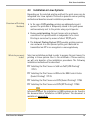
Before you start the InterCon-NetTool make sure that the ’*.qm’
language files, the license file ’license.txt’ and the ’tcpmon.ini’ file
are in the ’/usr/local/lib/nettool’ directory.
Proceed as follows:
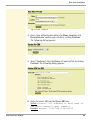
1. Enter the following command via the console:
Syntax:
user$ /<complete path name and program name>
Example:
user$ /usr/local/bin/nettool
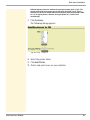
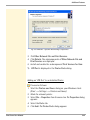
ª The InterCon-NetTool is started.
If the path ’/usr/local/bin’ is part of the environmental variable
PATH, the InterCon-NetTool can be started by entering the program
name ’nettool’.
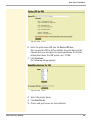
When the InterCon-NetTool is started for the first time, a licensing
agreement will appear. Accept the licensing agreement if you wish
to use the program.
The program settings are saved in the user’s home directory in the
’.nettool’ file.
Print Server User Manual
32