1
webConnect
User Manual
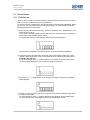
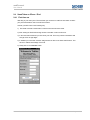
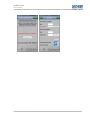
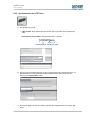
5) Now press the
display appears:
(ENTER) key on the keypad of the reader. Thereupon the following
6) This should read “READY”. Your chip card is now protected by your own PIN. You only need
to carry out the described procedure once on first use of the card and reader.
Remember your PIN and do not communicate it to anyone.
Never write your PIN on the chip card.
2.1.2 Use
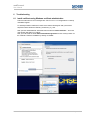
If you wish to dial into the DACHSER data network by means of a PC using webConnect, to log
in you need a new, unrepeatable password consisting of 8 digits.
This protection currently represents the most secure procedure to protect our network against
external access. The OTP procedure (OTP = One Time Password) is officially certified and
represents the highest security standard.
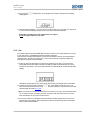
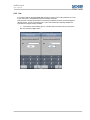
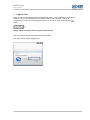
1) Take your chip card and insert it into the secure reader up to the stop. To insert a small
format SIM card use the holder included in the delivery (with this the SIM card can only be
inserted in one position). The card reader switches on automatically and shows the following
display:
“0P000000” means that you now enter your 6 digit PIN using the keypad of the card reader.
2) Confirm the completed entry using the
key. If the display now shows “Error” you
have entered an incorrect PIN or mistyped. In this case remove the chip card from the reader
and start again at section 2.1.2 Use.
Note: If you enter an incorrect PIN three times in succession your chip card is deactivated and
can no longer be used. Only when you have received a new chip card from the IT Service
Desk in Kempten can you again use the service!
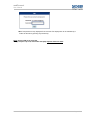
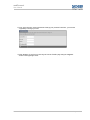
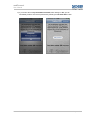
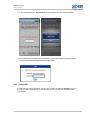
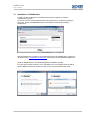
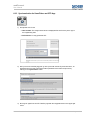
3) The secure reader now calculates the password which quickly appears in the form of an 8
digit number on the display. This is the password which must be entered in the marked line
shown in the illustration below.
Dachser GmbH & Co. KG
Page 7 of 27