1
Chapter 1 - Fundamentals
1.4 GP-PRO/PBIII Manuals and Help
1.4
GP-PRO/PB III Manuals and Help
While you are learning how to use the GP-PRO/PBIII for Windows software, please refer to the following learning aids:
· Related User Manuals
· On-line Help Topics
· Digital’s Home Page
For the help concerning the operation of the Windows operating system, see
the Windows software’s manuals and help screens.
Using GP-PRO/PBIII for Windows Manuals
The following manuals have been created for the GP-PRO/PB III for Windows software.
Describes the system requirements, installation procedures
for GP-PRO/PB III C-Package02 and the method for
reading the manuals in PDF format.
Setup Guide
Operation Manual
(This manual)
Tag Reference Manual
Parts List
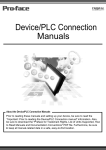
Device/PLC Connection
Manual
Provides detailed program operation information.
Provides detailed descriptions of this software's special and
advanced functions.
Lists all the pre-made Parts included in the GP-PRO/PB III
for Windows software.
Describes connection methods used between the GP and
the device, as well as the necessary operating environment
settings.
Using the Help Feature
If you have any problems or questions during GP-PRO/PB III for Windows
operation, you can view the explanations for each feature and setting via
each window’s Help button, or from the main menu’s Help feature.
Using the Home Page
Users can obtain the latest GP-PRO/PBIII for Windows information by
accessing the Digital Electronics Corporation Home Page at “GP-PRO/PBIII
for Windows Members Club”.
1-22
GP-PRO/PB III for Windows Ver. 6.3 Operation Manual