1
Gigaset E310/E310A / Great Britain / A31008-M2301-L101-1-7619 / answering_m.fm / 26.07.2011
Operating the answering machine
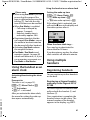
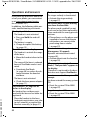
Please note
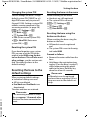
If Call Screening is activated via
the handset and the call can be
heard on the handset, you can
switch the speaker on and off by
pressing the talk key c.
Recording stops and you can speak
to the caller.
If three seconds of the call have
already been recorded when you
pick it up, the call will be displayed
as a new message.
Activating/deactivating
call screening
While the caller is leaving a message
on the answering machine, you can
listen in via the loudspeaker on the
base or handset.
Permanently activating/
deactivating call screening
§Menu§ ¤ q Voice Mail ¤ §OK§
¤ q Call Screening ¤ §OK§
¤ q Handset /Base
¤ §OK§ (‰= on)
Call screening can be simultaneously
activated on the base and handset.
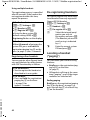
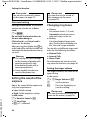
Deactivating call screening on
the handset for the current
recording
Version 5, 03.04.2011
a
Press the end call key. The
loudspeaker on the handset is deactivated.
Setting up the answering
machine
The answering machine has already
been preset at the factory. You can
configure individual settings via the
handset.
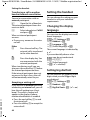
Setting up ring delay
You can set the amount of time that
elapses before the answering
machine is to accept a call.
§Menu§ ¤ q Voice Mail ¤ §OK§
¤ q Ring Delay ¤ §OK§
q
Select Immediately /
10 sec / 18 sec / 30 sec /
Auto and press §OK§
(‰= on).
With Auto the ring delay is as follows:
u If there are no new messages, the
answering machine answers a call
after 18 seconds.
u If new messages are present, the
answering machine answers a call
after 10 seconds.
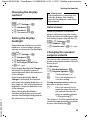
Setting the message length
You can set a maximum message
length.
You can choose: Maximum,
1 Minute, 2 Minutes or 3 Minutes.
§Menu§ ¤ q Voice Mail ¤ §OK§
¤ q Message Length ¤ §OK§
¤ Select the message length
¤ §OK§ (‰= on)
37