1
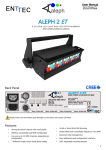
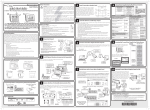
User Manual Rev A Document PN: 50847 For latest version please visit: www.enttec.com Cleaning Control Panel It is important to clean the ALEPH2 ET Mk2 to maintain a long service life. Make sure the unit is unplugged before you attempt any cleaning. After powering up, the current firmware version is displayed, followed by the DMX Start Address. • Surface dust should be removed with an air compressor, please make sure you do not blow compressed air directly inside the unit. • Optics can be cleaned with a glass cleaner or IPA with a soft cloth • Make sure the unit is dry and there is no cleaning fluid residue before powering the unit after cleaning. The unit can be configured by using the 4 buttons under the display as follows. BACK It activates the back-light and goes to Main Menu -If pressed while setting a menu: It takes you to the previous level without changing anything -Hold the key for a few seconds to fast scroll down Do not expose the ALEPH2 ET Mk2 to rain or moisture, doing this will void your warranty. • Do not spill water or other liquids into or onto your unit. • Do not look directly into the LEDs, doing so may damage your eyes. • Check that the local power outlet matches the required voltage (120 → 240V AC) • Make all the connections before you plug in the main power. • • • • -Scrolls up when navigating the menu -Increases the value displayed when setting a parameter -Hold the key for a few seconds to fast scroll up • • -Scrolls down when navigating the menu -Decreases the value displayed when setting a parameter Safety • -If pressed while address is being displayed: SET -Confirms the displayed value -Activates the displayed function or -Opens the next menu The following is the menu setting structure: Main Menu Level 2 Value: 001 to 512 1 – 8bit RGBAW Mode 2 – 8bit RGBW Mode Personality 3 – 8bit 6ch Mode 4 – 16bit 12ch Mode 5 – Extended 9ch Mode Do not remove the cover under any condition. There are no user serviceable parts inside. Never operate this unit when its cover is removed. Level 1 DMX Address 6 – 8bit 1ch Mode Pre-sets Setup Value: 01 to 64 OFF Lamp On Mode DMX Never plug this unit in to a dimmer rack. ON Always be sure to mount this unit in an area that will allow proper ventilation. Allow at least 20 cm between this device and a wall. Value: PWM Frequency NORMAL Back-lite Make sure ventilation holes are clean and unobstructed. Do not attempt to operate this unit, if it becomes damaged. • Always mount this unit in a safe and stable manner. • Power-supply cords should be routed carefully. • The unit should be situated away from heat sources 500 to 2000 ON OFF Factory Defaults Temperature YES NO LED TEMP CPU TEMP LED 1 LED 2 LED 3 Test LED 4 LED 5 LED 6 ALL LEDs Firmware Version 2.xy Covered by US patent 08950901 2