1
Managing Locate Requests, Continued
Copying a Ticket
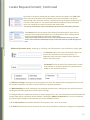
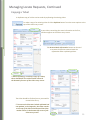
A duplicate copy of a ticket can be made by replicating the existing ticket.
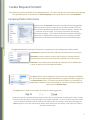
To make a copy of an existing ticket click the Replicate button from the menu options at the
top of the ticket entry screen.
A new ticket, containing the exact information as the first,
will then appear on the ticket entry screen.
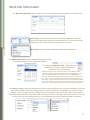
The Remove Work Information button can be used
to remove the previous entered work site
information when replicating tickets.
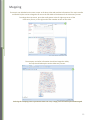
**when replicating, or making a copy of a ticket,
there should NOT be a ticket number shown in
the bottom left corner of the ticket entry screen.
The ticket should be finalized just as you would in
normal ticket entry.
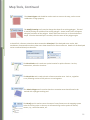
**To ensure the ticket was indeed replicated and
not updated, or tied together, the ticket number
at the top of the ticket should match the ticket
number shown in the bottom left corner of the
ticket entry screen.
23