1
Logging Into GeoCall
To launch the application, the GeoCall System, you will need to either click on the Remote Ticket Entry link
that is posted on the Alabama 811 website home page at www.al811.com, or enter the following address
into your web browser.
The GeoCall website address is:
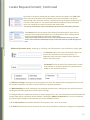
Once on the site, the login box should appear. To log directly into GeoCall, simply type the user name and
password into the appropriate fields of the login box. The login button is a default button. Hitting the
‘enter’ key is the equivalent of clicking this button with the mouse. After you type your password, just hit
the ‘enter’ key and you will be logged into the application.
Alabama 811 will assign your user name and password after you have filled out an application and
completed the required training class.
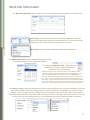
Main GeoCall Screen
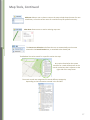
To log out of GeoCall V3, simply click on the user
name at the bottom of the main GeoCall screen.
5