1
Total unlock : application functions
Configuration :
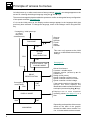
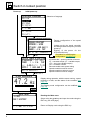
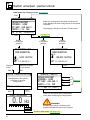
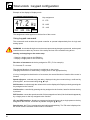
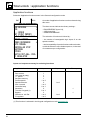
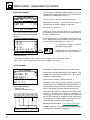
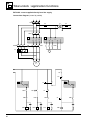
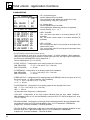
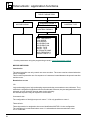
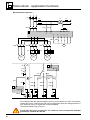
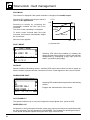
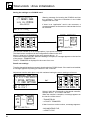
Menu : 7.2 APPLICATION / SWITCH MOT. SEL. function.
1
2
2
3
3
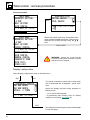
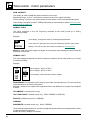
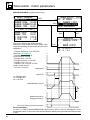
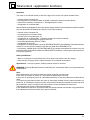
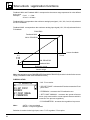
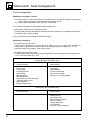
Selects the number of motors.
1 Motor : 1 single motor
2 Motors : 2 motors
3 Motors : 3 motors
SWITCH MOT.SEL.
MOTOR
MOTORS
PARAMETER SETS
MOTORS
PARAMETER SETS
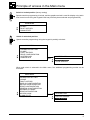
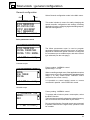
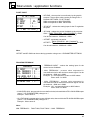
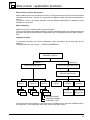
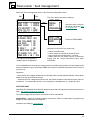
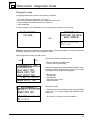
1 MOTOR : selecting 1 Motor deconfigures the SWITCH
MOT. SEL. function. Operation is then standard.
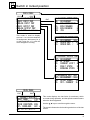
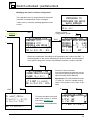
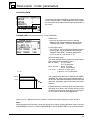
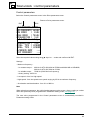
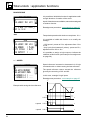
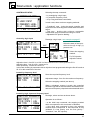
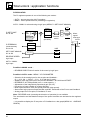
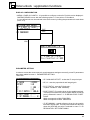
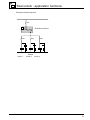
2 MOTORS
2 MOTORS :
– 2 motor configurations can be selected.
– Assign the logic input used to select the configuration.
– Note the combination of LIa and LIb inputs in the motor
selection menu.
SWITCH 2 MOTORS
MOTOR SEL. LIa:---
LIa
MOT1
0
MOT2
1
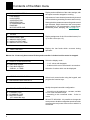
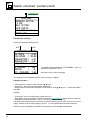
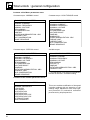
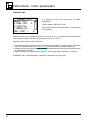
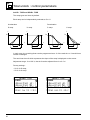
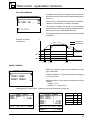
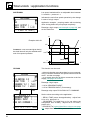
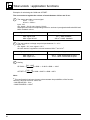
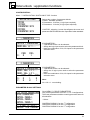
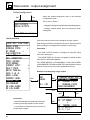
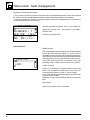
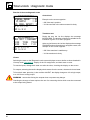
3 MOTORS
3 MOTORS :
– 3 motor configurations can be selected.
– Assign the logic inputs used to select the motor.
– Note the combination of LIa and LIb inputs in the motor
selection menu.
SWITCH 3 MOTORS
MOTOR SEL.
LIa:---
MOTOR SEL.
LIb:---
MOT1 MOT2 MOT3
LIa
0
1
0.1
LIb
0
0
1
Note :
LIa = LIb =1 : no switching.
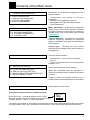
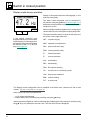
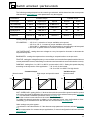
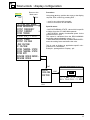
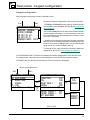
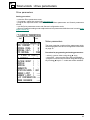
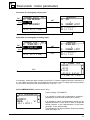
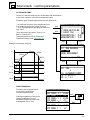
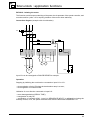
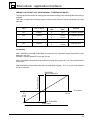
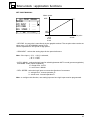
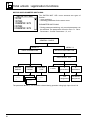
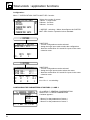
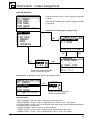
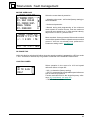
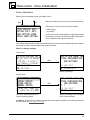
CONFIGURING THE PARAMETERS OF MOTORS 1, 2 AND 3
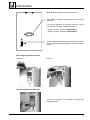
7‘ GENERAL CONFIG.
DRIVE PARAMETERS
MOTOR 1
MOTOR
2
MOTOR
3
†,™ & ENT to select
54
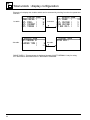
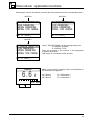
Go to MENU 7. GENERAL CONFIGURATION.
Select menu 7.1 DRIVE PARAMETERS
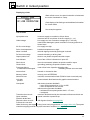
A window appears :
– Motor 1 for the parameters of motor 1,
– Motor 2 for the parameters of motor 2,
– Motor 3 for the parameters of motor 3.