1
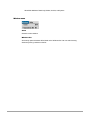
Application menu
File menu
New Folder
Creates new folders for local and remote machine.
For local disk:
When this function is selected, Mac USB DataBridge open dialog will contain new
directory name (default name is “New Folder”). You can rename the directory to
the name you want.
For remote disk:
When this function is selected, Mac USB DataBridge open dialog will contain new
directory name (default name is “New Folder”). You can rename the directory to
the name you want.
Open
Opens selected folder or file, and application
For files:
When this function is selected, Mac USB DataBridge will execute the application
software program and open the documents in Mac recognizable format.
Note: For Mac to PC, Mac USB DataBridge can open text files only.
For directories:
When this function is selected, Mac USB DataBridge will open the selected
directory in new window. The new window will contain a list of all files and
directories from selected directories.
For application